Find your recipe keeper
CookBook vs Recipe Keeper
CookBook is our Recipe Keeper alternative for a full web app, recipe-aware AI and ingredient-based nutrition estimates with Pro. Save and scan recipes, adapt a favourite and plan meals across iOS, Android and your computer browser.
Free for 20 recipes. Available on iOS, Android & web.
The decision
CookBook is our pick for web access, recipe-aware AI and nutrition estimates
Choose CookBook to use your saved recipes in a full browser app, discuss an adaptation with Ask CookBook and calculate nutrition estimates with Pro. One account connects your mobile and web routine. Recipe Keeper remains a strong choice for installed desktop apps and designing a printed family cookbook; both apps support social imports and written-recipe scanning.
Where CookBook stands out
- Import social recipes and scan family favourites into a library you can use on mobile and web.
- Ask about a saved recipe and turn a reviewed variation into the next meal.
- Use one Pro account across supported mobile devices and a computer browser.
Watch out for
- Recipe Keeper lists Instagram, TikTok and OCR: these are shared capabilities, not missing features.
- Recipe Keeper Pro purchases are separate across platforms; a phone upgrade is not an all-device price.
- Recipe Keeper has dedicated PDF book-design tools. CookBook focuses on recipes, planning and cooking.
Jump to a feature
A better fit for your routine
Why consider a Recipe Keeper alternative?
Choose CookBook when you want to open your recipes in any supported browser, ask for help adapting a dish or calculate a fresh nutrition estimate with Pro. Supported Recipe Keeper ZIP archives can move with Pro import assistance.
- You want to edit and plan in a browser, including on a computer where you cannot install an app.
- You want help adapting saved recipes and estimating nutrition from the ingredients you will use.
- You want one Pro account covering mobile and web rather than separate upgrades for each platform.
From inspiration to dinner
What makes CookBook different
Both apps save social recipes and scan written originals. CookBook adds a full browser workspace, conversations about your saved recipes and ingredient-based nutrition estimates with Pro, so the collection supports the meals you want to cook next.
- A full recipe workspace in your browser
- CookBook includes recipes, planning and shopping on the web. Open the same collection on iOS or Android when you move from your desk to the kitchen. Explore CookBook on the web
- Turn a saved recipe into your own version
- Ask CookBook about a substitution or variation, check the result and save the version you want. AI Chef also helps when dinner starts with ingredients rather than a recipe. See recipe-aware AI
- Estimate nutrition after changing a dish
- CookBook Pro calculates from ingredients and servings. Recalculate when your version changes instead of relying on nutrition copied from an older recipe. See nutrition calculation
- Keep the cooking experience with the recipe
- Focused steps, timers and supported narration help at the stove. Add notes and record the cook so the next attempt starts with what you learned. See cooking mode
At a glance
Strong: a clear fit for this task. Limited: restrictions or extra steps. Not available: absent from the version or platform named. Read each note for plan and device details.
| Features | CookBook | Recipe Keeper |
|---|---|---|
| Best fit | Mixed-source recipe collection Bring supported social saves, written recipes and your own notes into one library, then organise, plan, shop and cook from it. | Scanning and printable cookbooks Native Mac and Windows access plus designed PDF cookbooks are useful when the end goal includes a printed family book. |
| Devices | Strong iOS, Android and web One account covers supported iOS, Android and web use. CookBook has a browser app rather than native Mac or Windows desktop software; the web app needs internet. | Strong iOS, Android, Mac and Windows Native iOS, Android, Mac and Windows applications. Pro access on one platform is not a purchase covering every other platform. |
| App languages | Strong 7 app languages English, French, German, Italian, Spanish, Polish and European Portuguese. The app language is separate from the website language. | Strong 15 languages on iOS The iOS listing includes English, French, German, Italian, Spanish, Portuguese and nine others; Polish is not listed. Check the store for your device. |
| Website and social saving | Strong Supported links Import supported websites, Instagram, TikTok and Facebook sources. Check the accessible ingredients and method; a missing source quantity should not be invented. | Strong Web, Instagram and TikTok The current official site lists websites, Instagram and TikTok. These are shared capabilities with CookBook, not missing features. |
| Written recipe scanning | Strong Included; limits by plan An integrated scanner turns photographed written recipes and selected PDF pages into editable fields. Free smart-import limits apply; review difficult handwriting. | Strong Photos, PDF and handwriting Photos, PDF pages and handwritten recipes can be converted with OCR. Multi-photo scanning is documented in iOS release notes; review recognition errors. |
| Plan meals and shop | Strong Included; limits by plan Plan saved recipes and create editable lists. The free plan allows 2 shopping lists; pantry quantities and leftover stock are not automatically tracked. | Strong Included Weekly/monthly planning and aisle-sorted lists; its iOS listing also describes random meal-plan creation from your hints. |
| Cooking tools | Strong Cooking mode Focused steps, text-size controls, timers and recorded cooking history. Read-aloud and voice support depend on device capabilities and permissions. | Strong Scaling and cooking progress Serving adjustment, cross-off, direction highlighting, larger text and screen-awake behaviour. The separate Alexa skill is English-only. |
| Recipe nutrition | Strong Pro calculation Pro estimates nutrition from ingredients and servings. Recalculate after editing; results are estimates rather than laboratory measurements. | Limited Nutrition fields and filters Add nutritional information and filter recipes by those amounts. These maintained fields are distinct from recalculating ingredients after a recipe changes. |
| Export and moving recipes | Strong Export and supported bulk imports Export Text, PDF or CookBook ZIPs. Images reference CookBook servers: import photos into the next app before deleting the account. Pro assistance handles supported third-party archives. | Strong Sharing, PDF and transfer options Full recipe-file export is confirmed by the developer, separately from PDF book design. CookBook’s supported transfer format is Recipe Keeper ZIP via Pro assistance. |
| Free option | Limited 20 recipes and 20 smart imports Keep 20 recipes, use 20 smart imports and 2 lists. A 14-day trial is available with yearly Pro; monthly and yearly conditions differ. | Limited Free download with Pro upgrade A free download lets you inspect the workflow before a Pro upgrade. Check current limits on your chosen platform. |
| Price basis, checked September 2026 | Pro: US$39.99/year US$6.99/month is also offered. Amounts are indicative USD; your country, store and current checkout offer apply across supported devices on one account. | Pro: separate platform purchases US iOS lists a US$19.99 Pro upgrade and says other platforms need separate purchases. Check each store rather than assuming one all-device total. |

Scroll sideways to compare all apps
Compare the detail
Save recipes from websites and social posts
| Features | CookBook | Recipe Keeper |
|---|---|---|
| Website recipes | Strong Links and browser sharing | Strong Website recipe importing |
| Instagram and TikTok | Strong Supported social imports | Strong Both sources listed |
Scroll sideways to compare all apps
CookBook is built for a collection that starts in several places: a food blog, a social post, a copied message or your own kitchen notes. Choose the relevant import route, review the editable result and keep the original source link alongside your version.
Recipe Keeper also supports website, Instagram and TikTok importing. CookBook’s advantage is the wider routine after saving: browser access, recipe-aware assistance and cooking tools around the same collection. If a creator leaves out quantities, use their complete recipe before planning the dish; missing quantities still need to be checked with the original recipe.
The verdict
Choose CookBook for the complete mobile-and-web recipe routine; social importing alone does not separate these two apps.
Compare the detail
Scan a family recipe and keep the original
| Features | CookBook | Recipe Keeper |
|---|---|---|
| Printed or handwritten text | Strong Recipe scanner with review | Strong OCR with editable result |
| PDF recipe pages | Strong Scan selected pages | Strong PDF scanning supported |
Scroll sideways to compare all apps
Both apps address the handwritten-card problem. Recipe Keeper supports photographs and PDFs with text recognition; CookBook’s recipe scanner handles written recipes from images and selected PDF pages. Scanning is different from asking an AI tool to invent a possible recipe from a photograph of a finished meal.
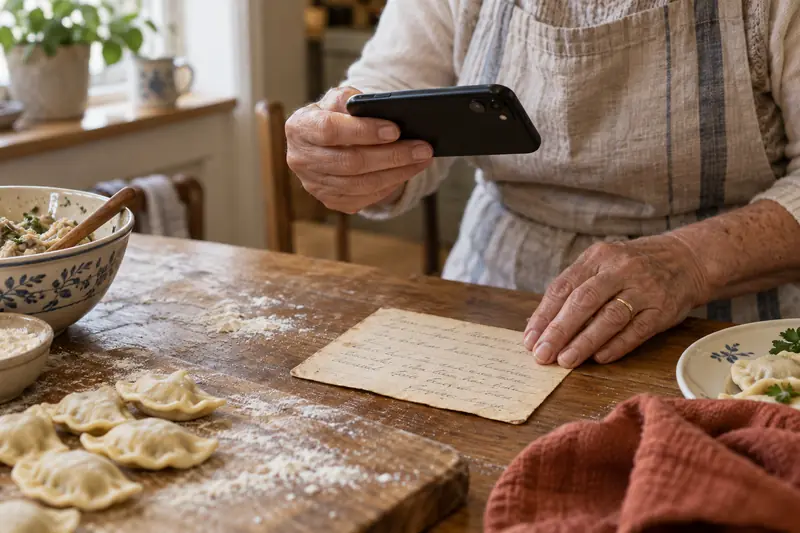
In CookBook you can choose automatic scanning or select areas manually, then inspect the ingredient and method fields. For a recipe with side notes or several photos, keep the original beside the result while checking it. Recipe Keeper’s iOS release notes also document multi-photo scanning. Both provide editable text; choose the surrounding library and cooking workflow that will make those scans useful.
The verdict
Choose CookBook to take family scans through browser organisation, planning and cooking; Recipe Keeper also provides a capable scanner.
Compare the detail
Organise around how you actually choose dinner
| Features | CookBook | Recipe Keeper |
|---|---|---|
| Find a dish by ingredient | Strong Ingredient search | Strong Ingredient search |
| Personal organisation | Strong Tags, favourites, ratings, notes | Strong Collections, courses, categories |
Scroll sideways to compare all apps
CookBook’s tags, favourites, ingredient search, ratings and notes help you build several ways back to a recipe. A family recipe can also be a quick dinner and a favourite, without making you remember which bookmark folder you used months earlier.
Recipe Keeper provides collections, courses, categories and recipe search, with bulk updates described in its store listing. Those are useful tools for a library that already has a structured filing system. For CookBook, use a small number of recognisable tags and add notes about your actual changes. Organisation should make the next choice easier, rather than create another administration task for every recipe you save.
Make CookBook comfortable to return to: choose a colour scheme, light or dark appearance, text size and which home sections stay visible. Ratings, notes and recorded cooking history help you find the version your household liked.
The verdict
Choose CookBook for a flexible daily collection; Recipe Keeper is competitive if you prefer its course-and-category structure.
Compare the detail
Ask a question about a recipe you already saved
| Features | CookBook | Recipe Keeper |
|---|---|---|
| Conversation with recipe context | Strong Ask CookBook | Not listed in reviewed features |
| Create an ingredient-led idea | Strong AI Chef suggestions | Organise and adapt saved recipes |
Scroll sideways to compare all apps
CookBook’s clearest extra is the connection between your library and Ask CookBook. Select a recipe, discuss a substitution or variation, review the resulting draft and choose whether to keep a new version. AI Chef can also start from ingredients or a description when you have not chosen a recipe yet.
Recipe Keeper’s documented strengths include scanning, serving adjustments and collection tools. Text recognition reads an existing recipe; it is not the same task as a conversation about adapting one. Choose CookBook when that conversation would be useful during planning. You can also cook without opening the AI assistant. Before saving a suggestion, check quantities, dietary requirements and whether the revised method makes sense.
The verdict
Choose CookBook if recipe-aware questions and editable variations are part of how you want to cook.
Compare the detail
Keep the meal plan connected to real recipes
| Features | CookBook | Recipe Keeper |
|---|---|---|
| Recipe meal planning | Strong Day, week and month | Strong Weekly and monthly planner |
| Shopping from the plan | Strong Choose dates and ingredients | Strong Send planned ingredients |
Scroll sideways to compare all apps
CookBook lets you choose saved meals, set portions and move or copy planned dates. The same account works on your phone and in the web app, so you can do the planning at a desk and open it in the kitchen. Changing the week should prompt a fresh look at the shopping list.
Recipe Keeper has weekly and monthly planning, and its iOS listing describes a random plan based on your hints. That is a useful distinction if choosing meals is the chore you want to reduce. CookBook gives you a schedule built around the recipes you select; it does not automatically keep track of leftover stock. Mark a second serving of a cooked batch clearly so it is not mistaken for another batch to buy.
The verdict
Choose CookBook for deliberate planning across mobile and browser; consider Recipe Keeper’s random-plan tool if choosing the meals is your main obstacle.
Compare the detail
Turn the plan into a list you can edit
| Features | CookBook | Recipe Keeper |
|---|---|---|
| Recipe ingredients to list | Strong Editable recipe lists | Strong Recipe and planner lists |
| Extra groceries | Strong Regular and custom items | Strong Favourites and custom items |
Scroll sideways to compare all apps
CookBook combines recipe ingredients with regular groceries and gives you control over the final list. Review compatible merged items, split different food forms and change the amount you need to buy without editing the recipe itself. Keep fresh and dried herbs distinct when they are not interchangeable.
Recipe Keeper advertises aisle grouping and multiple lists, making a separate list for each store possible. CookBook’s supported Instacart connection is an additional option for eligible lists in the United States and Canada. Both apps still need a practical pantry check: owning a shopping-list feature does not mean the app knows the quantity already in your cupboard or which retailer has an item in stock.
The verdict
Choose CookBook for editable lists and supported Instacart ordering; Recipe Keeper also covers ordinary recipe-to-grocery planning well.
Compare the detail
Use the saved recipe with messy hands
| Features | CookBook | Recipe Keeper |
|---|---|---|
| Readable cooking instructions | Strong Focused steps and text controls | Strong Highlighting and text controls |
| Spoken assistance | Limited Supported devices and voices | Limited Alexa skill: English only |
Scroll sideways to compare all apps
CookBook’s cooking mode puts the current step, ingredients and timers close together, with adjustable text and read-aloud support on compatible devices. Recording a cook adds to your cooking history; a rating and a short note let you remember what you changed next time.
Recipe Keeper provides ingredient cross-off, current-direction highlighting, text-size adjustment and screen-awake behaviour. Its Alexa skill is English-only, an important limitation if you cook in another language. Choose the interaction that helps while your hands are occupied. CookBook voice features also depend on device support, available voices and permissions rather than working identically on every screen.
In CookBook, change the serving count and the ingredient quantities adjust. Choose original units or US, metric, imperial or Australian measurements. Cooking time does not scale automatically; weight-to-volume estimates depend on the ingredient.
The verdict
Choose CookBook for focused steps, timers and recorded cooking history; Recipe Keeper offers useful progress controls and an English Alexa option.
Compare the detail
Calculate an estimate for your own version
| Features | CookBook | Recipe Keeper |
|---|---|---|
| Nutrition workflow | Strong Ingredient-based Pro calculation | Limited Nutrition fields and filtering |
| Modified recipe | Strong Recalculate reviewed ingredients | Limited Review maintained values |
Scroll sideways to compare all apps
CookBook Pro can calculate estimated nutritional information from recipe ingredients and servings. It is particularly useful for a recipe you wrote yourself or adapted from a saved version. Clear ingredient names, quantities and the correct serving count matter more than how polished the resulting panel looks.
Recipe Keeper documents nutrition fields and searching by nutritional amounts. Those help organise information you have added, but a stored value and a new ingredient-based calculation are different capabilities. When you alter a dish, review the nutrition rather than carrying the original numbers forward automatically. Use CookBook’s recalculation when you want a new estimate for your edited ingredients and portions.
CookBook also lets you enter your own recipe nutrition values. Pro adds personal calorie and macro targets. Planner totals start with one consumed serving per planned recipe, so adjust the portions you expect to eat rather than assuming the whole dish counts.
The verdict
Choose CookBook Pro if ingredient-based nutrition estimates are important to the recipes you create and change.
Compare the detail
Use a browser or install a desktop app
| Features | CookBook | Recipe Keeper |
|---|---|---|
| Full browser application | Strong Mobile and web account | Limited Native platform apps listed |
| Native desktop application | Not available Browser access instead | Strong Mac and Windows apps |
| Offline recipe reading | Limited Previously synced mobile data | Strong Offline recipes advertised |
Scroll sideways to compare all apps
CookBook offers a full browser app alongside iOS and Android. It is a practical option when you want to edit and plan on a computer where you cannot install software. Recipe Keeper lists native iPhone, iPad, Android, Windows and Mac applications, which may fit a preference for installed desktop tools.
CookBook mobile recipes must have synced before offline use. You can view cached recipes and lists, while editing, imports and AI require connectivity; the web app requires a connection. Recipe Keeper advertises offline recipe access. Decide whether you need to read an existing recipe away from Wi-Fi or create new material there, because those are different requirements. A synced account also needs a connection to exchange changes between devices.
The verdict
Choose CookBook for browser flexibility; choose Recipe Keeper if a native Mac or Windows application is a requirement.
Compare the detail
Compare the whole device setup
| Features | CookBook | Recipe Keeper |
|---|---|---|
| Free starting option | Limited 20 recipes and smart imports | Limited Free download; check limits |
| Paid access | One Pro account plan | Separate platform upgrades |
Scroll sideways to compare all apps
CookBook’s free starting allowance is 20 recipes, 20 smart imports and 2 shopping lists. Pro guide prices are US$6.99 monthly or US$39.99 yearly, with a 14-day trial on the yearly plan. One account covers supported mobile and web devices.
Recipe Keeper’s US iOS store lists a US$19.99 Pro upgrade and explicitly says other platforms need separate purchases. That may be attractive for one platform, but it is not the total for a phone, a different mobile platform and a desktop computer. Start with the free download to inspect current limits, then compare the checkout terms for your actual devices. Store, country and offers can change either app’s price.
The verdict
Choose CookBook for one recurring mobile-and-web plan; price Recipe Keeper by the platforms you actually need.
Compare the detail
Share a recipe or design a family cookbook
| Features | CookBook | Recipe Keeper |
|---|---|---|
| Share individual recipes | Strong Recipe file, text, PDF or link | Strong Email and recipe sharing |
| Designed book with chapters | Limited Export recipes for other tools | Strong Dedicated PDF cookbook design |
Scroll sideways to compare all apps
CookBook can share an individual recipe as text, PDF or a CookBook recipe, including a link or QR code for another user. That is useful when somebody wants the dish you cooked last night. Sharing a copy does not create a live, independently permissioned family account; CookBook does not currently link household profiles.
Recipe Keeper’s book-building tools are a real reason to choose it: PDF output can include a cover, chapters, layouts and a contents page. If your goal is a designed family gift, this is more specialised than exporting separate recipe PDFs. For an everyday digital collection, CookBook keeps the emphasis on saving, adapting, planning and cooking. A printed book and an editable archive solve different problems.
The verdict
Choose CookBook for a working digital collection and individual sharing; choose Recipe Keeper if designing a printed cookbook is the main project.
App language and recipe language
Choose the language you actually cook in
| Features | CookBook | Recipe Keeper |
|---|---|---|
| App interface languages | Strong 7 app languages: English, French, German, Italian, Spanish, Polish and European Portuguese | Strong 15 languages on iOS. The iOS listing includes English, French, German, Italian, Spanish, Portuguese and nine others; Polish is not listed. Check the store for your device. |
Scroll sideways to compare all apps
CookBook works in English, French, German, Italian, Spanish, Polish and European Portuguese. Use the app in your preferred language, then decide whether to translate a recipe. Changing the website language does not change the app or rewrite your collection.
The iOS listing includes English, French, German, Italian, Spanish, Portuguese and nine others; Polish is not listed. Check the store for your device.
CookBook’s optional automatic import translation is off until enabled and supports its six non-English app languages. With Pro, the saved-recipe Translate tool can also translate into English. Review the translated ingredients and method before saving; translation and measurement conversion are separate choices.
The verdict
Check your actual language and device, not just the language count. CookBook combines seven app languages with optional recipe translation.
Your decision
Who should choose which app?
Choose CookBook for a digital cooking routine across phone and browser, with recipe-aware help and nutrition estimates with Pro. Choose Recipe Keeper when installed desktop software or a designed, printed family cookbook is your main goal.
- Choose CookBook if…
- Choose CookBook for a working digital collection across mobile and browser, with conversational recipe help and nutrition estimates. It suits cooks who want to collect, adapt, plan and cook without treating a printed book as the final destination. Try CookBook with your own recipes
- Choose Recipe Keeper if…
- Choose Recipe Keeper if native Windows or Mac apps and designed PDF cookbooks are your priority. Its covers, chapters and print layouts are a genuine advantage for a family-book project. Scanning and social imports are available in both apps.
Keep the recipes you love
Switching from Recipe Keeper to CookBook
| Features | CookBook | Recipe Keeper |
|---|---|---|
| Transfer from Recipe Keeper | Strong Pro team accepts Keeper ZIP | Strong Recipe-file export available |
| Printable copy versus archive | Keep the right transfer format | PDF book is a separate output |
Scroll sideways to compare all apps
You can start with a few favourites before moving the rest. Use the route below for Recipe Keeper, then check the imported recipes against your originals.
CookBook also exports your collection. Its export images are links to hosted files, so preserve the image copies before deleting a CookBook account.
The verdict
Choose CookBook with a clear migration route, and keep an independent archive until both recipe fields and images are accounted for.
Export the recipe collection
Keep Recipe Keeper’s recipe-file ZIP export. A designed PDF cookbook is useful to read, but it is a different output from an editable transfer archive.
Arrange the supported import
CookBook Pro import assistance accepts Recipe Keeper ZIP files. Keep your original export while the recipes are transferred.
Check a representative sample
Include photos, notes, categories and recipes with several ingredient groups. Check what transferred before relying on the new collection.
Set up your everyday routine
Tag favourites, plan a meal and create a shopping list in CookBook. Recreate meal plans, lists and settings separately when needed.
A little more help
Frequently asked questions
Is CookBook a good Recipe Keeper alternative?
Yes. CookBook is our recommended Recipe Keeper alternative for a full browser app, conversational recipe help and ingredient-based nutrition estimates with Pro. One Pro account covers supported mobile devices and web access. Both save social recipes and scan written originals; Recipe Keeper is a strong choice for native desktop apps and designing a printed family cookbook.
Does Recipe Keeper scan handwritten recipes?
Yes. Its official website describes OCR for cookbook pages, photographs, PDFs and handwritten recipes. CookBook also scans written recipes. Review difficult handwriting and quantities in either app.
Does Recipe Keeper import Instagram or TikTok recipes?
Yes. Both sources are listed on Recipe Keeper’s website. CookBook also supports social recipe imports. Source availability and the amount of recipe detail affect what can be saved.
Can I use Recipe Keeper in a web browser?
Recipe Keeper’s official platform list is iPhone, iPad, Android, Windows and Mac native apps. CookBook includes a browser-based web app as well as mobile apps, which is useful when you cannot install desktop software.
Is Recipe Keeper one purchase for every platform?
No. The official iOS listing says separate purchases are required for other platforms. Verify the current upgrade and account terms for each device instead of treating one store price as a complete cross-device total.
Which is better for printing a family cookbook?
Recipe Keeper has dedicated PDF cookbook design features such as covers and chapters. Choose that workflow if a designed printed book is your main outcome; choose CookBook for maintaining and cooking from a mixed-source digital collection.
Can I bring Recipe Keeper recipes into CookBook?
Yes. CookBook’s Pro import assistance accepts Recipe Keeper ZIP exports. Keep the original archive and review transferred recipe fields and photographs. A PDF cookbook is a separate readable output, not the preferred editable transfer file.
See the bulk-import process Does CookBook calculate nutrition?
CookBook Pro calculates estimated nutrition from recipe ingredients and servings. Review the inputs and recalculate after changing them.
How nutrition calculation worksStill have a question? Visit our help centre.
Loved in real kitchens
Home cooks, in their own words.
From the first saved recipe to a collection of thousands. Here’s what CookBook customers have to say.
Swipe to read more, or use the arrows.
Give your saved recipes more room to grow
Bring your Recipe Keeper collection to CookBook for mobile and browser cooking, recipe-aware help and your own variations. Start free with 20 recipes, 20 smart imports and 2 shopping lists; Pro import assistance handles supported archives.
Get CookBook free