CookBook for iOS & Android
Take your CookBook anywhere.
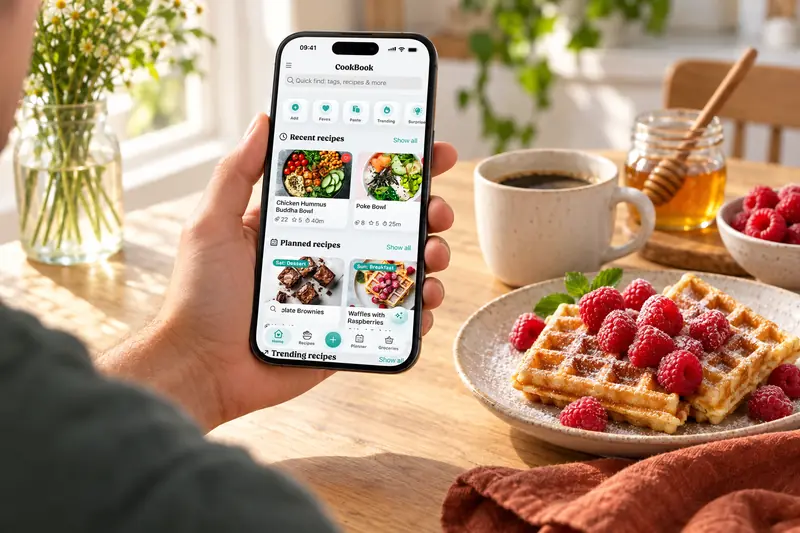
Download the CookBook app. Save recipes from TikTok, Instagram, Facebook, websites and cookbooks, then make them yours.
On your computer? Start CookBook in your browser. Create an account or sign in, with no download needed.
The app is available in English, French, German, Italian, Spanish, Polish and Portuguese.
Free for 20 recipes. Your collection stays in sync.
Three small steps
From “I should make that” to saved.
- 01
Download the app
Get CookBook on your iPhone, iPad or Android device. Start where you find your recipes.
Choose your device - 02
Create a CookBook account
Open the app and sign up for free. Use the same account across your devices to keep your recipes together.
- 03
Save your first recipe
Share a recipe from TikTok, Instagram or Facebook, paste a website link, or scan a family favourite.
See how importing worksSaving from a food blog? Follow the website recipe walkthrough.
Every device. One CookBook.
Start on your phone, plan on your computer, and cook with your tablet. Your recipes go with you.
Download App - Apple iOS
Access your recipe collection on-the-go by downloading the CookBook app from the Apple App Store to all of your Apple iOS devices, including iPhone and iPad. Take your recipes with you wherever you go.
Download for iPhone & iPadDownload App - Android
Never be without your go-to recipes again by downloading the CookBook app from the Google Play Store to your Android device. Whether you're at home or on the move, our app makes it easy to access your collection and keep your favourite recipes within reach.
Download for AndroidBookmark the Web App
Use the CookBook web app on your computer to import, edit and organise recipes with more room to work. Sign in with the same account you use on your phone to keep your collection together.
Open the web appInstall Chrome Extension
Effortlessly import your favourite recipes straight to your CookBook using our Google Chrome browser extension. Installing it allows you to swiftly add new recipes directly to the web app with ease.
Add to ChromeA little more help
Frequently asked questions
How much does CookBook cost?
CookBook is free to download and use with up to 20 saved recipes, 20 smart imports, and 2 shopping lists. When you are ready for more, you can upgrade to CookBook Pro monthly or start a 14-day free trial with the yearly plan.
See plans and pricing Do I need to pay separately on each device?
No. One CookBook plan works across all your devices, including iPhone, iPad, Android, tablets, computers, and laptops. Just sign in with the same account and your recipes will sync.
Can I move my recipes from another app or old collection?
Yes. CookBook supports team-assisted transfers from Paprika, Recipe Keeper, Plan to Eat and other supported exports. Standard transfers have no extra fee beyond Pro. During the 14-day Pro trial, the team can usually import a sample; the full collection follows once you continue on paid Pro. You can also self-import up to 250 recipes per file using the CookBook CSV template or a .cookbook ZIP.
See supported files and transfer instructions Are my recipes private?
Your saved CookBook collection is private by default. Other users cannot browse it. If you share a recipe, its recipient can see that copy; anyone signed in to your account can access your collection. Your recipes also sync through CookBook's cloud services.
Recipes, privacy and copyright Which languages can I use in the CookBook app?
CookBook is available in English, French, German, Italian, Spanish, Polish and Portuguese. Choose the app language in Settings under Appearance. The website language picker changes this website, not your installed app.
Explore recipe translationStill have a question? Visit our help centre.
Loved in real kitchens
Home cooks, in their own words.
From the first saved recipe to a collection of thousands. Here’s what CookBook customers have to say.
Swipe to read more, or use the arrows.