A little more organised. A lot more cooking.
Cooking mode for real kitchens.
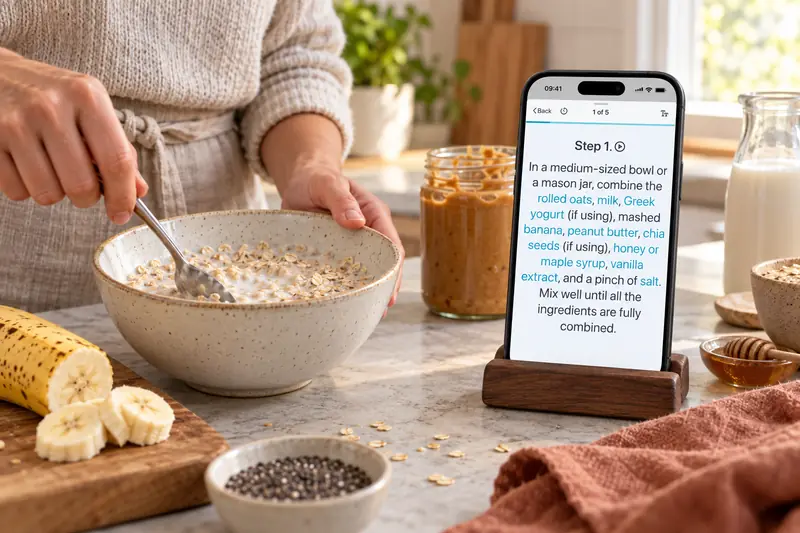
Put your phone or tablet on the kitchen counter and open cooking mode. Follow your recipe step by step, make the text easier to read, and keep ingredients and timers close at hand. Keep your screen awake while viewing recipes and hear cooking instructions read aloud.
Free for 20 recipes. Available on iOS, Android & web.
Cooking mode
Stay with the step you’re on.
Open a saved recipe and tap Cook. Swipe between steps or choose a scrolling view, with your ingredients available as you go. Adjust the text size to suit your screen and the way you cook.
- A clearer view
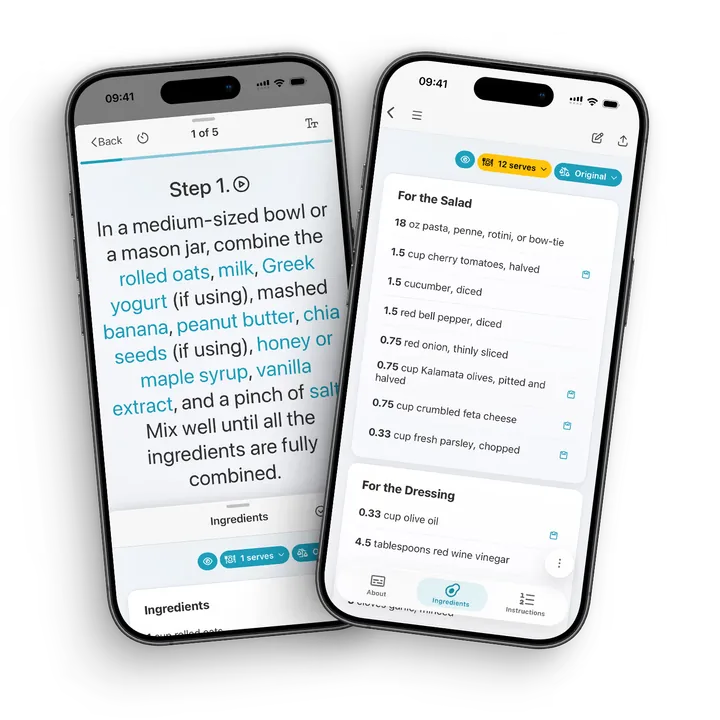
Increase the text size and follow one step at a time. The keep-awake setting helps your screen stay on while cooking. Enable it to keep the screen awake while viewing recipes too.
- Timers within reach
Start timers from recognised times in recipe instructions, or open the timer controls while you cook.
- Keep track as you go
Cross off ingredients as you use them and track your place in the instructions.
- Servings that suit you
Scale the ingredients up or down before you cook, whether dinner is for one or a full table.
Servings and measurements
Two for dinner? Six at the weekend.
Change the serving count and CookBook adjusts ingredient quantities. Keep the recipe you love, whether you are cooking for yourself or feeding a full table.
Choose US customary, metric, imperial or Australian measurements. Keep the original units when you prefer, and use the temperature tools when your oven works in another system.
Recipe scaling and measurement conversions are built into CookBook. You can also try our free website calculators below.
- Scale ingredient amounts up or down without rewriting the recipe.
- Keep your measurement preference separate from your app language.
- Use ingredient-specific estimates when converting cups to weight; cooking time does not scale with servings.
Read aloud · Text to speech
Hear the next step.
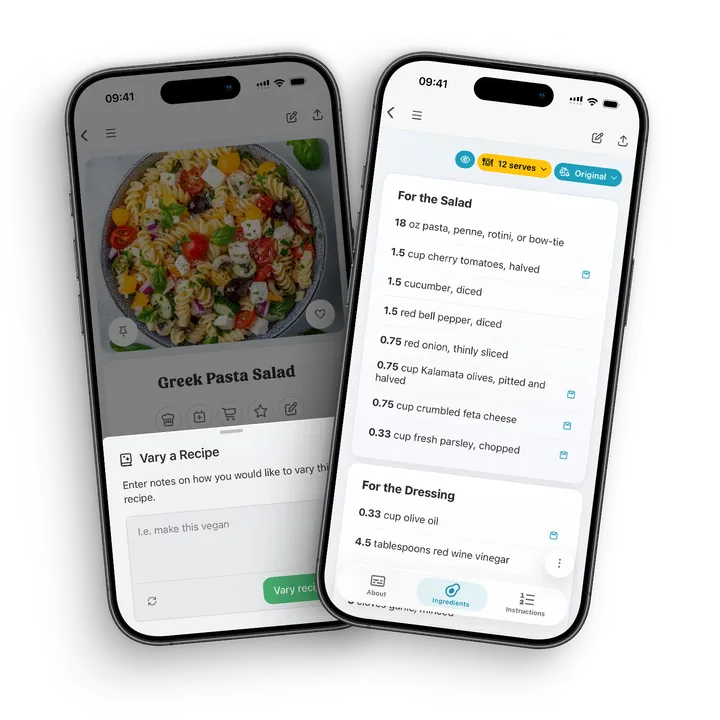
Tap the play control to hear a recipe step spoken aloud. Where voice control is supported, turn on the microphone to move forward, go back or ask CookBook to read the current step.
Narration and voice controls depend on your device, available voices and permissions. You choose when to turn listening on.
Ratings & cooking history
Remember what made it yours.
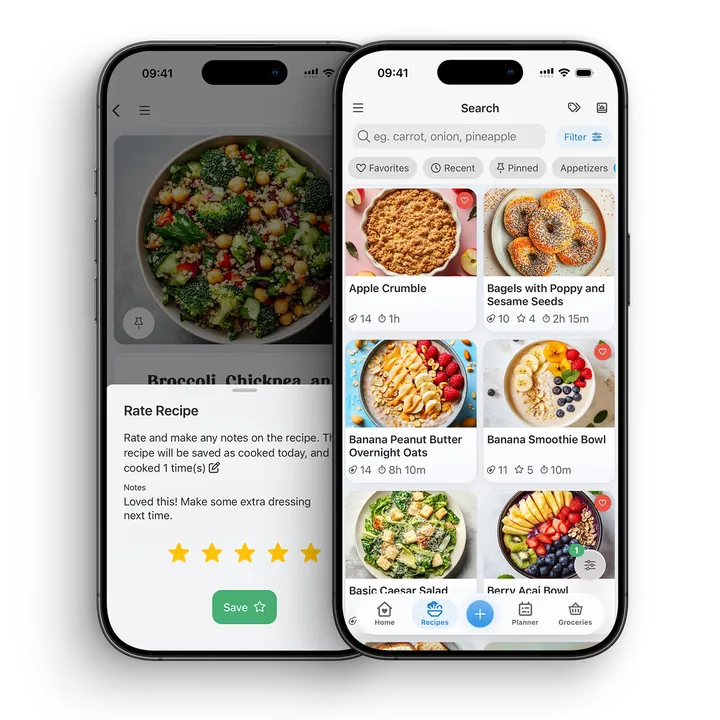
A little less chilli. A few more minutes in the oven. After cooking, rate the recipe and add a note for next time. Recording that you cooked it updates your cook count and last-cooked date.
Your favourites become easier to come back to, with your own experience saved alongside the recipe.
A little more help
Frequently asked questions
How do I start cooking mode in CookBook?
Open a saved recipe and tap Cook. Follow the instructions step by step, open the ingredient list when you need it, and adjust the text size or switch to a scrolling view.
Can CookBook read a recipe aloud?
Yes. On supported devices, tap the play control in cooking mode to hear the current step. Available voices depend on your device. Voice control can also move between steps or start and stop narration when supported and enabled.
Does CookBook have recipe timers?
Yes. CookBook recognises times in recipe instructions so you can start a timer from the recipe. You can also open the timer controls in cooking mode.
Can I make the recipe text bigger?
Yes. Cooking mode includes a text-size control, so you can enlarge the instructions while following a recipe.
Will my screen stay on while I cook?
CookBook has a keep-awake setting for cooking on supported devices. Your device or browser must support this, and the setting needs to be enabled. It also keeps the screen awake while viewing recipes.
Can I record when I last cooked a recipe?
Yes. Record the recipe as cooked to update its last-cooked date and cook count. You can also leave a personal rating and notes to help next time.
Can I scale a recipe or change its measurements?
Yes. Adjust the servings to scale ingredient quantities, and choose US customary, metric, imperial or Australian measurements. Keep the original units if you prefer. Changing servings does not automatically change cooking times.
Try the recipe servings calculatorStill have a question? Visit our help centre.
Loved in real kitchens
Home cooks, in their own words.
From the first saved recipe to a collection of thousands. Here’s what CookBook customers have to say.
Swipe to read more, or use the arrows.
Your ultimate kitchen companion.
Tried, tested & loved by thousands of home cooks. CookBook is free to try, so jump in and see what all the fuss is about!
Get started for free