Find your recipe keeper
CookBook vs Samsung Food
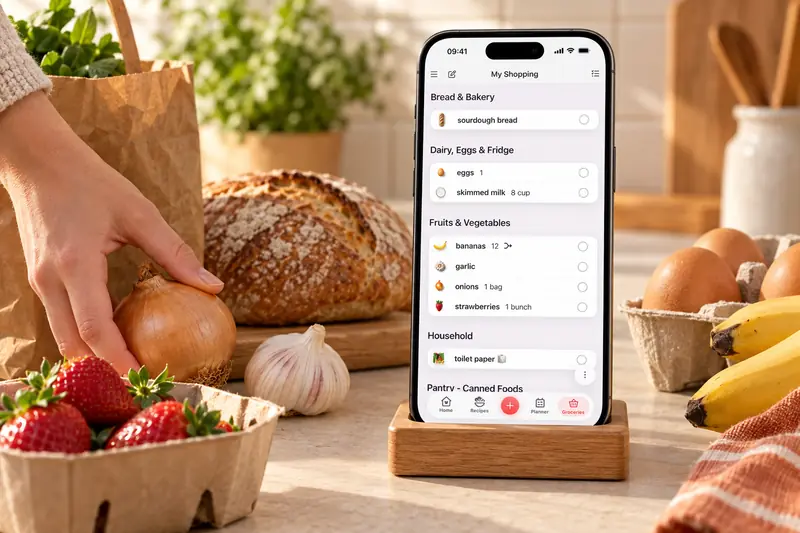
CookBook is our Samsung Food alternative for an editable personal recipe collection, recipe-aware help and whole-library backups. Save supported social recipes and family scans, keep your own changes and carry them through planning, shopping and cooking.
Free for 20 recipes. Available on iOS, Android & web.
The decision
CookBook is our pick for editable recipes and whole-library backups
Choose CookBook to save supported recipes with ingredients and methods you can edit, keep the changes your household likes and record the meals you cook again. Recipe-aware help and documented whole-library backups support the same collection. Samsung Food is a strong fit when separate-account collaboration, communities or Food+ tailored meal plans are your priorities.
Where CookBook stands out
- Keep recipes, tags, notes and cooking history in a personal collection.
- Import supported social recipes, scan written recipes and plan across devices.
- Back up the whole collection in documented export formats.
Watch out for
- Samsung’s standard view often opens external instructions on the creator’s website.
- Its saving guides do not document a structured whole-library export.
- Samsung has stronger separate-account collaboration and broader Food+ planning tools.
Jump to a feature
A better fit for your routine
Why consider a Samsung Food alternative?
Choose CookBook when you want imported ingredients and methods you can edit, cooking notes you can return to and a documented backup of the recipes you collect. Your saved version stays at the centre of planning, shopping and cooking.
- You want imported ingredients and methods together, instead of returning to the creator’s website for many external recipe instructions.
- You want the recipes you chose, your notes and your cooking history to drive the everyday routine.
- You want documented whole-library backups before investing more time in a collection.
From inspiration to dinner
What makes CookBook different
CookBook brings supported recipe imports, personal changes and cooking history into a collection you can plan from and back up. Ask CookBook helps you explore a variation of a saved dish while keeping the choice of what to save and cook with you.
- Keep an editable recipe, then cook your version
- Supported CookBook imports save ingredients and method as recipe fields you can edit. Your changes stay with that recipe when you plan, shop and cook. See how recipe importing works
- Build around your own favourites
- Use tags, notes, ratings and recorded cooking history to find dishes worth repeating. Discovery is useful; your collection gives the next dinner a familiar starting point. Organise a personal collection
- Ask a cooking question in context
- Open Ask CookBook with a saved recipe or start a new question. Explore an idea, review the suggested ingredients and method, then decide whether to keep it. Explore Ask CookBook
- Back up the work you put into your recipes
- Export the library in documented text, PDF or native formats. Preserve linked photos before account deletion. Samsung Food’s published sharing guidance does not establish an equivalent structured-library export. Read the backup guide
At a glance
Strong: a clear fit for this task. Limited: restrictions or extra steps. Not available: absent from the version or platform named. Read each note for plan and device details.
| Features | CookBook | Samsung Food |
|---|---|---|
| Best fit | Mixed-source recipe collection Keep social recipes, written recipes and personal notes together, then plan, shop and cook. | Discovery, communities and Food+ A useful fit for a recipe box alongside community browsing and optional nutrition-focused planning. |
| Devices | Strong iOS, Android and web Recipes, planning and shopping lists across mobile and browser. One account; browser access is not a native Windows or Mac application. | Strong iOS, Android and web A Samsung phone is not required. Appliance integrations require compatible products. |
| App languages | Strong 7 app languages English, French, German, Italian, Spanish, Polish and European Portuguese. The app language is separate from the website language. | Strong 7 languages on iOS English, French, German, Italian, Korean, Portuguese and Spanish are listed on iOS. Polish is not listed; check availability for your device. |
| Website and social saving | Strong Supported links Websites, Instagram, TikTok, Facebook and other supported sources; review the saved ingredients and method. | Limited Website recipes and recipe box Website saving and Chrome extension are documented. Most external recipe instructions remain on the creator’s site in the standard view; a social recipe link is not proof of video extraction. |
| Written recipe scanning | Strong Included; limits by plan Photos, cookbook pages and handwritten recipes. Free smart-import allowance applies; Pro removes that allowance limit. | Strong Photo scans; unlimited with Food+ The getting-started guide offers 3 basic image scans; Food+ removes that scan limit. Scanned recipes stay private and cannot be posted to public communities. |
| Plan meals and shop | Strong Included; limits by plan Recipes feed your meal planner and editable shopping lists. Free plan allows 2 lists. | Strong Core tools free; Food+ extras Core planning and lists are free, with separate-account collaboration. Current planner guidance includes 3 saved plans free; Food+ adds more and tailored suggestions. |
| Cooking tools | Strong Cooking mode Larger text, step navigation and timers; read-aloud support depends on the device. | Strong Food+ Smart Cook Mode Check mobile and recipe compatibility for the premium cooking tools. |
| Recipe nutrition | Strong Pro estimates and planner macros Estimate recipe nutrition, save it to daily planner totals and set custom macro targets. Recalculate after recipe edits and refresh percentages after changing goals. | Strong Nutrition and Food+ tracking Basic recipe nutrition and premium goal-tracking are different features; detailed tracking is mobile-only. |
| Export and moving recipes | Strong Export and supported bulk imports Whole-library text, PDF and native CookBook backups, including on the free plan. Images remain server links: copy them before account deletion. CSV imports cover core fields, with a 250-recipe self-service limit. | Limited Sharing links; bulk archive not documented The saving and sharing guides do not document a whole-library structured export. Ask which downloadable file preserves recipes and edits before committing to a large migration. |
| Free option | Limited 20 recipes and 20 smart imports Also includes 2 shopping lists. The yearly Pro plan offers a 14-day trial. | Strong Free core app Food+ offers a 7-day trial; subscription renews after the trial unless cancelled. |
| Price basis, checked September 2026 | Pro: US$39.99/year US$6.99/month is also offered. Indicative USD; the in-app country, store and offer price applies. | Food+: US$59.99/year US$6.99/month also listed; prices and plan details vary by country. |

Scroll sideways to compare all apps
Compare the workflow
Save the recipe, not just the route back to it
| Features | CookBook | Samsung Food |
|---|---|---|
| Website saving | Strong Editable recipe imports | Strong Recipe box and Chrome extension |
| Instagram and TikTok saving | Strong Supported social imports | Limited Creator-linked recipes documented |
| External recipe instructions | Strong Saved editable method when imported | Limited Often remain on creator’s site |
Scroll sideways to compare all apps
CookBook imports supported websites and social recipes into editable ingredients and methods. Samsung Food saves recipe URLs through mobile sharing or Chrome. Its creator guide describes linking Instagram and TikTok posts to full Samsung Food recipes, rather than documenting extraction from every video.
Samsung’s standard recipe-page guide says most external instructions remain on the creator’s website, opened inside the app. Check the actual method before planning dinner; an ingredient list alone is not a complete saved recipe.
The verdict
Choose CookBook for a saved editable cooking method. Samsung Food collects linked recipes, often with instructions on the source site.
Compare the workflow
Give paper recipes a useful digital home
| Features | CookBook | Samsung Food |
|---|---|---|
| Free smart-scan allowance | Limited Within 20 smart imports | Limited 3 recipe-image scans |
| Written recipes in paid plan | Strong Pro scanning | Strong Unlimited Food+ scans |
Scroll sideways to compare all apps
Both apps turn written-recipe photographs into editable text. CookBook combines scans with social finds and personal recipes. Samsung Food’s guide provides 3 basic image scans and unlimited Food+ scans.
Samsung keeps scans private and blocks publishing them to public communities. It may suggest a dish image, which is not evidence of the original appearance. For either app, capture every page and check uncertain handwriting or fractions against the original.
The verdict
Both scan written recipes. CookBook suits a mixed family archive; Samsung limits basic scans and public sharing of scans.
Compare the workflow
Find a new favourite, then make it part of your collection
| Features | CookBook | Samsung Food |
|---|---|---|
| Personal organisation | Strong Tags, favourites and pins | Strong Collections and filters |
| Find by ingredient | Strong Include and exclude ingredients | Strong Ingredient searching and filters |
| Community discovery | Personal collection focus | Strong Public and private communities |
| Recipe discovery | Strong Search and filter social and website recipes, then preview and save | Strong Discover recipes and browse communities |
Scroll sideways to compare all apps
CookBook’s tags, favourites, pins and ingredient search bring you back to recipes you chose. A soup can carry Winter, Freezer and Family tags without separate copies. Notes and recorded cooking history distinguish a promising save from a reliable favourite.
Samsung Food combines saved collections with discovery and communities. Its filters include ingredients, cooking time and nutrition. Collections default to private, so the social features do not automatically publish your entire recipe box.
Make CookBook comfortable to return to: choose a colour scheme, light or dark appearance, text size and which home sections stay visible. Ratings, notes and recorded cooking history help you find the version your household liked.
Both apps help you discover recipes. CookBook’s Discovery brings popular and trending recipes from social posts and websites into the same search-and-save journey. Filter for the meal you have in mind, review a result and save an editable private recipe. Samsung Food also offers discovery and communities; those community features are distinct from a personal collection.
The verdict
Choose CookBook for focused retrieval and cooking notes. Samsung Food combines personal collections with community discovery.
Compare the workflow
Use AI for the cooking job you actually have
| Features | CookBook | Samsung Food |
|---|---|---|
| Adapt a recipe with AI | Strong Ask CookBook and variations | Strong Food+ personalisation |
| Start from a food image | Suggested dish interpretation | Ingredient scanning to Food List |
Scroll sideways to compare all apps
Ask CookBook starts with a recipe, image or general question. Explore a variation and review it before saving. AI Chef develops ideas; Dish Detector suggests a version of a photographed dish rather than recovering an exact original.
Samsung Food+ connects recipe personalisation, tailored plans and ingredient-led suggestions. Vision AI scans ingredients into its Food List. These are different image workflows: choose whether you want an idea inspired by dinner or ingredients added to a planning list.
The verdict
CookBook suits conversational help and recipe ideas. Samsung Food+ connects AI with tailored plans and Food List ingredients.
Compare the workflow
Choose your week, or ask for a tailored one
| Features | CookBook | Samsung Food |
|---|---|---|
| Schedule your saved recipes | Strong Day, week and month | Strong Weekly planner and queue |
| Reuse a plan | Strong Copy a date range | Strong 3 saved plans free; Food+ more |
| Collaborate through separate accounts | Not available No separate-account linking | Strong Shared meal plans |
Scroll sideways to compare all apps
CookBook schedules your recipes in day, week or month views, with servings per entry and date-range copying or moving. It suits a calendar built around meals your household already likes.
Samsung Food adds a queue for unscheduled recipes and past-plan history. Its September guide allows 3 saved plans free, with more in Food+. Shared planning and tailored weekly suggestions are useful extras. Neither a planned leftover nor a calendar entry proves what remains in your fridge.
The verdict
Choose CookBook for flexible planning from your collection. Samsung Food adds separate-account collaboration and tailored suggestions.
Compare the workflow
Build a list that works at the shop
| Features | CookBook | Samsung Food |
|---|---|---|
| Recipe ingredients to shopping lists | Strong Editable lists and merge controls | Strong Lists by recipe or aisle |
| Separate-account shared shopping | Not available Same-account sync only | Strong Invited collaborators can edit |
Scroll sideways to compare all apps
CookBook builds lists from recipes or planned dates, with ingredient merge controls, splitting and regular groceries. Changes sync across your devices, but separate accounts are not linked.
Samsung Food invites collaborators to edit shared lists and supports multiple lists. Its unit-editing warning matters: changing a unit does not automatically convert the quantity. Check the amount too.
Retailer ordering depends on location. CookBook’s Instacart connection supports eligible shopping in the United States and Canada.
The verdict
CookBook gives you controlled recipe-to-list shopping. Samsung Food is stronger for shared lists between separate accounts.
Compare the workflow
Make the cooking view useful, not just attractive
| Features | CookBook | Samsung Food |
|---|---|---|
| Focused cooking assistance | Strong Steps, text size and timers | Strong Food+ AI-guided recipes |
| Record the outcome | Strong Private notes and cook history | Strong Recipe notes and reviews |
| Connected-appliance control | Not the CookBook workflow | Limited Compatible appliances required |
Scroll sideways to compare all apps
CookBook offers adjustable text, focused steps, ingredients and timers, with read-aloud and voice support where the device permits. Record a cook to update its history and keep a note about your changes.
Samsung Food+ provides AI-guided recipes and compatible-appliance controls. Ordinary recipe pages have notes and reviews, although many external methods open on the creator’s site. Connected hardware is optional: you do not need it to use either recipe manager.
In CookBook, change the serving count and the ingredient quantities adjust. Choose original units or US, metric, imperial or Australian measurements. Cooking time does not scale automatically; weight-to-volume estimates depend on the ingredient.
The verdict
Choose CookBook for cooking your saved recipes and recording the result. Samsung Food+ adds guided steps and compatible-appliance controls.
Compare the workflow
Connect recipe estimates to your nutrition goals
| Features | CookBook | Samsung Food |
|---|---|---|
| Recipe nutrition | Strong Pro ingredient-based estimates | Strong Nutrition and health score |
| Daily nutrition goals | Strong Custom targets and planner totals | Strong Food+ mobile tracking |
| Live pantry-style workflow | Limited Ingredient search; manual stock check | Strong Food List and Food+ automation |
Scroll sideways to compare all apps
CookBook Pro estimates recipe nutrition and carries saved values into daily planner totals. You can set calorie, fat, carbohydrate and protein targets. Recalculate after changing ingredients or servings, and refresh recipe percentages after changing your goals.
Samsung Food includes recipe nutrition and a health score; Food+ extends this into tailored plans, nutrition tracking and Food List tools. Detailed tracking is mobile-only. Its calculation guide also explains that it can assume quantities for ingredients without amounts and does not model nutrient losses from cooking techniques.
Both systems need accurate recipe details. Choose CookBook when your saved collection and planned meals are the centre of the routine; choose Samsung Food+ when pantry tools and personalised food planning are the additional features you want.
CookBook also lets you enter your own recipe nutrition values. Pro adds personal calorie and macro targets. Planner totals start with one consumed serving per planned recipe, so adjust the portions you expect to eat rather than assuming the whole dish counts.
The verdict
CookBook connects saved nutrition to daily planner macros. Samsung Food+ adds tailored plans, food tracking and pantry tools.
Compare the workflow
You do not need a Samsung phone
| Features | CookBook | Samsung Food |
|---|---|---|
| Phone platforms | Strong iOS and Android | Strong iOS and Android |
| Browser recipes, plans and lists | Strong Available | Strong Core web tools available |
| Advanced tools on every platform | Limited Check device-specific voice support | Limited Several Food+ tools mobile-only |
Scroll sideways to compare all apps
Both support iOS, Android, browser access and Chrome saving. CookBook connects recipes, planning and lists through one account. Its web app is a browser experience, not a separately licensed native desktop application.
Samsung Food also provides core web recipes, plans and lists without requiring a Samsung phone. Several advanced Food+ tools are mobile-only. For appliance control, check the compatible model and connection rather than assuming every Samsung product supports it.
The verdict
Both cover mobile and core browser tasks. Choose Samsung’s ecosystem for specific compatible-hardware benefits you will use.
Compare the workflow
Pay for the features that change your routine
| Features | CookBook | Samsung Food |
|---|---|---|
| Free recipe-management option | Limited 20 recipes, 20 imports, 2 lists | Strong Core recipe, plan and list tools |
| Annual guide price | US$39.99 | US$59.99 |
| Trial | 14 days on yearly Pro | 7 days for Food+ |
Scroll sideways to compare all apps
CookBook’s free allowance is 20 saved recipes, 20 smart imports and 2 shopping lists. Pro guide pricing is US$39.99 yearly or US$6.99 monthly. The yearly plan includes a 14-day trial.
Samsung Food’s core recipe box, planning and shopping tools are free. Food+ lists US$59.99 yearly or US$6.99 monthly with a 7-day trial. At those published annual guide prices, CookBook Pro is US$20 less per year; both list the same monthly figure.
Country, store and offers can change either checkout price. Choose the features you will use: Samsung’s free core is generous, while CookBook Pro supports a growing collection and a focused save-to-cook routine.
The verdict
CookBook Pro has the lower published annual guide price. Samsung Food offers a generous free core and broader Food+ tools.
Compare the workflow
Know which changes your family will receive
| Features | CookBook | Samsung Food |
|---|---|---|
| Share a readable recipe | Strong Text, PDF or CookBook file | Strong Recipe and collection links |
| Shared recipe edits | Limited Sent copy, not a shared master | Limited Collection edits do not propagate |
| Private group discovery | Personal collection focus | Strong Invite-only communities |
Scroll sideways to compare all apps
CookBook keeps your collection private by default and shares deliberate copies as text, PDF or CookBook files. Sending one does not grant ongoing access to your private account.
Samsung shares recipes and collections by link, including with non-account readers. It also has private communities and shared plans. However, its collaboration guide says recipe changes inside a shared collection do not propagate to everyone else, and recipe tweaks cannot be shared to communities.
For a family variation, check that the recipient received your edited ingredients, not merely a link to an older original.
The verdict
CookBook shares deliberate copies. Samsung Food offers broader collaboration, but collection sharing does not synchronise recipe edits.
App language and recipe language
Choose the language you actually cook in
| Features | CookBook | Samsung Food |
|---|---|---|
| App interface languages | Strong 7 app languages: English, French, German, Italian, Spanish, Polish and European Portuguese | Strong 7 languages on iOS. English, French, German, Italian, Korean, Portuguese and Spanish are listed on iOS. Polish is not listed; check availability for your device. |
Scroll sideways to compare all apps
CookBook works in English, French, German, Italian, Spanish, Polish and European Portuguese. Use the app in your preferred language, then decide whether to translate a recipe. Changing the website language does not change the app or rewrite your collection.
English, French, German, Italian, Korean, Portuguese and Spanish are listed on iOS. Polish is not listed; check availability for your device.
CookBook’s optional automatic import translation is off until enabled and supports its six non-English app languages. With Pro, the saved-recipe Translate tool can also translate into English. Review the translated ingredients and method before saving; translation and measurement conversion are separate choices.
The verdict
Check your actual language and device, not just the language count. CookBook combines seven app languages with optional recipe translation.
Your decision
Who should choose which app?
Choose CookBook for editable recipes, personal cooking notes, recipe-aware conversations and whole-library backups. Choose Samsung Food when separate-account collaboration, community discovery or Food+ tailored meal plans matter most.
- Choose CookBook if…
- Choose CookBook when you want to save, adapt and repeatedly cook your own recipes, with focused tools and documented backups. CookBook Pro also has the lower published annual guide price than Food+, subject to regional and store offers. Try CookBook with your own recipes
- Choose Samsung Food if…
- Choose Samsung Food if a generous free core, recipe communities, separate-account shared plans or Food+ nutrition-led suggestions are your priority. Compatible-appliance features can add value when you own the supported hardware; a Samsung phone is not required.
Keep the recipes you love
Switching from Samsung Food to CookBook
| Features | CookBook | Samsung Food |
|---|---|---|
| Whole-library structured backup | Strong Native CookBook export | Limited Not documented in saving guides |
| Transfer into CookBook | Strong CSV or supported files | Limited Source links or prepared CSV |
| Keep images after leaving | Limited Copy linked images before deletion | Confirm what an export contains |
Scroll sideways to compare all apps
You can start with a few favourites before moving the rest. Use the route below for Samsung Food, then check the imported recipes against your originals.
CookBook also exports your collection. Its export images are links to hosted files, so preserve the image copies before deleting a CookBook account.
The verdict
Choose CookBook for documented whole-library backups. Confirm a Samsung export format or plan a staged transfer with your edits.
Keep original sources and your edits
Gather source recipe URLs, personal recipes, changed quantities, notes and images. Shared collection links are not a substitute for a downloadable recipe archive.
Confirm the available transfer format
Ask Samsung Food support about any complete export currently available. Without a suitable archive, move supported source links or prepare copied details in CookBook’s CSV template.
Import and check a small batch
CookBook’s self-service CSV supports up to 250 recipes per file and core recipe fields. Confirm ingredients, method, notes and pictures; ask the Pro team about other files.
Build the next week in CookBook
Tag favourite meals and create a plan and shopping list. Keep the original collection until the recipes and personal changes you need are safely available.
A little more help
Frequently asked questions
Why choose CookBook instead of Samsung Food?
CookBook is our recommendation for keeping editable imported recipes, your cooking notes and recipe-aware help together, with a documented whole-library backup route. Supported social recipes and family scans become part of the same personal collection. Samsung Food is a strong alternative for separate-account collaboration, communities and Food+ tailored plans or compatible-appliance tools.
Do I need a Samsung phone to use Samsung Food?
No. Samsung Food works on iOS, Android and the web. Appliance integrations require compatible products. CookBook also supports iOS, Android and web.
Is Samsung Food free?
Core recipe, planning and shopping tools are free. Food+ adds tailored plans, nutrition tracking and unlimited scans. Check current inclusions and regional pricing.
See Samsung Food+ details Can Samsung Food scan cookbook recipes?
Yes. Its basic allowance includes 3 image scans; Food+ includes unlimited scans. Scanned recipes stay private and cannot be published to communities. CookBook also scans written recipes.
Are all Samsung Food recipes public?
No. Collections default to private, scans remain private, and communities have their own visibility settings. Community features do not automatically publish an entire recipe box.
Which app is better for nutrition?
Both support nutrition goals. CookBook Pro estimates recipe nutrition and uses saved values for daily planner macros and custom targets. Samsung Food+ adds tailored plans, food tracking and Food List tools on mobile. Choose the workflow you need and review estimates after recipe changes.
Can both apps make a shopping list from recipes?
Yes. Both connect saved recipes and meal plans with shopping lists. Review servings, duplicate ingredients and items already in your kitchen before shopping.
Can I bring Samsung Food recipes into CookBook?
Use original recipe URLs or copied details in CookBook’s CSV template. Samsung’s saving guides do not document a structured whole-library export. Confirm any available file format and check a sample, including edits and images, before moving everything.
Choose the import methodStill have a question? Visit our help centre.
Loved in real kitchens
Home cooks, in their own words.
From the first saved recipe to a collection of thousands. Here’s what CookBook customers have to say.
Swipe to read more, or use the arrows.
Make your own recipes the starting point
Build a CookBook around the dishes you want to make again, from a saved social recipe to a family favourite. Start free with 20 recipes, 20 smart imports and 2 shopping lists, then choose Pro when you need more.
Get CookBook free