A little more organised. A lot more cooking.
Save recipes from Instagram
Save Instagram recipes to CookBook so they are not trapped in saved posts, screenshots or Reels you cannot find later. Import the link, clean up the recipe, add notes, then organise, plan and shop from it.
Free for 20 recipes. Available on iOS, Android & web.
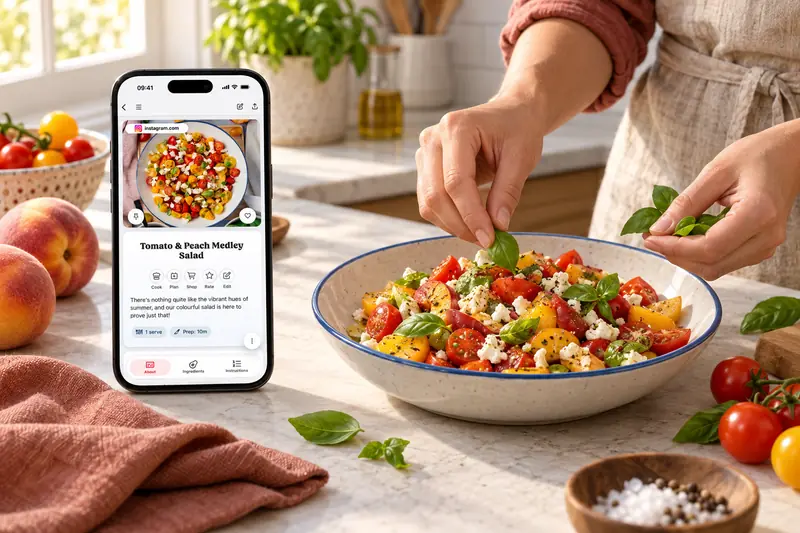
Turn posts into recipe cards
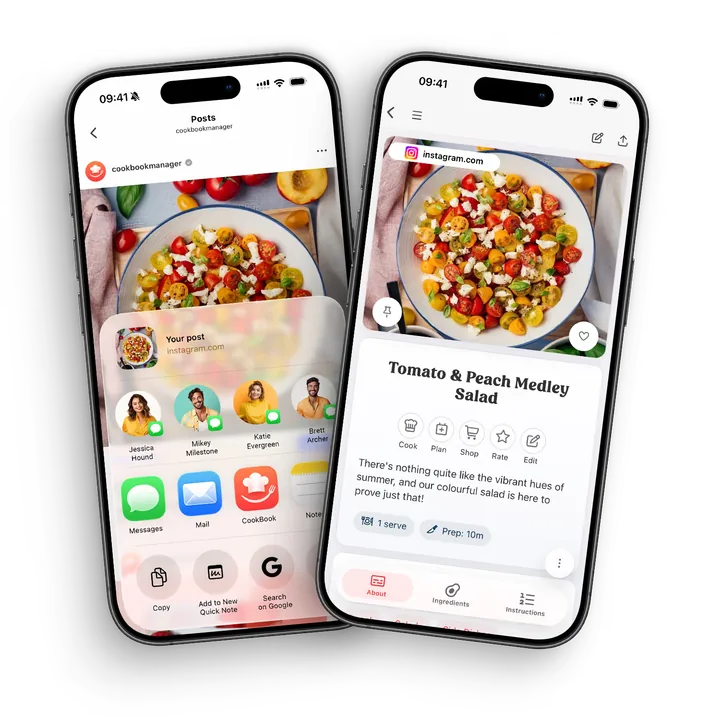
Use the Instagram share menu to send the post to CookBook, or copy its URL and use Paste in the app. Importing works from accessible recipe details in the caption or linked page; review the ingredients, method and servings before you save.
On iOS, use Share → Share to… → CookBook. On Android, open the post’s share options and choose CookBook from the app list. Menu wording can vary with the Instagram version.
- Keep the creator’s source link with the saved recipe.
- Choose an individual post or recipe URL, not a profile page.
- Check amounts and method steps against the full written recipe.
- Add your own tags and notes once the recipe is complete.
Organise
Stop losing saved posts
Instagram's save button is not a recipe manager. In CookBook, imported Instagram recipes become searchable by name, ingredient, tag, cuisine or category, and can be added to meal plans and shopping lists.
- Tags and favourites. Label social recipes so you can find them again.
- Search ingredients. Find recipes by name, ingredient, cuisine or category.
- Meal planning. Add imported Instagram recipes to your planner.
- Shopping lists. Turn ingredients into a list when you are ready to cook.
Complete the recipe
When the post needs another step
A private, removed or inaccessible Instagram post may not import fully. If the caption points to a website, use that individual recipe page. For written recipe text on an image, use a clear screenshot in the scanner.
If a video or caption leaves out quantities, confirm them from the creator’s full recipe before shopping. The source link keeps useful context, but it does not archive a copy of the original video.
Cook later
From Reel to recipe card
CookBook helps bridge the gap between social inspiration and weekday cooking. Save the post when you see it, then come back to a clean recipe card with your own notes when it is time to make dinner.
Found a recipe in another language? Use supported automatic import translation or translate the saved recipe, then choose the servings and measurements you prefer.
A little more help
Frequently asked questions
Can I save Instagram recipes to CookBook?
Yes. You can send supported Instagram recipe links into CookBook, then review and save the recipe in your personal recipe library.
Why not just use Instagram saved posts?
Saved posts are easy to forget and hard to search by ingredient. CookBook turns recipe ideas into editable recipe cards with tags, notes, meal planning and shopping lists.
Can I edit an imported Instagram recipe?
Yes. You can add missing ingredients, rewrite unclear steps, change servings, add your own notes and keep the source link for context.
Can Instagram recipes sync across devices?
Yes. CookBook works across supported iOS, Android and web devices, so you can save on mobile, edit on web and cook from a tablet or phone.
Can Instagram recipes become shopping lists?
Yes. Once an Instagram recipe is saved in CookBook, you can plan it and send its ingredients to a shopping list.
Does CookBook save the original Instagram link?
CookBook can retain the source link so you can return to the original Instagram post. A link is not a downloaded video, and the original may become unavailable if the creator or platform removes it.
Saving recipes, sharing and copyright What if an Instagram post is missing ingredients?
Import the accessible written recipe, then compare it with the original. If ingredients or quantities are missing, check the creator’s linked page or ask for the complete details. Add only what you can confirm before planning or shopping.
Is CookBook only for Instagram recipes?
No. CookBook can also save recipes from websites, TikTok, photos, cookbooks, screenshots and recipes you type yourself.
Can CookBook import private Instagram posts?
Imports depend on the recipe information the source makes available. Private, removed or restricted posts may not import. Use a copy you can legitimately access, such as complete written text or a readable screenshot.
See recovery optionsStill have a question? Visit our help centre.
Your ultimate kitchen companion.
Tried, tested & loved by thousands of home cooks. CookBook is free to try, so jump in and see what all the fuss is about!
Get started for free