Which recipe manager should you choose?
CookBook is our top all-in-one recipe manager pick for home cooks saving recipes from social media, websites and paper. It connects your personal collection to meal planning, shopping lists and cooking tools on iPhone, iPad, Android and web.
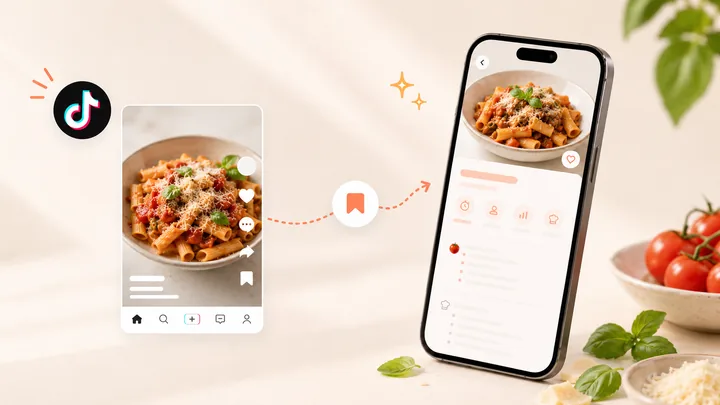
- Save from more places: import supported Instagram and TikTok posts, recipe websites and photos of written recipes.
- Make the collection useful: find recipes with tags and ingredient search, adjust servings and ask recipe-specific questions.
- Take it through to dinner: choose meals, build editable shopping lists and follow the cooking steps across your devices.
Try CookBook free with 20 saved recipes, 20 smart imports and 2 shopping lists. The table below shows when a specialist alternative may suit you better.
In this article
- Which recipe manager should you choose?
- Six recipe managers at a glance
- From saved recipe to shopping list in CookBook
- Importing: social links, websites and paper
- Planning, shopping and cooking
- CookBook: our choice for saving, planning and cooking
- ReciMe
- Plan to Eat
- Paprika Recipe Manager
- Recipe Keeper
- Samsung Food
- Devices, free allowances and what you pay for
- Switching to CookBook: keep your recipes and your exit route
- Make your shortlist with five familiar recipes
- Our verdict: CookBook for the complete recipe routine
- Frequently asked questions
- Continue with the task that matters most
Six recipe managers at a glance
Choose the row that matches your main job. Each recommendation has a trade-off worth checking before you move your recipes.
| App | Our recommendation | Why it fits | Main watchout |
|---|---|---|---|
| CookBook | Best all-in-one for saving, organising, planning, shopping and cooking | Supported social posts, websites and paper recipes flow into planning, shopping and cooking. | The free library stops at 20 recipes; household access uses the same account. |
| ReciMe | Best for a steady stream of social saves | Five free imports each week, with mobile planning and shopping. | Desktop web beta has recipes and cookbooks, but no meal plans or grocery lists yet. |
| Plan to Eat | Best for repeating a planned week | Reusable menus, leftovers and freezer planning keep an established routine organised. | A subscription is needed after its 14-day trial. |
| Paprika 3 | Best for a native desktop recipe library | Mac and Windows apps, offline recipes, pantry tracking and reusable menus. | Platform purchases are separate; there is no browser-based recipe library. |
| Recipe Keeper | Best for paper recipes and printable cookbooks | Written-photo/PDF scanning, desktop apps and PDF books with chapters. | Pro purchases are platform-specific; printable output is not a universal transfer archive. |
| Samsung Food | Best for a free core planner with recipe discovery | A recipe box, community recipes, shared shopping and core planning. | Food+ adds premium AI tools; photo import is mobile-only. |
Product evidence
From saved recipe to shopping list in CookBook
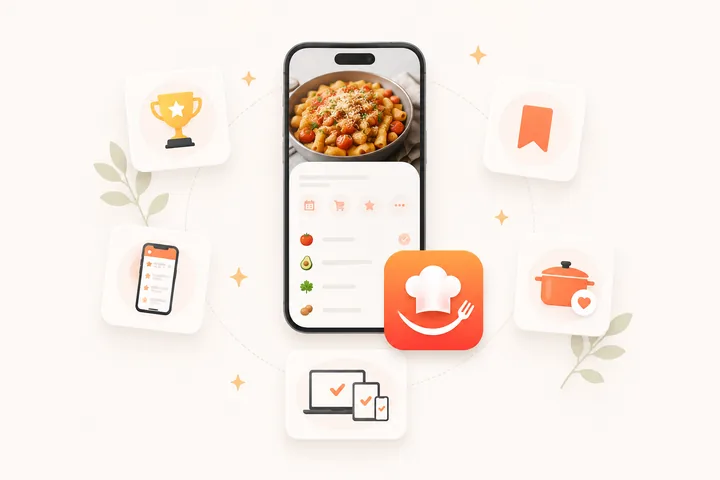
These CookBook screens show the connected workflow: save a recipe, find it in your collection and use its ingredients for the grocery shop.
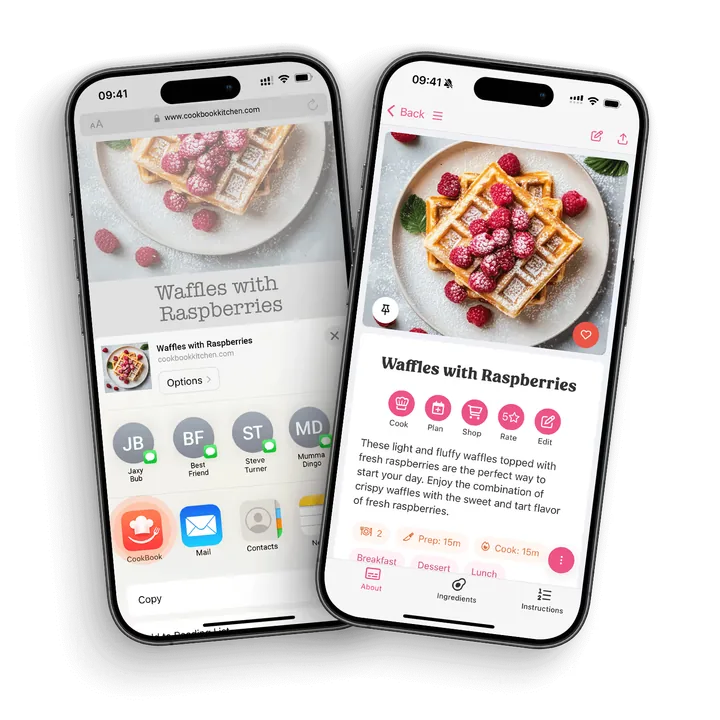
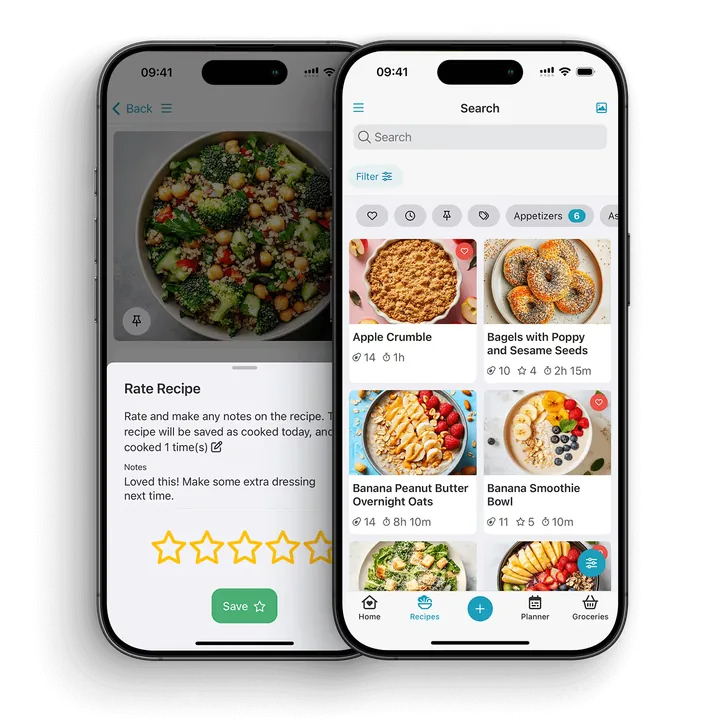
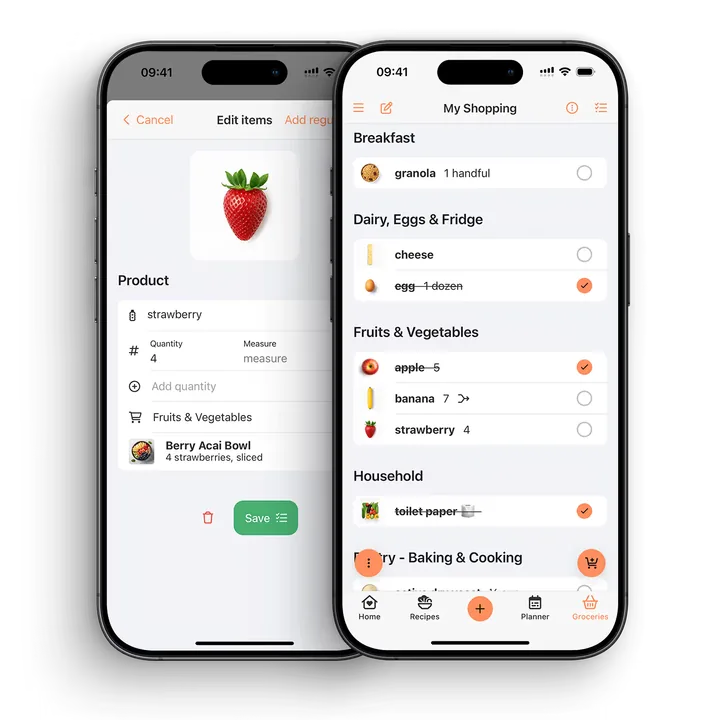
Feature and plan details were checked against the linked product guides on 18 September 2026. Price examples below are in US dollars; local stores, regions and offers can differ. The detailed CookBook comparison hub covers each alternative side by side.
Importing: social links, websites and paper
A recipe app should start with the collection you already have. Website clipping, scanning a written page and extracting a social post are different jobs. A saved video bookmark alone does not give you editable ingredients.
| App | Website recipes | Social recipe posts | Written photos and PDFs |
|---|---|---|---|
| CookBook | Strong: supported accessible links and pasted recipe text. | Strong: supported TikTok, Instagram and Facebook posts. | Strong: written-photo and handwriting scanning; check the result. |
| ReciMe | Strong: website import and Chrome extension. | Strong: TikTok, Instagram and other supported sources. | Strong: cookbook and handwritten-recipe scanning with Plus; review recognition errors. |
| Plan to Eat | Strong: website import into your own collection. | Strong: mobile TikTok and Instagram importing. | Strong: multiple photos of one written recipe. |
| Paprika 3 | Strong: built-in clipper and manual clipboard tools. | Limited: use the creator’s recipe webpage or enter the details. | Not available: an automatic written-photo scanner in the documented Paprika 3 tools. |
| Recipe Keeper | Strong: supported website recipes. | Strong: documented Instagram and TikTok imports. | Strong: photos, handwriting and PDFs. |
| Samsung Food | Strong: supported recipe pages and browser saving. | Limited: a creator’s recipe link is different from importing video instructions. | Strong: Food+ photo import; handwriting and stylised text may need manual correction. |
Our choice: CookBook is a strong starting point when your sources are scattered across social posts, blogs and family cards. Recipe Keeper deserves a close look for a PDF-heavy archive. Paprika 3 makes more sense when most of your sources are already recipe webpages.
Sources: CookBook link importing, CookBook scanning, ReciMe browser importing, Plan to Eat TikTok imports, Plan to Eat photo imports, Paprika 3 guide, Recipe Keeper features and Samsung Food+ photo rules. For a social-first choice, read the TikTok recipe-app comparison.
No importer can guarantee a complete recipe from a private, removed or incomplete post. If a creator omits amounts or cooking steps, find their full recipe and fill the gaps before you cook. A photograph of a finished dish is also different from scanning a written recipe.
Getting a complete recipe into your collection
- An import can only use the recipe details the source makes available.
- Private, removed or incomplete social posts may not import fully.
- Photo and handwritten recipe scans still need a quick review for recognition errors.
- Serving sizes, merged quantities and nutrition estimates should be checked before cooking or shopping.
Planning, shopping and cooking
| App | Plan the week | Build the shopping list | Cook and keep your place |
|---|---|---|---|
| CookBook | Choose saved recipes, adjust servings and arrange meals. | Create editable recipe-ingredient lists; add extras and remove pantry items. | Focused steps, larger text and timers; read-aloud depends on the device. |
| ReciMe | Core mobile planning is free; web plans are coming soon. | Core mobile grocery lists are free; web lists are coming soon. | Step-by-step guided cooking is a Plus feature. |
| Plan to Eat | Reusable menus, leftovers and freezer meals. | Generate from the plan, manage stores and add staples. | Mobile overview or step mode; retain your place across recipes. |
| Paprika 3 | Daily, weekly and monthly planning, plus reusable menus. | Recipe quantities, consolidation and pantry records. | Detected timers, ingredient cross-off and highlighted directions. |
| Recipe Keeper | Weekly or monthly plans from saved recipes. | Recipe-generated lists organised by aisle. | Adjustable text, ingredient cross-off and highlighted steps. |
| Samsung Food | Free core planning; Food+ adds personalised seven-day plans. | Editable recipe lists and shared household lists. | Food+ Smart Cook Mode; appliance control requires compatible appliances. |
Our choice: use CookBook when you want the whole save-to-dinner routine together. Plan to Eat earns its place when repeating menus, leftovers and freezer meals drive your week. A supplied meal plan and a calendar filled with your own recipes solve different problems; our meal-planning app guide makes that distinction explicit.
Sources: CookBook cooking tools, ReciMe plan boundaries, Plan to Eat planner, Plan to Eat Cooking View, Paprika cooking and grocery tools, Recipe Keeper app features and Samsung Food+ inclusions.
A generated list still needs a pantry check. Similar words do not always mean identical ingredients, and cups cannot be combined with grams without the right conversion. For household lists and those quantity checks, compare the grocery-list apps.
CookBook: our choice for saving, planning and cooking
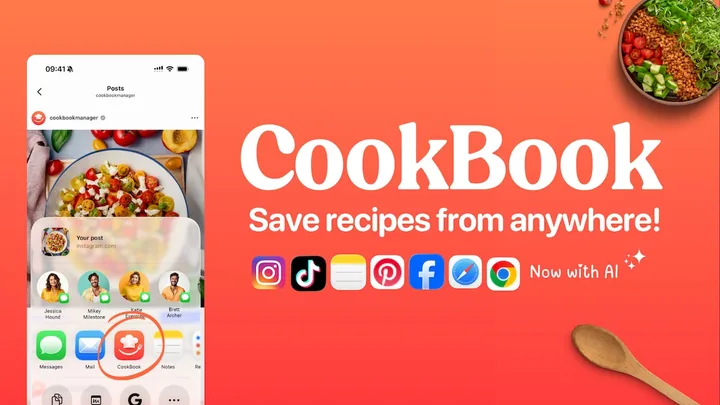
Best fit. CookBook brings recipe saving, organisation, meal planning and shopping lists into one personal collection across iOS, Android and web. It suits home cooks who collect recipes in different places and want to use them throughout a weekly cooking routine.
Core Features. Save supported social posts and accessible website recipes, scan written recipes, or enter your own. Tags, search and filters help organise the result. Scale servings, plan meals and create editable shopping lists. Cooking mode adds a focused recipe view and timers; AI Companion tools support recipe questions, ideas and variations. Review imported or generated details before cooking.
What makes CookBook different
The reason to choose CookBook is the complete journey around your own recipes. A TikTok dinner, a blog recipe and a handwritten family favourite can become part of the same searchable collection, ready for the week you want to cook.
- A collection that crosses sources. Supported social imports and written-recipe scans give Paprika 3 users a route beyond its website and manual tools.
- A computer that can do the planning too. CookBook's web app includes recipes, meal plans and shopping lists. ReciMe's current desktop beta stops at recipes and cookbooks.
- Help with the recipe you already chose. Ask CookBook can discuss a substitution or variation in the context of that recipe. Review suggestions before saving your version.
- A documented route for your existing collection. Supported archives from Paprika, Recipe Keeper and Plan to Eat can move with Pro team assistance, so a switch need not mean retyping every recipe.
Choose it when those jobs belong together in your kitchen. Dedicated freezer records, separate-account collaboration or a native desktop app may still make a specialist alternative the better fit.
Reasons to choose CookBook
Start with a few recipes you already want to cook. The free allowance includes 20 saved recipes, 20 smart imports and 2 shopping lists, so you can save, organise and shop from a real recipe before deciding whether to grow the collection with Pro.
Watchouts
- The free allowance is 20 saved recipes, 20 smart imports and 2 shopping lists. Pro is a subscription.
- A shared collection uses the same account, with full account access. It is not a separate-login household workspace with roles.
- Export files link to hosted images. Preserve those images before deleting your account.
- Web access does not mean a native Mac or Windows app. Internet-dependent importing and AI tools are separate from using already saved recipes.
Our verdict. CookBook is the best fit here for a mixed-source collection that you want to adapt, plan and cook from on mobile and web. Start with the recipes you already save, then use the same collection throughout the week.
For moving an existing library, the bulk-import guide describes CookBook CSV and ZIP imports and Pro help with other supported formats. Keep your original export until you have checked the transferred recipes.
Example workflow. For example, a family could save recipes from supported social posts and scan handwritten favourites. They would review the imports, adjust servings, choose meals and check the combined shopping list before shopping.
Pricing. CookBook is free to use with up to 20 saved recipes, 20 smart imports and 2 shopping lists. Indicative US prices for Pro are $6.99 monthly or $39.99 yearly, with a 14-day free trial on the yearly plan. See CookBook pricing; country, region, app store and current offers may change the price shown before subscribing.
Website: CookBook recipe manager
Cook in your language and for your table. CookBook has seven app languages: English, French, German, Italian, Spanish, Polish and European Portuguese. Optional import translation supports the six non-English languages, while Pro can translate saved recipes into the selected app language, including English. See the language and translation options. Scale servings and choose a measurement system separately; a translation should not silently change the quantities.
When you need a new idea, Discovery searches popular and trending recipes from social posts and websites. Preview a result, review the ingredients and save it into your private collection. That is different from Surprise Me choosing a saved recipe or AI Chef creating a recipe idea.
ReciMe
Best fit. ReciMe combines social, website and photo recipe saving with cookbooks, meal planning and grocery lists on mobile. It offers iOS and Android apps, a desktop web beta for recipes and cookbooks, and a Chrome extension.
Core Features. ReciMe supports sources including Instagram, TikTok, Facebook, Pinterest, YouTube and photos of written recipes. Its core planner, cookbooks and shopping lists are free. ReciMe Plus adds unlimited imports, nutrition, conversion, exporting/printing and guided cooking.
The desktop web beta can import and edit recipes, and view recipes and cookbooks. Meal plans and grocery lists are listed as coming soon for the web, so use the mobile app for those tasks.
The browser-import guide requires accessible recipe pages: a paywall or login can prevent the importer from reading a source.
Pros
- Social posts, website recipes and written-recipe photos can sit in one collection.
- Five free imports each week suit a steady trickle of new recipes.
- Meal planning, grocery lists and cookbooks are included in the free core tools.
- A desktop web beta and Chrome extension support recipe saving and editing alongside the mobile apps.
- Recipe sharing includes a link, PDF or print output, with paid-plan conditions in the current feature guide.
Cons
- The free import allowance is weekly. A large import backlog may call for Plus.
- Nutrition, conversion and guided cooking are Plus features, rather than free core tools.
- Recipe-level PDF or print output is not the same as a documented whole-library export in an editable transfer format.
- Meal plans and grocery lists are not yet part of the desktop web beta.
Why choose it. ReciMe is worth shortlisting when social saving is the main habit you want to turn into meals. Its recurring free import allowance and included planner give you a practical way to explore that workflow before subscribing.
If portability matters, read its printing and exporting guide and the CookBook vs ReciMe comparison before moving a large collection.
Example workflow. For example, a home cook could save a social recipe and a photographed recipe card, then add meals to a weekly plan and review the aisle-organised grocery list.
Pricing. ReciMe lists five free imports per week, free core planning and shopping tools, and a seven-day Plus trial. Check the current subscription offer on your device: the US App Store lists several in-app purchase amounts without establishing one universal annual price. Its free-versus-Plus guide explains the plan boundary.
Website: ReciMe
Plan to Eat
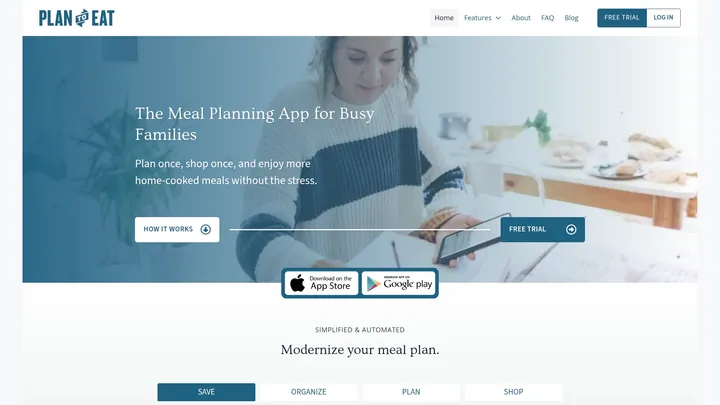
Best fit. Plan to Eat centres its workflow on your recipe collection, a planning calendar and the grocery list generated from that plan. It suits households that like to decide meals ahead and reuse a familiar routine.
Core Features. The recipe organiser accepts manual entries, websites, photos and supported social recipes. Its mobile help documents imports from Instagram and TikTok. Photo imports can use several images of the same recipe.
The planner includes reusable menus, leftovers and freezer planning. A nutrition and macro workflow connects recipe estimates to planned meals. Mobile Cooking View offers overview or step mode and keeps your place when switching between recipes.
Pros
- Reusable menus, leftovers and freezer records support repeatable household planning.
- Website, social and photo importing extend the collection beyond manual entry.
- Shopping lists follow the plan and remain editable for household items.
- Saved mobile recipes, the planner and an already loaded shopping list are available offline.
- Whole-library CSV or TXT export is available from the website, including after a subscription expires.
Cons
- Continued access requires a subscription after the trial; there is no ongoing free core plan.
- Its calendar-led approach suits planned meals better than a discovery-first browsing habit.
- The offline guide says initial sign-in and changing a shopping-list date range need an internet connection.
Why choose it. Its strongest fit is a repeatable planning routine built around recipes you already want to cook. Menus, leftovers and freezer planning make it useful beyond a simple list of dinners.
For moving recipes, Plan to Eat documents CSV and TXT library exports. An export still needs to match the destination importer. See CookBook vs Plan to Eat for the practical differences.
Example workflow. For example, a household could reuse a favourite week of meals, schedule leftovers for lunch and add a freezer meal to a busy evening. They would then review the generated list against the pantry before shopping.
Pricing. Plan to Eat lists a 14-day trial without payment details, followed by US$5.95 per month or US$49 per year. Prices were checked on 18 September 2026; confirm the offer on Plan to Eat before subscribing.
Website: Plan to Eat
Paprika Recipe Manager
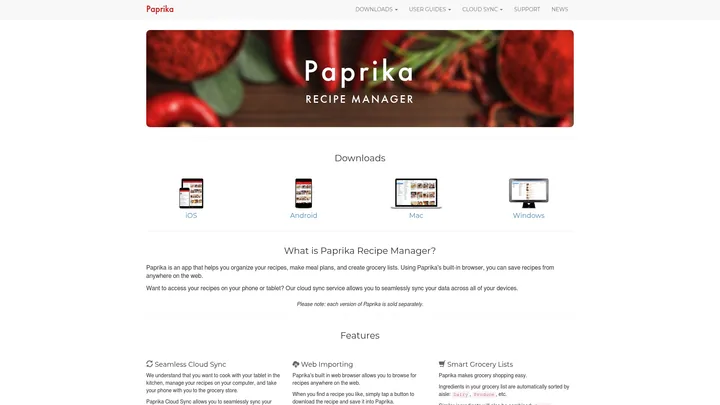
Best fit. Paprika 3 is a recipe manager with native apps for iOS, Android, Mac and Windows. It combines website importing, cloud sync, pantry records, menus, meal planning and offline access to saved recipes.
Core Features. The Paprika 3 guide describes a built-in recipe browser, ingredient scaling, unit conversion, timers, grocery lists and planning. While cooking, you can cross off ingredients and highlight the current step. Recipe export supports Paprika files and readable HTML.
Its Windows overview distinguishes storing recipe nutrition from calculating new nutrition estimates from ingredients. Keep the nutrition supplied with a source recipe in context.
Pros
- Native Mac and Windows apps suit cooks who manage a collection at a desktop.
- Saved recipes can be used offline, with cloud sync between supported apps.
- Pantry records, reusable menus, meal plans and grocery lists support an established household routine.
- Recipe timers, ingredient cross-off, step highlighting and scaling help during cooking.
- Paprika-format and HTML exports provide different ways to keep a copy of your collection.
Cons
- Paprika 3 is purchased separately for each platform. An iOS purchase and a Mac purchase are different licences.
- Choose the version deliberately: Paprika has announced an optional recurring subscription for new Paprika 4 features, with pricing still to be finalised.
- Paprika 3 documentation focuses on web and manual recipe capture. If automated written-photo scanning is essential, compare that requirement with the current version before buying.
Why choose it. Paprika 3 combines native desktop organisation with practical recipe tools and a purchase model tied to each platform. That is a different trade-off from a single subscription spanning mobile and browser access.
Read CookBook vs Paprika for source importing, licensing and moving an existing Paprika collection.
Example workflow. For example, a cook could import recipes from food blogs, scale a dinner recipe and generate a grocery list. Paprika’s cooking tools let them mark progress and use recipe timers.
Pricing. Paprika 3 sells platform versions separately. On 18 September 2026, the US iOS listing was $4.99 and the Mac and Windows versions were $29.99 each. Check the official platform links for local prices and the devices you need.
The developer’s Paprika 4 announcement says new features will use an optional recurring subscription while existing Paprika 3 users retain their current features on upgrading. Do not assume the Paprika 3 purchase model describes every future feature.
Website: Paprika Recipe Manager
Recipe Keeper
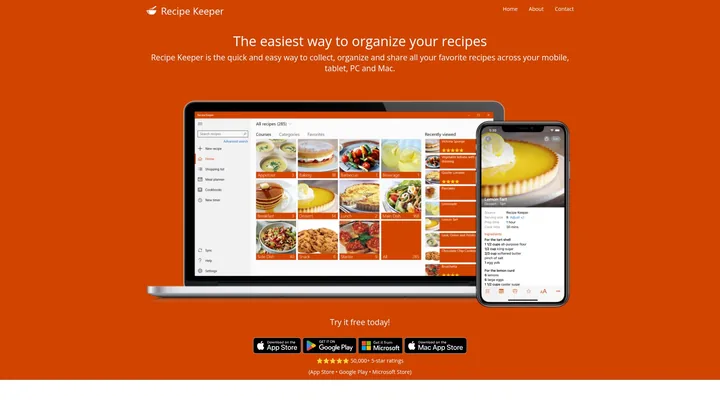
Best fit. Recipe Keeper offers recipe storage, scanning, meal planning and shopping lists through apps for iPhone, iPad, Android, Windows and Mac.
Core Features. Recipe Keeper supports website recipes, Instagram and TikTok imports, and scanning from photos, PDFs and handwritten pages. Its official feature overview also describes ingredient search, categories, serving adjustments, weekly or monthly planning and aisle-organised shopping lists.
Recipe Keeper’s official iOS description also includes nutrition information and nutritional search, plus ingredient cross-off, highlighted cooking steps and adjustable recipe text.
Printable PDF cookbooks can include covers and chapters. Supported apps sync across devices, saved recipes work offline, and the Amazon Alexa skill is available in English.
Pros
- Native apps cover iPhone, iPad, Android, Windows and Mac.
- Photos, handwritten pages and PDFs are useful sources for a family-recipe archive.
- Instagram and TikTok imports complement website and manual saving.
- Weekly or monthly plans connect saved recipes to shopping lists.
- Printable cookbooks offer a way to share a readable family collection, including covers and chapters.
Cons
- Pro purchases are platform-specific, so check the cost for the devices you use together.
- Recipe Keeper can export its whole collection through Import/Export. Confirm destination compatibility; a printable PDF cookbook is a separate reading or sharing format.
- The Alexa skill is English-only, even when your wider recipe collection uses another language.
Why choose it. Recipe Keeper is particularly relevant when your recipes live on paper as well as online and you want to turn the collection into a printable cookbook. Its native desktop apps also suit longer editing sessions.
The CookBook vs Recipe Keeper comparison covers scanning, social imports, device purchases and moving a collection.
Example workflow. For example, a cook could import web recipes and photos of family cards, categorise them, choose meals for the week and create a shopping list.
Pricing. Recipe Keeper is free to download with a Pro upgrade. The US iOS listing showed a $19.99 Pro purchase on 18 September 2026, while other platforms require their own purchase. Check the current iOS listing and official platform links for your region.
Website: Recipe Keeper
Samsung Food
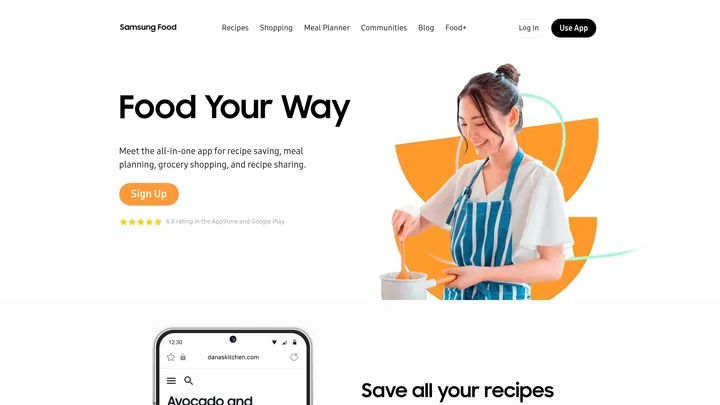
Best fit. Samsung Food combines a personal recipe box with meal planning, shopping lists and recipe-sharing communities. It works on iOS, Android and web, without requiring a Samsung phone.
Core Features. The free core app saves website recipes, organises a recipe box, plans meals and builds shopping lists. Communities add a discovery and sharing layer alongside that personal collection.
For social sources, Samsung documents creator links from social posts to full recipes. Follow the linked written recipe when it is available.
Samsung Food+ adds personalised tools and detailed nutrition tracking. Its subscription guide lists photo scanning and Smart Cook Mode. Detailed nutrition tracking is mobile-only.
Pros
- The free core app combines a personal recipe box, planner and shopping lists.
- Communities offer another way to discover and share recipes.
- iOS, Android and web access do not depend on owning a Samsung phone.
- Food+ adds private written-recipe scans and more personalised planning tools.
- Recipe and collection sharing links can be viewed by people without the app.
Cons
- Detailed nutrition tracking is a Food+ mobile feature, so browser access does not mean every paid tool is available on the web.
- Photo-scanned recipes are private and cannot be shared to public communities under the current scanning guidance.
- Sharing a recipe or collection link is different from exporting a complete editable recipe archive.
Why choose it. Samsung Food brings personal recipe management and community discovery into the same product. It suits readers who want both a place for their own recipes and a way to browse other people’s ideas.
See CookBook vs Samsung Food for free versus paid tools, private scans and recipe-sharing differences.
Example workflow. For example, a cook could save recipe pages, choose meals for the week and generate a grocery list. Community features offer a separate way to share dishes and discover ideas.
Pricing. Samsung Food’s core tools are free. Its published US Food+ guide lists $6.99 monthly or $59.99 yearly with a seven-day trial, checked on 18 September 2026. Subscription availability, price and offers may vary by region; confirm the current offer in the mobile app.
Website: Samsung Food
Devices, free allowances and what you pay for
| App | Devices | Free option | Paid basis and limit |
|---|---|---|---|
| CookBook | iOS, Android and web. | 20 saved recipes, 20 smart imports and 2 shopping lists. | Pro guidance: US$6.99/month or US$39.99/year; 14-day trial on yearly. |
| ReciMe | iOS, Android; desktop web beta for recipes/cookbooks. | 5 imports/week; core mobile planning and shopping. | Plus unlocks unlimited imports and premium tools; check the in-app offer. |
| Plan to Eat | iOS, Android and web. | 14-day trial; no ongoing free core plan. | US$5.95/month or US$49/year. |
| Paprika 3 | iOS, Android, Mac and Windows; no web library. | Options vary by platform; check its current store listing. | Separate purchases: US iOS $4.99; Mac and Windows $29.99 each. |
| Recipe Keeper | iOS, Android, Windows and Mac. | Free download with a Pro upgrade. | US iOS Pro $19.99; check each other platform’s licence and price. |
| Samsung Food | iOS, Android and web; some tools are mobile-only. | Core recipe box, planner and shopping lists. | Food+ US$6.99/month or US$59.99/year; 7-day trial. |
Watch the version and the total cost. Paprika 3’s platform purchases do not describe the announced Paprika 4 subscription for new features. The developer says existing users can retain their existing features without subscribing. If you need an iPhone and a desktop app, count both licences. If you need a browser planner, ReciMe’s recipe-only web beta is not yet a substitute.
Sources: CookBook pricing, ReciMe Free and Plus, ReciMe desktop beta, Plan to Eat subscriptions, Paprika iOS price, Paprika Mac price, Paprika Windows price, Paprika 4 announcement, Recipe Keeper US listing and Food+ pricing.
Switching to CookBook: keep your recipes and your exit route
A share link is not a backup. A PDF is not automatically an editable transfer file. These differences matter more as your collection grows. An app can be easy to start using and still make a later move laborious.
| App | Documented way out | Practical warning |
|---|---|---|
| CookBook | Bulk ZIP containing text, PDF or native CookBook files. | Images are linked, not embedded. Import or preserve them before deleting your CookBook account. |
| ReciMe | Recipe-level PDF/print with Plus, or a share URL. | The cited export guide does not describe a whole-library editable archive. Confirm a migration path before moving a large library. |
| Plan to Eat | Whole-library CSV or TXT export from the website. | CSV includes photo URLs. Confirm image handling at the destination; export remains available after expiry. |
| Paprika 3 | Paprika-format or readable HTML export. | Use the format supported by the destination; inspect images and recipe fields in a sample transfer. |
| Recipe Keeper | Whole-collection file export through Import/Export, plus printable PDF cookbooks. | A transfer file and a printable book serve different purposes. Confirm the destination accepts the exported format. |
| Samsung Food | Recipe links and supported recipe sharing. | The cited sharing guide does not establish a bulk editable collection export. Resolve that before a large migration. |
Sources: CookBook backup and image handling, ReciMe export guide, Plan to Eat export guide, Paprika export guide, Recipe Keeper cookbook and sharing tools, the developer’s whole-collection export confirmation and Samsung Food sharing guide.
For moving into CookBook: the bulk-import guide supports self-service CookBook CSV and ZIP imports up to 250 recipes, with Pro team help for other supported transfers. Keep your original archive. Start with a small sample containing a photo, a note, ingredient groups and categories; check what arrives before importing the rest.
Make your shortlist with five familiar recipes
This is a practical checklist you can use with any candidate. Use the same recipes in each app, so you compare the job rather than two different sources.
- Save one website recipe. Check yield, quantities, ingredient groups, ordered steps and the creator’s source link.
- Save one social recipe. Check whether the app extracted recipe details or only saved a link. Use a post that actually contains amounts.
- Scan one family card. Look closely at fractions, handwriting and cooking temperatures. Keep the original photograph.
- Plan and shop for two dinners. Change servings, review duplicates, remove a pantry item and add a household extra.
- Open, share and export. Use your second device, try a saved recipe offline where supported and inspect the export before cancelling or deleting anything.
If your partner needs a separate login, check that explicitly. CookBook’s whole-library household setup uses the same account. That gives a shared collection across devices, but not separate editor/viewer permissions. Native desktop software, a browser app and offline mobile access are also distinct requirements.
Try one recipe from import to dinner
- Import one complete recipe and check the ingredients and method.
- Add a tag you will remember, such as Weeknight, then find the recipe again.
- Put the recipe in your meal plan and add its ingredients to a shopping list.
- Remove one pantry item and add one non-recipe item to confirm the list stays editable.
Get CookBook and try this with one recipe. The free allowance includes 20 saved recipes, 20 smart imports and 2 shopping lists. Check the current Pro plans if you need a larger collection or Pro features.
Our verdict: CookBook for the complete recipe routine
CookBook is our recommendation for a home cook whose recipes arrive from everywhere and need to become dinner. You get one personal collection, supported social and written-recipe imports, a planner, shopping lists and cooking tools across mobile and web. Get CookBook and try the free allowance with your own recipes.
Choose a specialist alternative when one requirement outweighs the complete recipe workflow:
- Plan to Eat: you need recurring menus and records of prepared freezer meals.
- Paprika 3: an installed Mac or Windows recipe library and its current purchase model are decisive.
- Recipe Keeper: you want to turn family recipes into a designed printable cookbook.
- ReciMe: five new free imports each week suit your saving habit, and you are happy planning on mobile.
- Samsung Food: its free core and community discovery are more important than CookBook's collection workflow.
If your main problem is finding recipes you already saved, the recipe organiser guide focuses on search, tags and collection maintenance.
Frequently asked questions
What is the best all-in-one recipe manager?
CookBook is our top all-in-one pick for home cooks collecting recipes from social media, websites and paper. It brings supported imports, tags, ingredient search, recipe help, meal planning, shopping and cooking together on iOS, Android and web. Start with 20 saved recipes, 20 smart imports and 2 shopping lists free. Choose a specialist alternative if native desktop software, separate household logins or dedicated freezer records are essential.
What features should I look for in a recipe manager app in 2026?
Start with your recipe sources, devices and daily routine. Check supported social links or written-photo scanning, search and tags, serving adjustments, meal planning, shopping lists, offline access and export options. Choose the features you will use, rather than the longest feature list.
How can a recipe manager app help me reduce food waste?
A recipe manager can help you plan around ingredients you already have and build a list for the meals you intend to cook. Check your pantry and adjust quantities yourself; a generated list does not automatically know what is in your kitchen.
Are there free versions of recipe manager apps available in 2026?
Yes. CookBook includes 20 saved recipes, 20 smart imports and 2 shopping lists. ReciMe includes 5 imports per week and core planning tools. Samsung Food has a free core recipe box and planner. Plan to Eat offers a 14-day trial rather than an ongoing free core plan. Check paid-feature boundaries before importing a large collection.
How do I import recipes from social media into a recipe manager app?
Use the supported share extension or paste the post link, then check the imported ingredients and method. CookBook, ReciMe, Recipe Keeper and Plan to Eat all describe social importing, with source and device conditions. Private, removed or incomplete posts may not contain enough information for a complete recipe.
Can I customize my meal plans in a recipe manager app?
Yes. These apps let you build plans from saved recipes, but their planning tools differ. Plan to Eat emphasises reusable menus, leftovers and freezer meals; CookBook connects chosen recipes to an editable plan and shopping list. Check ingredients and quantities against your household’s preferences and dietary requirements.
How do I ensure my recipes stay organized in a recipe manager app?
Choose a small, consistent set of tags or categories, remove duplicate imports and give recipes recognisable names. Check that search finds the ingredients, notes or labels you rely on. Keep an export where supported and review a sample of recipes before migrating the whole collection.
Which recipe managers have a web app?
CookBook, Plan to Eat and Samsung Food offer browser access alongside mobile apps. ReciMe has a desktop web beta for importing and editing recipes, and viewing recipes and cookbooks; its meal plans and grocery lists are still listed as coming soon. Paprika 3 and Recipe Keeper offer native desktop apps instead of an equivalent browser-based recipe library.
Can I export my whole recipe library?
CookBook documents bulk text, PDF and native-format exports; Plan to Eat documents CSV and TXT; Paprika 3 documents Paprika-format and HTML, and Recipe Keeper’s developer confirms whole-collection file export. ReciMe’s cited guide covers individual PDF/print output, while Samsung Food’s covers recipe sharing. Confirm the exact transfer format, photos and notes before committing a large collection.
Does every recipe app need a subscription?
No. Paprika 3 and Recipe Keeper use platform-specific purchases, while CookBook, ReciMe, Samsung Food+ and Plan to Eat offer subscriptions with different free or trial options. Paprika has also announced a subscription for new Paprika 4 features. Compare the current version and the total cost across your devices.
Continue with the task that matters most
Want help importing, creating and adapting recipes with AI? Our AI recipe manager comparison focuses on those tools and how they connect to a saved collection.