A little more organised. A lot more cooking.
Turn recipes into shopping lists
Turn recipes and meal plans into smart shopping lists in CookBook. Add ingredients automatically, merge similar items, include your regular groceries, then shop from a synced list across supported devices.
Free for 20 recipes. Available on iOS, Android & web.
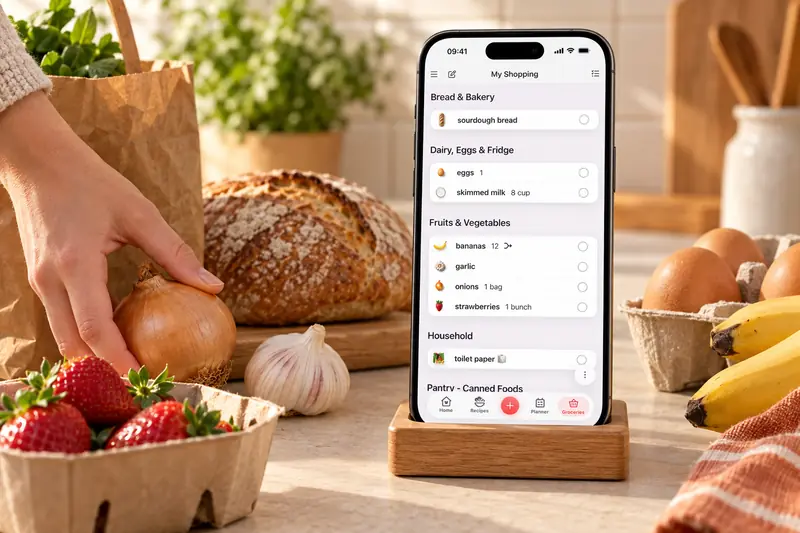
Shopping List
Build lists from recipes
A recipe shopping list starts from the dishes and portions you choose. Add ingredients from a saved recipe or a date range in the planner, then review the list before shopping.
For example, two recipes needing 200 g and 300 g of carrots need 500 g in total. If you already have 200 g, change the amount to buy to 300 g without changing either recipe.
- Recipe ingredients. Add recipe ingredients straight to a list when you are ready to shop.
- Meal plan lists. Build a list from planned meals for the week ahead.
- Extra items. Add staples, household items and anything else you need.
- Check off as you shop. Mark items done, delete what you do not need and keep moving.
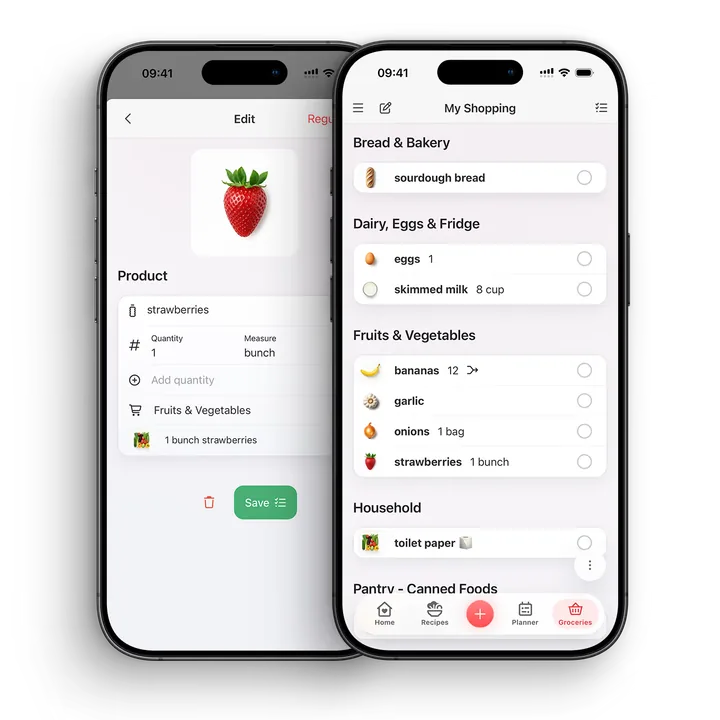
Lists for every shop
Multiple lists. Your regular favourites, ready to add.
Keep separate shopping lists for different shops or occasions, alongside a reusable Regular Items list for groceries you buy often.
Save staples such as milk, eggs and cleaning supplies once. Select what you need and copy it into your current shopping list before you shop.
Organise
Merge and tidy ingredients
CookBook groups ingredients and supports editing, splitting and controlling merges. Review food forms as well as names: cooked rice and dry rice, or fresh herbs and dried herbs, may need separate entries.
Grams can be added to matching grams. A cup and a weight measure need a suitable conversion, while a tablespoon depends on the measurement system. Keep separate amounts when a combined figure would hide useful information.
- Check the quantities and the recipes behind an item.
- Split a combined entry when you want to buy its parts separately.
- Remove food already in the pantry yourself.
- Add non-recipe groceries and copy chosen staples from Regular Items.
Sync and share
One list across your devices
Create the list on your computer, then open it on your phone using the same CookBook account. Changes and ticked items sync across supported devices.
Separate accounts are not automatically linked into a household list. A printed list or shared recipe is a separate copy, not live account collaboration.
Instacart

Order groceries where supported
In the United States and Canada, eligible CookBook shopping lists can connect with Instacart where supported, helping you move from meal planning to grocery ordering faster.
A little more help
Frequently asked questions
Can CookBook turn recipes into shopping lists?
Yes. Add ingredients from saved recipes or meal plans to a CookBook shopping list, then edit quantities and tick items off as you shop.
Will CookBook merge duplicate ingredients?
CookBook can group compatible ingredients. Review amounts, units and food forms, then edit or split combined entries when separate items make more sense for your shop.
Can I add my own grocery items?
Yes. You can add staples, household items and anything else you need, even when the list started from recipes.
Can I order groceries from a CookBook list?
In the United States and Canada, eligible lists can connect with Instacart where supported. Availability depends on location and service coverage.
Can shopping lists sync across devices?
Yes. Shopping lists sync between supported iOS, Android and web devices signed in to the same CookBook account. Separate accounts are not linked family profiles.
Can I make a shopping list from a meal plan?
Yes. Planned meals can feed into shopping lists, helping you turn the week's recipes into a practical grocery run.
Can I edit quantities before shopping?
Yes. Shopping lists are editable, so you can change quantities, remove pantry items, add extras and adjust the list before you leave.
Is CookBook a grocery delivery app?
No. CookBook is a recipe manager with shopping-list tools. Grocery ordering is available only where supported integrations, regions and retailers allow it.
Still have a question? Visit our help centre.
Your ultimate kitchen companion.
Tried, tested & loved by thousands of home cooks. CookBook is free to try, so jump in and see what all the fuss is about!
Get started for free