A little more organised. A lot more cooking.
Get recipe organised
Build a recipe library that is easy to search, filter and cook from. Use tags, favourites, ratings, ingredient search and editing tools to keep every recipe useful.
Free for 20 recipes. Available on iOS, Android & web.
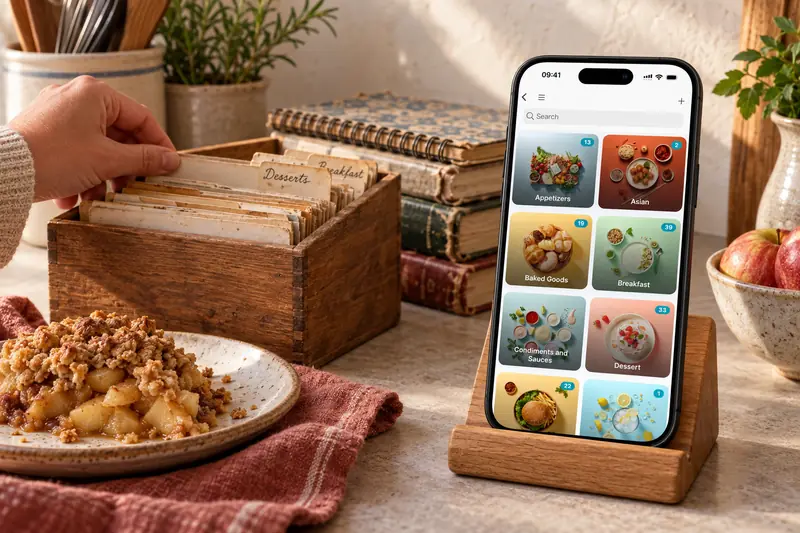
Clear the clutter
Organise your recipes to suit you
Find saved recipes by what you remember: a dish name, an ingredient, a favourite or a useful tag. Recipe organisation should make the next dinner easier, without requiring you to remember exactly where a recipe came from.
- Tags. Group a recipe under several useful labels and combine filters.
- Search and filter. Find recipes by name or ingredient, then narrow by tags, cooking time, source or nutrition.
- Link and pin. Keep active recipes close and connect dishes you serve together.
- Notes and nutrition. Record your substitutions and review the recipe’s nutrition estimates.
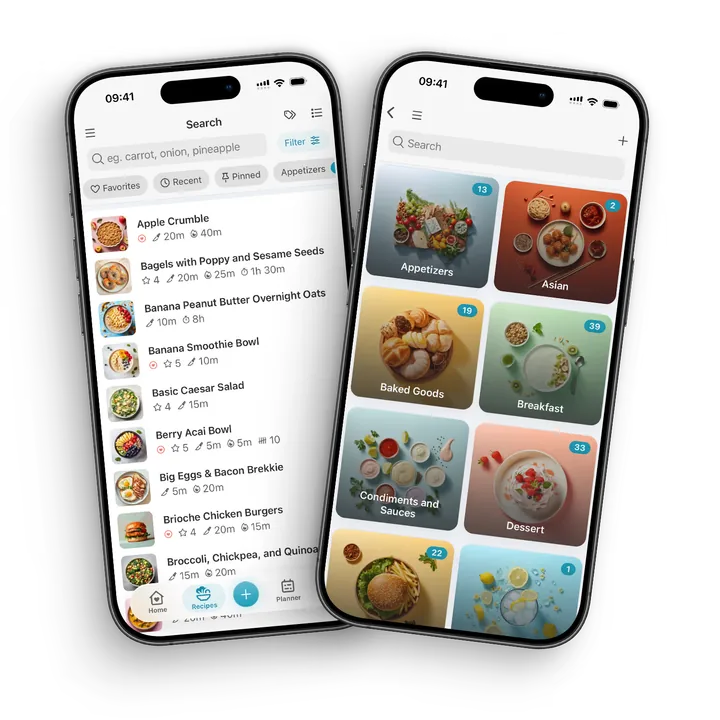
Tags and filters
One curry, several ways to find it
A tag is a reusable label, so a chickpea curry can be Weeknight and Vegetarian without creating two copies. CookBook uses tags rather than forcing every recipe into one folder.
Open Recipes, choose Filter and select your tags. Search an ingredient when you remember the spinach but not the recipe’s exact title. Clear old filters if your results look too narrow.
- Use a few labels that match real cooking decisions.
- Find Only untagged recipes to work through the backlog.
- Name meaningful recipe variations before removing duplicates.
- Keep personal cooking notes with the recipe they describe.
Leftover ingredients
What's in my fridge?
Search with ingredients you want to use and exclude those you do not want. Review the matching recipes and your actual kitchen supplies before choosing dinner. Ingredient search does not maintain a live pantry inventory.
Tools
Edit & customise
Keep recipes practical after you save them. Edit the method, scale servings, convert measurements, rate favourites and add photos so each recipe works the way you cook.
- Edit recipes
- Scale
- Convert
- Favourite
- Rating
- Multiple photos
Make yourself at home
A CookBook that feels like yours.
Choose an accent colour, use light or dark mode, and adjust the text to make your recipes comfortable to read. Keep the home-screen sections and recipe tags you reach for most.
Your collection can be as personal as your cooking. Add the note about extra lemon, rate the recipes worth repeating and record when you cooked them.
- Choose your colours and appearance in Settings.
- Adjust text size and the home-screen sections you see.
- Show or hide the AI entry point to suit the way you use CookBook.
A little more help
Frequently asked questions
Does CookBook use folders or tags?
CookBook uses tags. A recipe can carry several tags, and tag filters help you narrow your collection without creating duplicate copies.
Follow the organisation walkthrough How do I find recipes that have no tags?
In Recipes, open Filter, go to Tags and enable Only untagged. Review a small batch, add useful labels and return to the same filter when you want to continue.
Untagged recipe instructions Will CookBook automatically tidy duplicate recipes?
Review apparent duplicates before removing one. Similar titles may hide different portions, source links or personal notes. Keep meaningful variations and preserve useful details in the copy you retain.
Still have a question? Visit our help centre.
Your ultimate kitchen companion.
Tried, tested & loved by thousands of home cooks. CookBook is free to try, so jump in and see what all the fuss is about!
Get started for free