A little more organised. A lot more cooking.
Save recipes from TikTok
Save TikTok recipes to CookBook before they get buried in your feed. Import the link, turn the idea into a clean recipe card, add your own notes, then organise it with tags, meal plans and synced shopping lists.
Free for 20 recipes. Available on iOS, Android & web.
TikTok
Capture recipes before they vanish
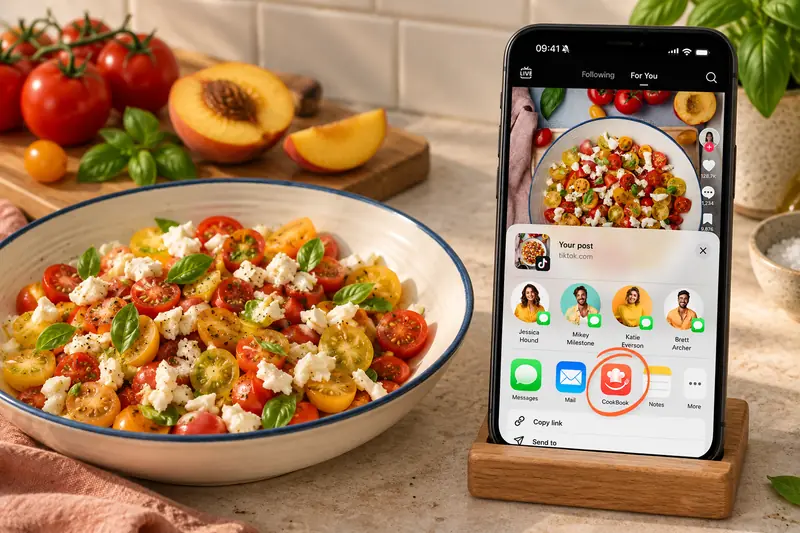
Use the TikTok share menu to send the post to CookBook, or copy its URL and use Paste in the app. Importing works from accessible recipe details in the caption or linked page; review the ingredients, method and servings before you save.
Open TikTok’s Share menu, find More and choose CookBook. Use Edit recipe to review the result or Save to CookBook when you are ready to save it.
- Keep the creator’s source link with the saved recipe.
- Choose an individual post or recipe URL, not a profile page.
- Check amounts and method steps against the full written recipe.
- Add your own tags and notes once the recipe is complete.
Organise
Make social recipes searchable
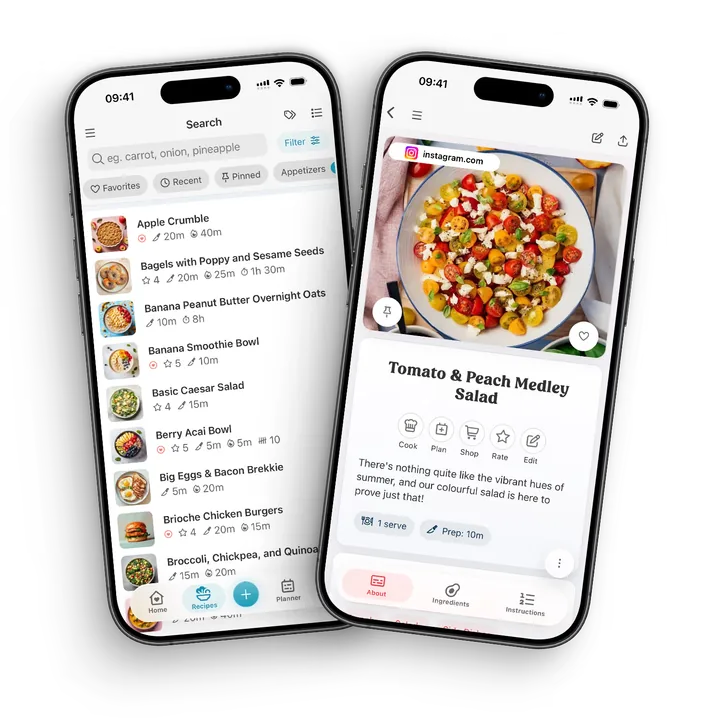
TikTok is great for inspiration but poor for finding dinner later. CookBook lets saved TikTok recipes live in your searchable recipe library with tags, favourites, ingredient search, meal planning and shopping lists.
- Tags and categories. Group TikTok recipes by cuisine, meal type or mood.
- Favourites. Keep the recipes that worked close at hand.
- Ingredient search. Find recipes by ingredients you already have.
- Planner and lists. Add TikTok recipes to meal plans and shopping lists.
Complete the recipe
When the post needs another step
A private, removed or inaccessible TikTok post may not import fully. If the caption points to a website, use that individual recipe page. For written recipe text on an image, use a clear screenshot in the scanner.
If a video or caption leaves out quantities, confirm them from the creator’s full recipe before shopping. The source link keeps useful context, but it does not archive a copy of the original video.
Cook it later
From scroll to dinner plan
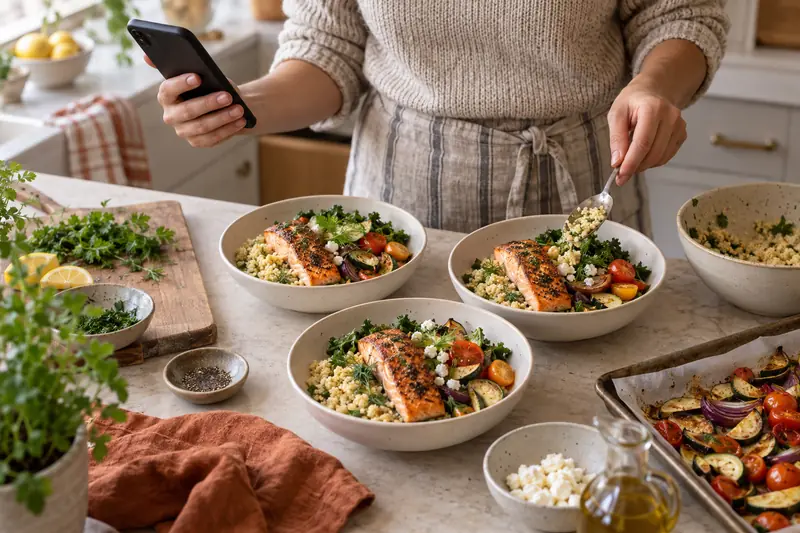
A quick video can become a real dinner plan when the ingredients, steps and notes live inside CookBook. Save the idea while you scroll, then come back to a clean recipe when you are ready to cook.
Found a recipe in another language? Use supported automatic import translation or translate the saved recipe, then choose the servings and measurements you prefer.
A little more help
Frequently asked questions
Can I save recipes from TikTok to CookBook?
Yes. Send a TikTok recipe link into CookBook, then review the imported details and save it as an editable recipe in your personal collection.
Why not just save the video in TikTok?
TikTok saves are useful for browsing, but they do not give you searchable ingredients, recipe tags, meal plans, shopping lists or a clean cooking view.
Can I edit a TikTok recipe after importing it?
Yes. You can tidy captions, add missing ingredients, adjust servings, write your own notes and keep the source link for context.
Can TikTok recipes become shopping lists?
Yes. Once the recipe is saved in CookBook, you can add it to a meal plan and send ingredients to a synced shopping list.
Can I keep the TikTok source video?
CookBook can retain the source link so you can return to the original TikTok post. A link is not a downloaded video, and the original may become unavailable if the creator or platform removes it.
Saving recipes, sharing and copyright What if the TikTok recipe is only in the caption?
Import the accessible written recipe, then compare it with the original. If ingredients or quantities are missing, check the creator’s linked page or ask for the complete details. Add only what you can confirm before planning or shopping.
Can I organise TikTok recipes with other recipes?
Yes. TikTok recipes sit in the same searchable library as recipes from websites, Instagram, cookbooks, screenshots and manual entry.
Does CookBook replace TikTok?
No. TikTok is still great for discovery. CookBook is where you turn those ideas into organised recipes you can search, plan, shop from and cook.
Can CookBook import private TikTok posts?
Imports depend on the recipe information the source makes available. Private, removed or restricted posts may not import. Use a copy you can legitimately access, such as complete written text or a readable screenshot.
See recovery optionsStill have a question? Visit our help centre.
Your ultimate kitchen companion.
Tried, tested & loved by thousands of home cooks. CookBook is free to try, so jump in and see what all the fuss is about!
Get started for free