A little more organised. A lot more cooking.
Add recipes from anywhere
Bring website recipes, social posts, cookbook pages and your own notes into one editable recipe collection. Choose a link, text, scan or file import, then check the ingredients and steps before saving.
Free for 20 recipes. Available on iOS, Android & web.
Build your CookBook
Choose the right way to import a recipe
Start with the source you have. CookBook offers different import methods for recipe links, written pages and existing recipe files, so you can review and organise them in the same collection.
- Recipe websites
Share a recipe page from your mobile browser, paste its link in CookBook, or use the Chrome extension on your computer. Review the preview: some sites hide recipe content behind a login or load it in a way the importer cannot read.
Import a link or text- Social posts and Reels
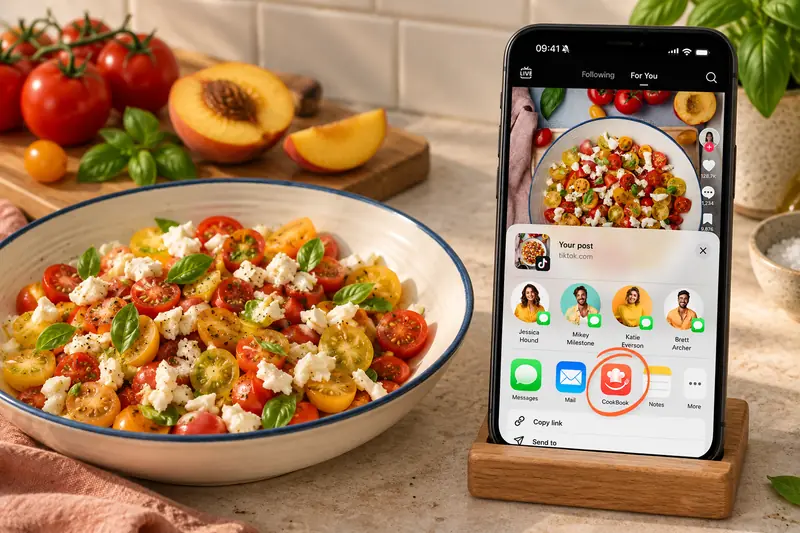
Share a recipe post from Instagram, TikTok, Facebook or Pinterest to CookBook, or copy its link. A post with missing quantities or a caption pointing elsewhere may need the creator’s full recipe before you can finish the import.
Save Instagram recipes- Photos, cookbooks and PDFs
Use AI Recipe Scanner for written recipe text in a photo, screenshot or selected PDF page. Choose Automatic or select the text areas in Manual mode, then check quantities, units and steps against the original.
Explore recipe scanning- Emails, messages and notes
Copy the recipe text, open Paste in CookBook and confirm the import. Check the extracted fields and add anything missing. You can also start a blank recipe and type your own ingredients and instructions.
Save copied recipe text- An existing recipe collection
Import up to 250 recipes yourself with CookBook’s CSV template or a ZIP of .cookbook files. Other supported exports and larger files need team assistance with a Pro subscription; check the guide for your source app.
Check supported recipe files- A recipe shared by someone you know
Open a CookBook recipe file shared by a friend or family member to add it to your account. A PDF or photograph follows the scanning method instead; not every file is a ready-to-import recipe.
See recipe sharing options
Your recipes
Create and customise
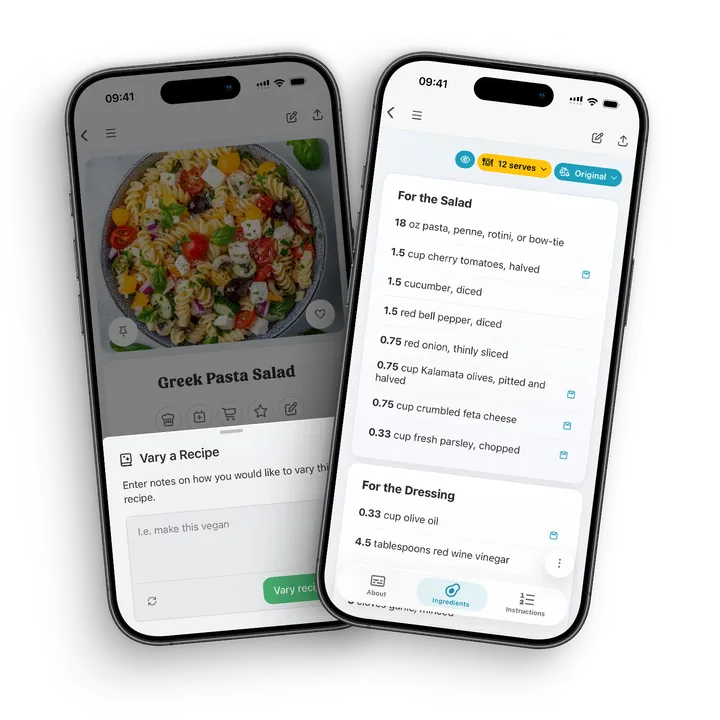
Create recipes from scratch, edit imported recipes, add your own notes and use AI Chef to adapt recipes for ingredients, taste or dietary preferences.
- Create & Edit. Curate your own recipes from scratch & edit as you develop.
- Clone & Copy. Want to try a different variation of a recipe? Hit clone to create a duplicate.
- All Devices. Access your CookBook on all your devices, under one plan.
- Cloud Sync. All stored in our cloud to sync quickly between your devices.
Scanning
Recipe scanner
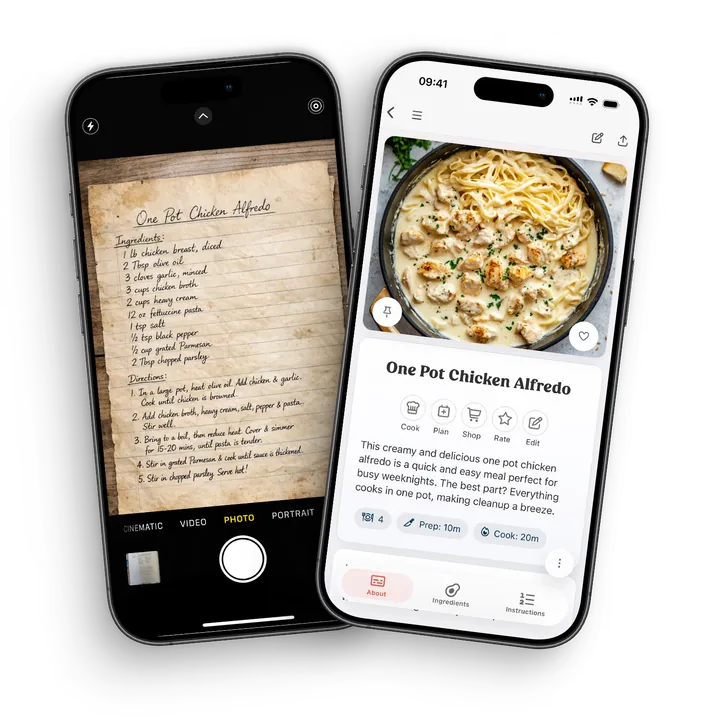
Use AI Recipe Scanner to turn cookbook pages, magazine clippings, printed recipes and handwritten family cards into editable recipes without typing everything out.
- Start with a clear, upright photo of the complete recipe text.
- Choose Automatic for a first pass, or Manual to select separate ingredients and instruction areas.
- Review quantities, units, servings and every step against the original before saving.
- Keep your source image with the recipe and add tags to find it later.
Review, then save
If a recipe needs a little cleanup
Imports depend on the source. A page behind a login, an image-only recipe or a social post without the full method can leave gaps. CookBook lets you edit the result instead of losing the recipe.
- Try the publisher’s print view or copy the ingredients and method into Paste.
- Scan a clear screenshot when the recipe is written inside an image.
- Check ingredient quantities, servings and instructions; fill in missing details before cooking.
Keep cooking
Discover something new. Save it in your language.
Find popular recipes in Discovery, or translate an imported recipe into your selected app language. Keep new inspiration alongside your own favourites.
A little more help
Frequently asked questions
Are my recipes private?
Your saved CookBook collection is private by default. Other users cannot browse it. If you share a recipe, its recipient can see that copy; anyone signed in to your account can access your collection. Your recipes also sync through CookBook's cloud services.
Recipes, privacy and copyright Is saving a recipe for personal use always allowed?
Not automatically. You can save your own work, material not protected by copyright, and content you have permission or another applicable right to copy. Copyright exceptions vary by country and situation; personal use alone is not a universal permission to copy someone else's writing, photos or videos.
Recipes, privacy and copyrightStill have a question? Visit our help centre.
Your ultimate kitchen companion.
Tried, tested & loved by thousands of home cooks. CookBook is free to try, so jump in and see what all the fuss is about!
Get started for free