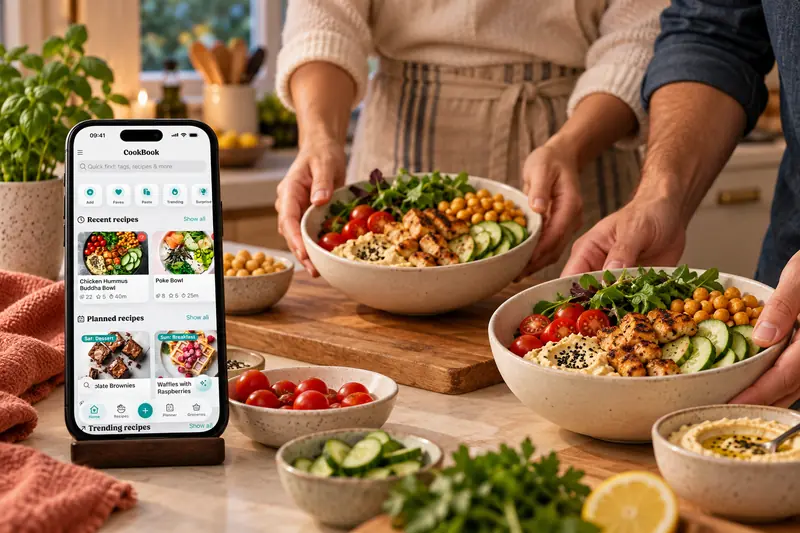
Your recipe manager app
Your kitchen.
Your CookBook.
Save recipes from TikTok, Instagram, Facebook, websites, photos and cookbooks. Organise your favourites, plan meals and make shopping lists in one app.

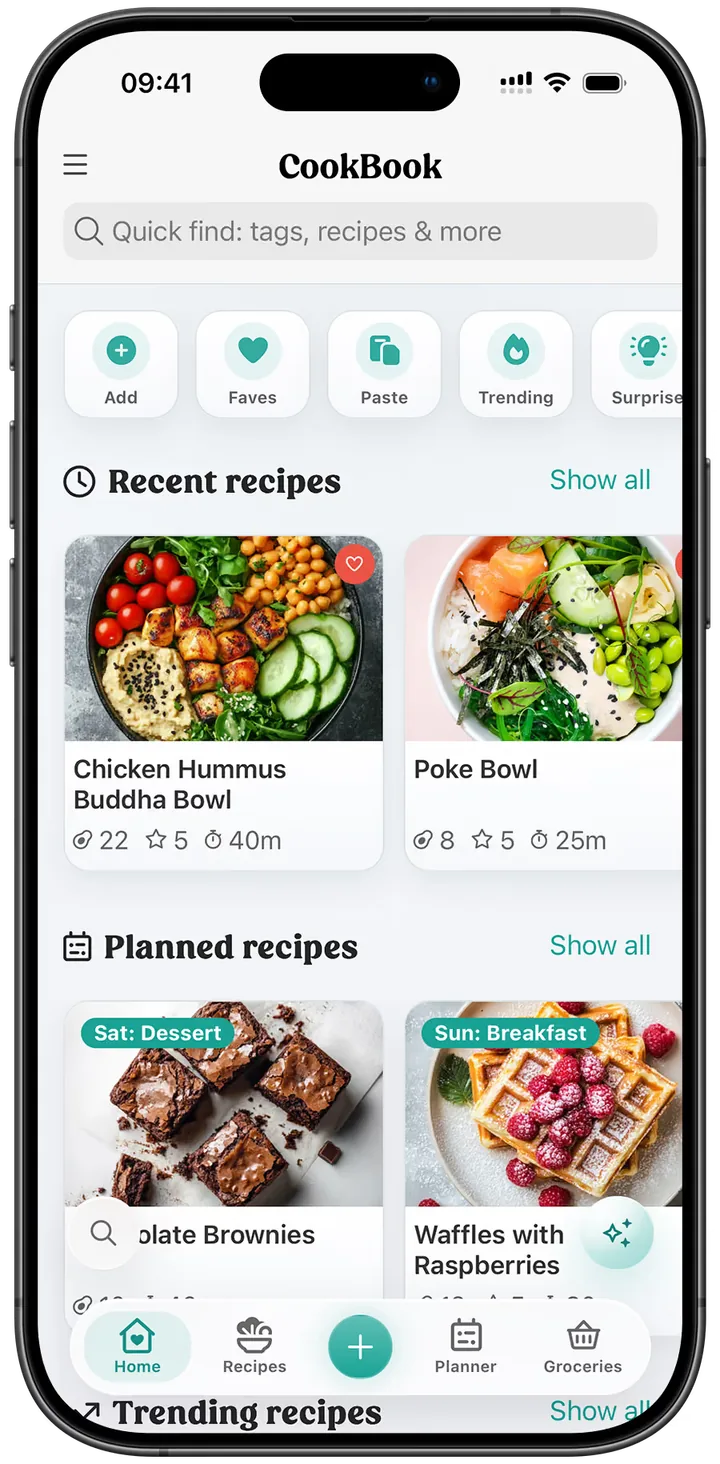
- App Store
- 4.8 out of 5 stars
- Recipes saved
- 10M
- Meals planned
- 2M
Download for free
Start free with 20 recipes, 20 smart imports and 2 shopping lists, or try Pro for 14 days with the yearly plan.
Never lose a recipe
Import recipes from socials, websites, scan physical recipes or create new ones with AI.
Plan, shop & cook
Plan your meals, create interactive shopping lists and cook with scaling, conversion & timers.
Find your next favourite
Trending in CookBook.
Explore recipes from social posts and recipe websites, then save the ones you want to cook.
Trending in CookBook · Social & websites
 From instagram.com30 min
Honey BBQ Chicken and Rice
 From sallysbakingaddiction.com165 min
Chewy Chocolate Chip Cookies
 From instagram.com
Mozzarella Parmesan Garlic Chicken with Creamy Spaghetti
 From recipetineats.com80 min
One-Pan Portuguese Chicken and Potatoes
 From instagram.com45 min
Cheesy Beef Stuffed Tortilla Bake
 From delish.com70 min
The Original Marry Me Chicken
 From instagram.com42 min
Crispy Garlic Parmesan Chicken Wraps
 From pinchofyum.com35 min
Miso Peanut Ramen Bowls
 From instagram.com35 min
Miso Peanut Ramen Bowls
 From recipetineats.com620 min
A really good Slow Cooker Beef Stew
Bring your favourite recipes together in CookBook.
01 / Save it
Your favourite recipes, all together.
Save, customise and organise recipes across all your devices with CookBook, the AI recipe keeper app. Save from your phone or computer, share from social media, import from links, or scan photos using powerful AI tools.
- TikTok
Save recipes from TikTok, Instagram, Facebook & more.
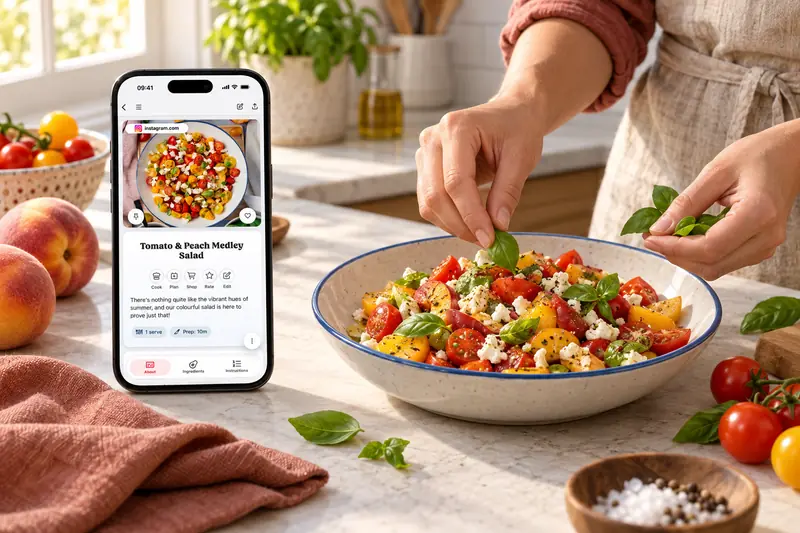
Share a recipe post from TikTok, Instagram, Facebook or Pinterest into CookBook. Review the imported ingredients and steps, fill in anything missing, then tag, plan and cook from it later.
Save recipes from your favourite websites.
Share a recipe page from your browser, paste its link, or use the Chrome extension. Review the result in CookBook, then save it across your devices. If a site cannot be read, copy the recipe text or scan a screenshot instead.
Scan cookbooks and handwritten notes.
Use AI Recipe Scanner to turn photos of cookbook pages, clippings and family cards into editable recipes. Review the scan, add tags and keep old favourites searchable.
Create recipes and variations with AI.
Ask AI Chef for a new recipe, a variation or an ingredient swap. Make it vegan, spicier or better suited to what you have, then save the version you like.
Start with a favourite food blog: follow the website recipe importing guide.
02 / Make it yours
Organise with ease
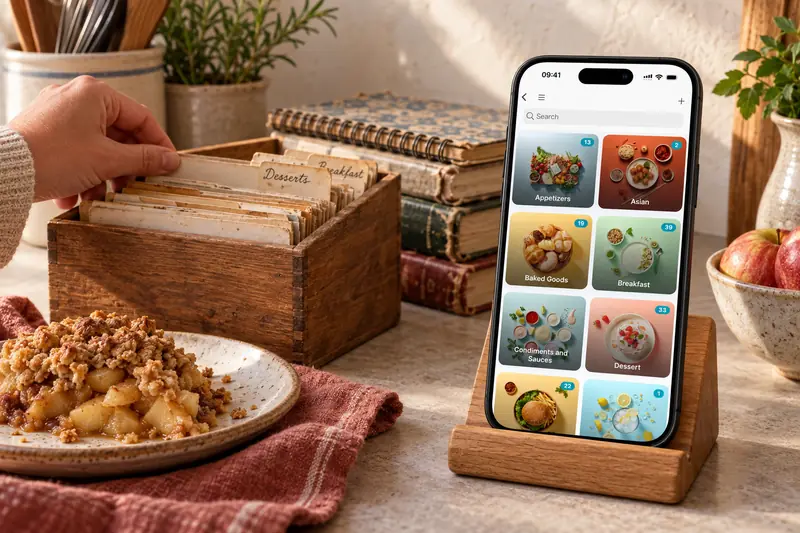
Say goodbye to recipe chaos and hello to effortless organisation with smart tools and powerful filter & search. Find, group and customise your recipes, no matter how many you’ve saved.
- Find recipes by ingredients, tags, nutrition and cooking time
- Keep favourites, ratings and your own cooking notes
- Choose your colours, text size and home-screen sections
- Record the meals you want to cook again
Still choosing your recipe app? Compare six recipe managers by importing, organising, planning and device support.
03 / Bring it to the table
A good recipe is just the start.
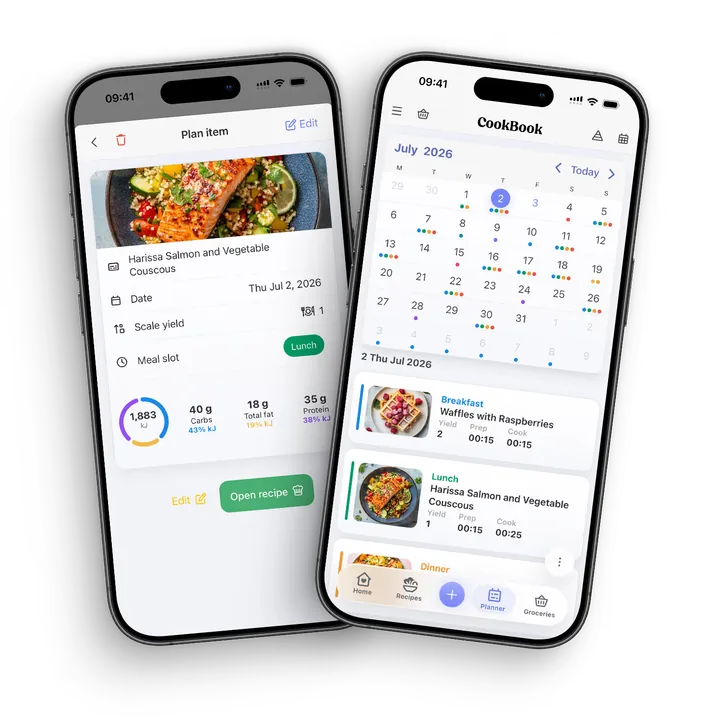
Meal planning mastery
Turn the hassle of meal prep into a breeze with CookBook’s flexible, intelligent meal planner. Plan meals that change with you, simple, smart and stress-free. Plan daily, weekly or monthly meals using your saved recipes.
Explore meal planningSmart shopping lists
Generate smart grocery lists in seconds! Add from recipes, ingredients or regular items, CookBook merges ingredients, detects aisles and keeps everything organised across devices. Built to save time and reduce food waste. Create multiple shopping lists and keep your everyday favourites in the reusable Regular Items list, ready to copy into your next shop.
Build your shopping list
04 / Cook with CookBook
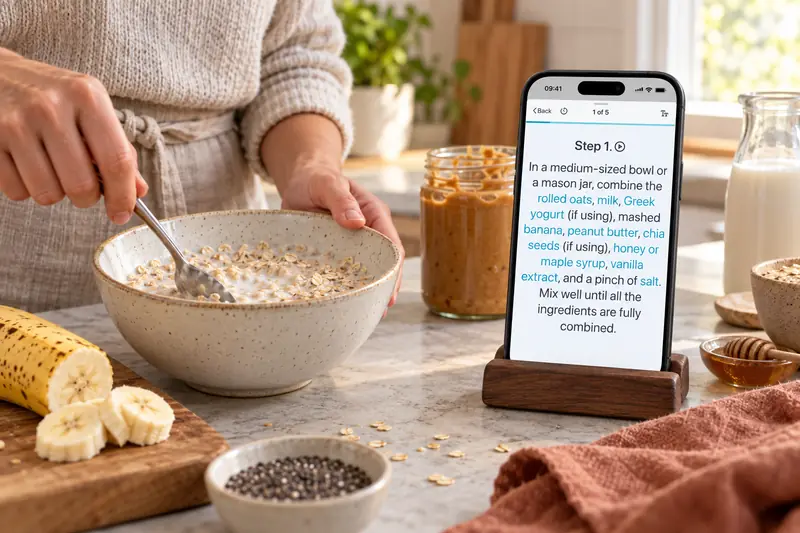
Your recipe, one step at a time.
Open cooking mode, get comfortable with larger text and follow the steps at your pace. Keep timers and ingredients close, listen to instructions aloud, and keep your recipe on screen while you cook.
- Scale servings and choose familiar measurements. Convert recipe measurements in CookBook.
- Follow clear steps with timers and adjustable text.
- Keep your rating, notes and last-cooked date together.
05 / AI Companion
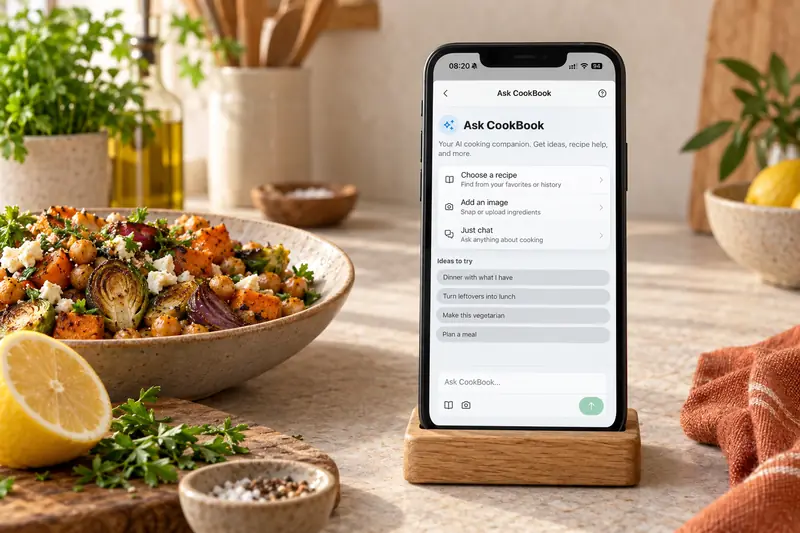
A little help with what’s for dinner.
Ask a question, use up what’s in the fridge, or find a way to make that dish you loved. Get a starting point, make it your own, and save it in your CookBook.
- Ask CookBook about a recipe, photo or cooking question.
- Review and save recipe ideas or your own variations.
- Take the recipe into your meal plan and shopping list.
Loved in real kitchens
Home cooks, in their own words.
From the first saved recipe to a collection of thousands. Here’s what CookBook customers have to say.
Swipe to read more, or use the arrows.
Read 11 more customer reviews
Recipes from everywhere
“Easy to import recipes from both the web, social media and other cookbooks.”
Read on the App StoreArmsinni
App Store · Australia ·
A happy home cook
“It’s one of the most professional pieces of software that I have used, and my wife loves it!”
Read on the App StoreEvansNP
App Store · UK ·
After trying other apps
“I’ve tried them all and no app does a recipe import into your cookbook better than this app.”
Read on the App StoreRbbnet
App Store · US ·
Everything in one place
“Finally an app that puts everything together in one place from multiple sources. … Super service.”
Read on the App StoreDeb Suds
App Store · Canada ·
From saved posts to recipes
“I’ve managed to transfer all of my random recipes I’d previously saved on instagram and tiktok so easily.”
Read on the App StoreHFMiles
App Store · UK ·
Keeping family favourites
“Finally, someplace to keep everything from my grandmother’s 100+y/o handwritten to something I see in a book or magazine!”
Read on the App Storeimrtcfrtc
App Store · US ·
Everyday cooking
“As a chef this is an app I use everyday! Highly recommend”
Read on the App Storemlmcdona
App Store · Canada ·
Less recipe clutter
“You can declutter all your books into this one app and then find everything easily.”
Read on the App StoreSezzle beanie
App Store · Australia ·
A growing recipe collection
“I use it all the time, have thousands of recipes and love that I can download recipes directly from social media!”
Read on the App StoreJim Purple
App Store · UK ·
Sunday family dinners
“This app has been the absolute best for keeping our family recipes together. … We always know what is on the menu!”
Read on the App StoreXubernt2
App Store · US ·
Useful on every device
“It’s user friendly, works on all of my devices, and my support request was answered timely and efficiently.”
Read on the App StoreC1ndyK
App Store · US ·
A little more help
Frequently asked questions
How much does CookBook cost?
CookBook is free to download and use with up to 20 saved recipes, 20 smart imports, and 2 shopping lists. When you are ready for more, you can upgrade to CookBook Pro monthly or start a 14-day free trial with the yearly plan.
See plans and pricing What is included in the free plan?
The free plan includes 20 saved recipes, 20 smart imports, 2 shopping lists, cloud sync, and access on iOS, Android, and web. It is a great way to try CookBook before upgrading.
Do I need to pay separately on each device?
No. One CookBook plan works across all your devices, including iPhone, iPad, Android, tablets, computers, and laptops. Just sign in with the same account and your recipes will sync.
Can I save recipes from Instagram, TikTok, websites, and photos?
Yes. CookBook lets you save recipes from websites, social media, screenshots, photos, cookbooks, magazines and your own notes. Smart imports help turn messy recipes into clean, organised recipes you can actually cook from.
Are my recipes private?
Your saved CookBook collection is private by default. Other users cannot browse it. If you share a recipe, its recipient can see that copy; anyone signed in to your account can access your collection. Your recipes also sync through CookBook's cloud services.
Recipes, privacy and copyright Can I cancel my free trial?
Yes. Cancel at least 24 hours before your 14-day free trial ends to avoid the first yearly charge. Manage the trial through the App Store, Google Play or the web billing portal, depending on where you subscribed. Deleting the app does not cancel your trial.
How to cancel your free trial Why choose CookBook instead of another recipe app?
CookBook is built for people who collect recipes from everywhere. You can import from websites, social media, photos, and cookbooks, then organize recipes, plan meals, create shopping lists, calculate nutrition, and sync everything across your devices.
Can I move my recipes from another app or old collection?
Yes. CookBook supports team-assisted transfers from Paprika, Recipe Keeper, Plan to Eat and other supported exports. Standard transfers have no extra fee beyond Pro. During the 14-day Pro trial, the team can usually import a sample; the full collection follows once you continue on paid Pro. You can also self-import up to 250 recipes per file using the CookBook CSV template or a .cookbook ZIP.
See supported files and transfer instructionsStill have a question? Visit our help centre.
Your ultimate kitchen companion.
Tried, tested & loved by thousands of home cooks. CookBook is free to try, so jump in and see what all the fuss is about!
Get started for free