Which app should you use to save TikTok recipes?
CookBook is our top pick for turning supported TikTok recipes into meals you can plan, shop and cook. Share a supported post or paste its link to save an editable recipe, then keep it with your website recipes and family favourites on iOS, Android and web.
Tags and ingredient search help you find it again; serving adjustments, meal planning and shopping lists help you actually make it. Try your first TikTok import in CookBook with a free allowance of 20 saved recipes, 20 smart imports and 2 shopping lists.
ReciMe is worth considering for weekly free imports and its documented audio fallback. The comparison below separates direct post imports from linked-recipe routes, including the details each app needs from the creator.
In this article
- Which app should you use to save TikTok recipes?
- The six apps at a glance
- What happens after you save a social recipe
- Why TikTok recipes get lost
- What the best TikTok recipe saver should do
- CookBook: for turning TikTok finds into everyday meals
- ReciMe: for frequent small saves and an audio fallback
- Recipe Keeper: for social recipes plus a desktop collection
- Plan to Eat: for putting new finds straight into a meal plan
- Samsung Food: for following creators’ complete recipe links
- Paprika 3: for website recipes and existing collections
- Free limits and prices that change the decision
- A better workflow for saving TikTok recipes
- Common mistakes to avoid
- Switching your TikTok collection to CookBook
- Frequently asked questions
- Our verdict: turn your TikTok saves into dinner
The six apps at a glance
Direct import means sending a supported TikTok post to the app. It does not guarantee that every spoken ingredient, comment or missing quantity becomes a complete recipe. These are workflow distinctions, so choose the route that matches the posts you actually save.
| App | TikTok saving route | Best reason to choose it | Important limitation |
|---|---|---|---|
| CookBook | Direct import. Share the post or paste its link; recipe caption or linked page. | Best for taking TikTok saves through to planning, shopping and cooking on mobile and web. | Missing source quantities still need checking; free allowance is finite. |
| ReciMe | Direct import. Caption first, then attempted audio or original website. | Five free imports each week and mobile meal planning. | Pinned comments are not read; meal plans and groceries are not yet in its web beta. |
| Recipe Keeper | Direct import advertised. Its official site lists TikTok and Instagram saving. | Social recipes alongside scanned pages and installed Mac/Windows apps. | Separate platform upgrades; the product overview does not specify caption-versus-audio handling. |
| Plan to Eat | Direct import. TikTok’s Share/Send to menu opens its mobile clipper. | Reusable meal plans, a shopping list and batch-cooking records. | Continued use needs a subscription after the trial. |
| Samsung Food | Linked-recipe route. Follow a creator’s recipe or profile link. | Free core planning, communities and optional Food+ tools. | The documented social route is not extraction of an arbitrary TikTok video. |
| Paprika 3 | Website/manual route. Import the linked recipe page or copy text. | A mature recipe collection, pantry tools and one-time platform purchases. | Extra steps for video-only recipes; no full browser library. |
Product evidence
What happens after you save a social recipe
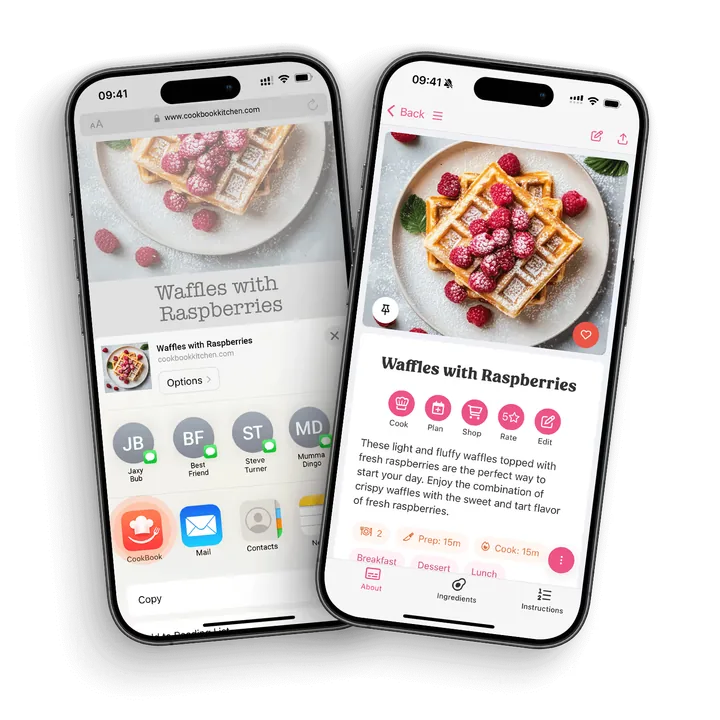
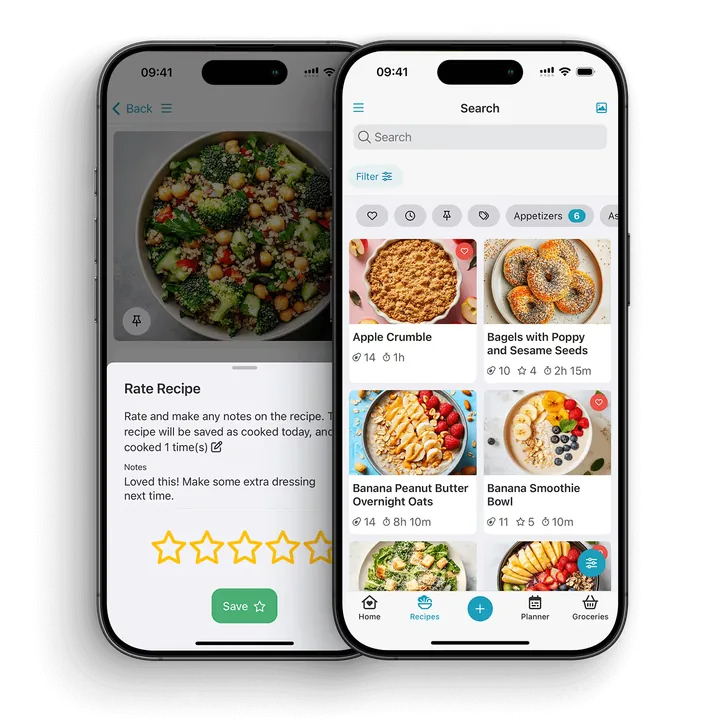
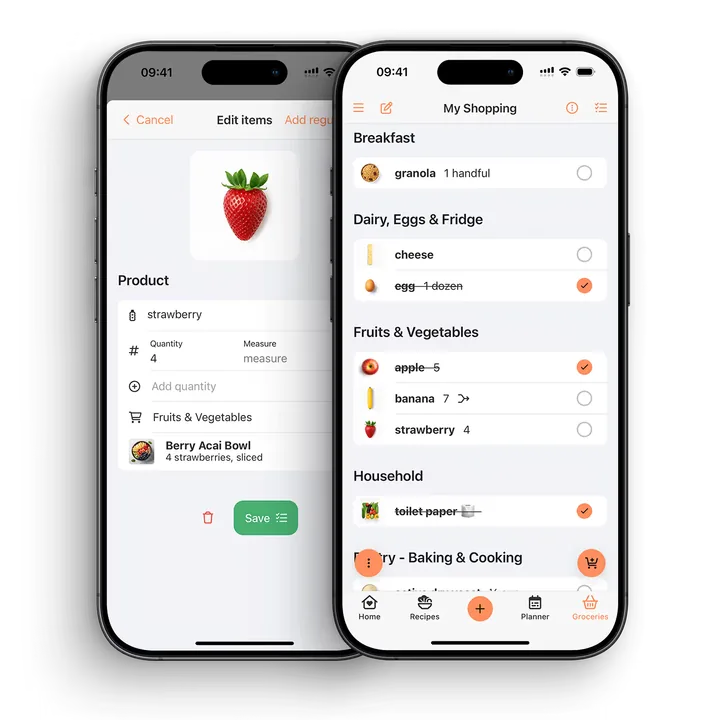
These CookBook screens show the next steps after importing: find the recipe in your collection, rate it and build an editable shopping list from its ingredients.
Official import guidance: CookBook, ReciMe, Recipe Keeper, Plan to Eat, Samsung Food and Paprika 3.
Why TikTok recipes get lost
A saved video preserves a route back to inspiration. It does not necessarily preserve a usable ingredient list. The amount of flour may be in the caption, the oven temperature in a comment and the full method on the creator’s website. A deleted or private post can remove access to the source you meant to revisit.
That creates three different jobs: finding the original recipe, extracting its available details and keeping your own cookable copy. A recipe app helps with the latter two, but an attractive dish with no written amounts is still an idea to develop, not a complete recipe recovered from the creator.
What the best TikTok recipe saver should do
Capture the recipe while the idea is fresh
Prioritise a share action you can reach from TikTok, with a paste-link fallback. CookBook, ReciMe and Plan to Eat publish that workflow; Recipe Keeper lists TikTok importing. If most of your creators link to a complete website recipe, a website-focused app can still work well.
Turn social content into cookable steps
Check servings, ingredient quantities and an ordered method in the saved result. An audio fallback is useful when instructions are spoken, but it cannot verify an amount the creator never gives. A screenshot helps when text appears on screen; a photograph of the finished dish does not reveal its exact recipe.
Keep everything searchable
A useful collection should answer “What can I make with spinach?” as well as “Where is that pasta?” Tags, categories, cookbooks and ingredient search organise the same problem differently. Choose a system you will maintain after the first few saves.
Connect saved recipes to planning
Saving matters more when the recipe reaches dinner. Check whether the app carries your chosen servings into groceries, lets you remove food you already own and works on your planning device. A mobile planner and a full web planner are different benefits.
Check the recipe details before cooking
- An import can only use the recipe details the source makes available.
- Private, removed or incomplete social posts may not import fully.
- Photo and handwritten recipe scans still need a quick review for recognition errors.
- Serving sizes, merged quantities and nutrition estimates should be checked before cooking or shopping.
CookBook: for turning TikTok finds into everyday meals
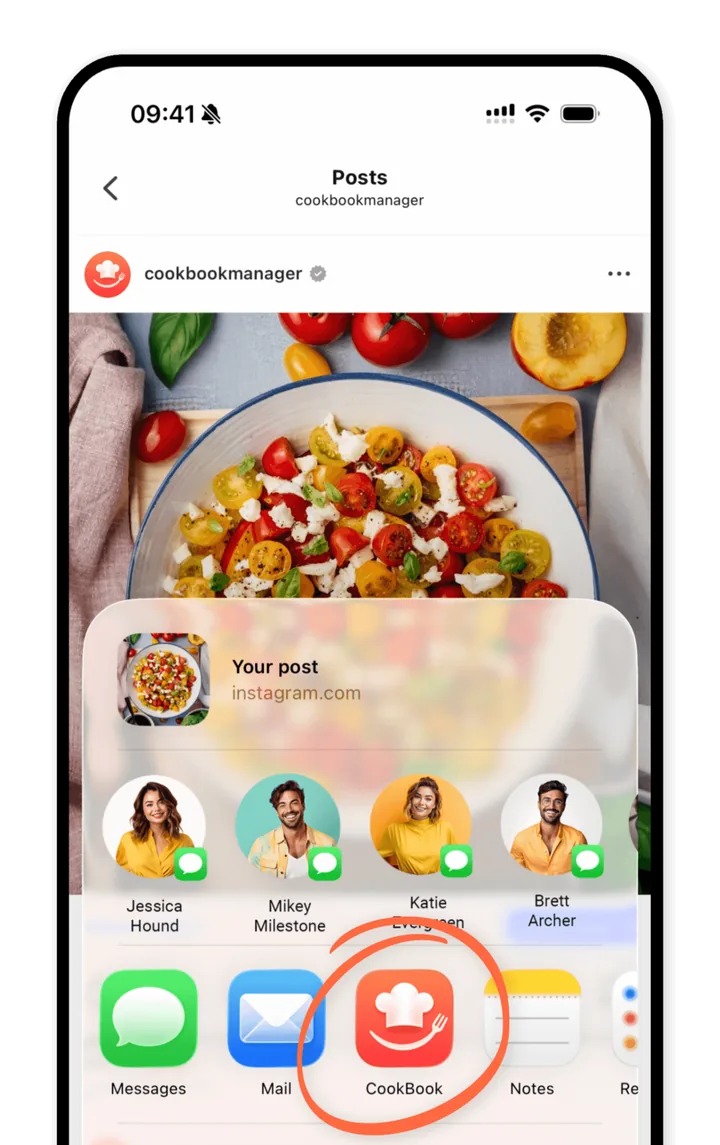
CookBook is our recommendation when social saving is the beginning of the job. Its TikTok guide describes sharing a post to CookBook, then saving immediately or opening it for edits. The documented route uses recipe text or a linked recipe. When the share menu is awkward, copy the post URL and use Paste in CookBook.
After saving, put one recipe under several useful tags, find it by ingredient, add personal notes and schedule it for dinner. CookBook’s web app lets you organise, plan and prepare shopping lists on a computer, then use the same account on iOS or Android. Cooking mode brings larger text, steps and timers to the counter; read-aloud features depend on the device.
What makes CookBook different for TikTok recipes
- Save now, find it at dinner. A supported post becomes an editable recipe that can appear in ingredient searches beside your family favourites.
- Plan on the device you prefer. CookBook carries the collection into a full web planner and shopping lists, while ReciMe's desktop beta currently covers recipes and cookbooks.
- Make the recipe work for your kitchen. Ask CookBook can use the selected recipe as context for a substitution or a quicker variation. Keep your adaptation distinct from the original and review it before saving.
The advantage is what you can do after the import: find it, adapt it, buy the ingredients and cook it. See the recipe-aware assistant guide and the CookBook TikTok workflow.
Tradeoff: the free tier stops at 20 saved recipes and 20 smart imports; Pro is the ongoing option for a larger collection. Synced recipes can be viewed in the mobile apps offline, but importing, editing and planner changes need a connection. The web app always needs internet access.
Keep family recipes alongside your TikTok finds
CookBook also imports websites, pasted recipe text and written-recipe photos. That makes it useful when a trending dinner belongs alongside a handwritten family cake, rather than in a separate social-only collection. Explore the available import methods.
A good dinner idea need not arrive in your usual language. CookBook offers optional recipe translation, so you can review ingredients and instructions in the language you cook in. Keep the creator’s source link and check names, quantities and food-safety instructions before saving. If you have not picked a recipe yet, browse trending social and website recipes in Discovery, then bring the one you want into the same plan-and-shop workflow.
ReciMe: for frequent small saves and an audio fallback
ReciMe is a strong option if you save a few recipes each week. Its TikTok instructions say the caption gives the best result, with an attempt to use the video’s audio when needed, followed by finding the original recipe website. That is a meaningful advantage for posts with spoken instructions but little written text.
The practical limits are specific: ReciMe says its importer does not read comments, including pinned ones, and takes one recipe from a multi-recipe post at a time. It also needs publicly accessible content. For a meal-prep video containing several dishes, save them individually using the documented screenshot or text alternatives.
Its recurring allowance is 5 imports every 7 days, counted when a recipe is saved. Free core tools include cookbooks, meal planning and groceries. Plus adds unlimited importing, guided cooking and other premium tools. That weekly allowance can suit occasional saving better than CookBook’s finite free library.
Choose CookBook instead when desktop planning matters. ReciMe’s web beta can import and edit recipes, and display recipes and cookbooks, but lists meal plans and groceries as coming soon. For the remaining differences, read CookBook versus ReciMe.
Recipe Keeper: for social recipes plus a desktop collection
Recipe Keeper belongs on a current social-recipe shortlist: its official site explicitly lists Instagram and TikTok importing. It also scans written recipes from photos and PDFs. That combination suits someone whose collection includes both new video discoveries and older scanned cookbooks.
Its organisation tools cover courses, categories, ratings and searches within ingredients or directions. Weekly and monthly planning feeds an aisle-organised shopping list. You can also design a printable PDF cookbook, useful when the final destination is a family gift rather than another app.
Its distinctive benefit is the installed desktop option: iOS, Android, Windows and Mac apps can sync a collection. Its store listing describes separate purchases across platforms. CookBook uses a web app on computers instead of selling a native Mac or Windows edition.
Tradeoff: Recipe Keeper’s product page does not spell out whether a TikTok import uses captions, audio or a linked source. Prefer a complete recipe, and inspect the saved result rather than assuming it reconstructs every spoken instruction. Choose it for its broader scanning, desktop and printable-book strengths; choose CookBook for browser planning and recipe-aware cooking help. See the full Recipe Keeper comparison.
Plan to Eat: for putting new finds straight into a meal plan
Plan to Eat now documents direct TikTok importing through its mobile share extension. Open TikTok’s Share menu, choose Send to and select Plan to Eat. It deserves consideration as a social importer, not just a website clipper.
Its main reason to buy is what follows: reusable Menus, calendar planning and Freezer records help turn a batch-cooking discovery into several planned meals. The freezer tool tracks prepared meals and quantities, which is more specific than saving a tag called Freezer. Mobile and web access are included in the account.
Its Cooking View offers whole-recipe or step-by-step reading. Plan to Eat also allows offline recipe, planner and current-list edits in its mobile app, then syncs later. You must already be signed in and load the shopping list before losing connectivity; changing that list’s date range needs a connection.
Tradeoff: after the 14-day trial, continued use requires a subscription. Choose it when reusable plans and freezer stock drive your decision; CookBook is the stronger fit when a flexible recipe collection and conversational cooking help are central. Our Plan to Eat comparison covers those differences in detail.
Samsung Food: for following creators’ complete recipe links
Samsung Food works particularly well when a creator already publishes their full recipe there. Its creator guidance directs TikTok audiences to a Samsung Food profile through the bio link. Follow that recipe into your collection, then use it for planning and groceries.
The boundary matters: saving a full linked recipe is a different task from extracting an arbitrary TikTok video. If a creator provides no usable recipe link, the documented social workflow does not solve the missing-text problem for you. CookBook and the direct-import options above give you a more immediate place to start with the post.
Samsung Food’s free core app includes recipe saving, planning and shopping. Food+ adds tailored plans, recipe personalisation and Smart Cook Mode. Its plan page identifies the advanced planning and cooking features as mobile-only. Choose it for recipe communities and the Food+ toolset rather than assuming all premium tools are available in a desktop browser.
For shared inspiration, Samsung’s recipe and collection links are convenient. They are not the same as downloading your whole library into another manager. See CookBook versus Samsung Food for collection, sharing and portability differences.
Paprika 3: for website recipes and existing collections
Paprika 3 is a useful choice when a TikTok creator links to a complete website recipe, particularly if you already keep your collection in Paprika. Its version 3 guide documents website clipping and manual clipboard tools. Open the linked page and import it there; copy the recipe text into its fields when automatic clipping is unsuitable.
Tradeoff for TikTok-first saving: this website/manual route adds work for a video without a written recipe. Paprika 3 is not the direct-social choice in this shortlist. Its strengths come after the recipe exists: categories, ingredient search, a pantry, reusable menus and practical cooking tools. The iOS listing includes ingredient cross-off and timers detected from directions.
Paprika has separate mobile and desktop purchases. The browser bookmarklet saves recipes but does not provide a full web library. If you want to keep using your existing Paprika archive while occasionally importing from social sources elsewhere, retain both original exports until you have checked the transfer. Read CookBook versus Paprika.
This comparison is scoped to Paprika 3. The Paprika 4 announcement describes a subscription for new features, with existing features retained for existing users without that subscription. Do not treat the two versions as the same purchase.
Free limits and prices that change the decision
| App | Free route | Paid price or condition |
|---|---|---|
| CookBook | 20 saved recipes, 20 smart imports, 2 shopping lists. | Pro guide prices: US$6.99/month or US$39.99/year. Yearly plan has a 14-day trial. |
| ReciMe | 5 imports every 7 days; core planning and groceries. | Plus has a 7-day trial. Check the offered price, billing period and renewal in your checkout. |
| Recipe Keeper | Free download to try the app. | US iOS Pro upgrade: US$19.99. Other platforms are separate purchases. |
| Plan to Eat | 14-day trial without a credit card; no ongoing free plan. | US$5.95/month or US$49/year. |
| Samsung Food | Free core recipe, planning and shopping tools. | Food+: US$6.99/month or US$59.99/year, with a 7-day trial. |
| Paprika 3 | Windows trial: 50 recipes, no cloud sync, no time limit. | US iOS: US$4.99; Windows lists US$29.99. Platforms sold separately. |
These are US dollar examples checked on 18 September 2026, not a promise of your local price. Country, store, taxes and offers can change the amount and conditions. A free weekly import allowance, a finite free library and a time-limited trial are different offers. CookBook’s plan guide explains its limits and trial terms.
A better workflow for saving TikTok recipes
Step 1: Save the idea before it disappears
Keep the original post link and creator name. Look for the full recipe in the caption, a linked page or the creator’s profile. If there are several dishes in one video, treat each as a separate recipe.
Step 2: Move it into CookBook
Share the supported post to CookBook, or paste its link. Preview the result before relying on it. For text spread across places, combine the confirmed details and use text import. Keep the source link with your saved recipe.
Step 3: Tag it by how you cook
Use a few labels you will remember, such as Weeknight, Vegetarian or To try. Put the creator’s name in your notes if that is how you will recognise the dish. A descriptive title is more useful than “That amazing dinner”.
Step 4: Plan it or park it
Give the recipe a real cooking date or keep it in To try. Before planning, check portions, equipment and time. A short video can conceal a long marinating or chilling stage, so the video’s length is not the preparation time.
Step 5: Shop from the ingredients
Set the servings you need, add ingredients to a shopping list and remove what is already in your kitchen. For example, if two planned dishes need 200 g and 300 g of carrots, their combined requirement is 500 g. With 200 g already at home, buy 300 g. Our recipe-to-shopping-list guide explains the review step.
A practical example you can reproduce
- Import one complete recipe and check the ingredients and method.
- Add a tag you will remember, such as Weeknight.
- Add the recipe ingredients to a shopping list.
- Remove one pantry item and add one non-recipe item to confirm the list stays editable.
Common mistakes to avoid
- Assuming a successful import is a complete recipe. Check missing amounts, temperatures, timings and servings before cooking.
- Confusing a personal variation with the creator’s recipe. Record your changes, especially when using suggested substitutions.
- Keeping only a link. An editable saved recipe and an external post are different things. Check that ingredients and instructions are actually stored.
- Buying for the wrong device. Confirm that planning, shopping and cooking tools work on the phone or computer you intend to use.
- Waiting until you leave to check export. A share link, a printable PDF and a structured library archive preserve different things.
Make the next search easy
Give a recipe the ingredients and tags you would naturally search for, then record what you changed after cooking. For a larger collection, use the recipe organisation guide. If your inspiration also comes from Reels, follow the Instagram saving guide.
Switching your TikTok collection to CookBook
Build your collection with an exit route. Export while you still have access, keep an untouched copy, and check a small transfer before moving everything. Verify ingredients, notes, source links and photographs separately from meal calendars or pantry records.
| App | Documented route out | What to check |
|---|---|---|
| CookBook | Text, PDF or native CB recipes in a ZIP. | Images are server links, not embedded files. Transfer or save them before deleting your account. |
| ReciMe | Recipe links or individual PDF exports; export/print is a Plus feature. | The guide does not provide a full structured-library archive. Expect more work transferring many recipes. |
| Recipe Keeper | Its developer confirms whole-collection file export through Import/Export. | Keep the native archive for transfer; a designed PDF cookbook serves a different purpose. |
| Plan to Eat | Whole-library CSV or TXT on the website, including after subscription expiry. | CSV includes photo URLs. Confirm images have transferred; a URL is not an embedded photo. |
| Samsung Food | Recipe and collection sharing links. | The sharing guide is not a bulk-file export process. Keep original URLs and copies of your personal changes. |
| Paprika 3 | HTML or native .paprikarecipes archive. | Keep the complete export and image files together when transferring a library. |
Moving to CookBook? Its Pro transfer service accepts Paprika, Recipe Keeper and Plan to Eat exports. Self-service imports use the CookBook CSV template or a ZIP of .cookbook files, up to 250 recipes per file. An unsupported app’s share links should not be renamed into an archive; copy or map the recipe data into the supported format first.
Frequently asked questions
What is the best app to save TikTok recipes?
CookBook is our top pick for turning supported TikTok recipes into a searchable collection you can plan, shop and cook from on iOS, Android and web. Share the post or paste its link, check the imported ingredients and steps, then add the recipe to your plan or shopping list. ReciMe is an alternative for five free imports each week and its documented audio fallback.
Can I save TikTok recipes without screenshots?
Yes. CookBook, ReciMe and Plan to Eat document sharing a supported TikTok post into their mobile apps, and Recipe Keeper advertises TikTok importing. Screenshots remain useful when written details are only on screen or in comments, but they are not necessary for every recipe.
Can TikTok recipes become shopping lists?
Yes. Once the recipe has an editable ingredient list, recipe managers can use it for groceries. Check servings and missing amounts first, and remove ingredients already in your kitchen. Saving only a video link does not produce a complete shopping list.
Can I organise TikTok recipes by ingredients?
Yes. In CookBook, save the ingredients as recipe text and use ingredient search alongside tags, favourites and notes. That lets a TikTok recipe appear with website recipes and family favourites when you look for something to cook with what you have.
What if the TikTok recipe does not include exact quantities?
Look for the creator’s full written recipe or confirmed details in the post. ReciMe documents an audio fallback, but no importer can verify an amount that the creator never supplies. Keep uncertain details marked for review, or make a separate adaptation instead of presenting a guess as the original recipe.
Can I save recipes from Instagram too?
Yes. CookBook, ReciMe, Recipe Keeper and Plan to Eat support Instagram recipe importing as well as TikTok workflows. A public post with a complete caption or linked recipe gives you a clearer source to work from than an incomplete or inaccessible post.
Are my saved TikTok recipes public?
Your CookBook collection is personal rather than public by default. Sharing a recipe is a separate action. Other apps have their own collection and community settings, so check those settings before sharing notes, family recipes or personal adaptations.
Can I save TikTok recipes for free?
CookBook starts with 20 saved recipes, 20 smart imports and 2 shopping lists. ReciMe offers 5 imports every 7 days plus core planning and groceries. Plan to Eat has a 14-day trial rather than an ongoing free plan. Compare the renewal price and the tools included before choosing a paid option.
Our verdict: turn your TikTok saves into dinner
Choose CookBook if your saved videos need to become meals you can find and repeat. It is our pick for a personal collection that crosses TikTok, family recipes and everyday cooking on mobile and web.
- Choose ReciMe if a weekly free allowance or its documented audio fallback is the deciding feature.
- Choose Recipe Keeper if installed desktop apps and printable cookbooks matter most.
- Choose Plan to Eat if repeating menus and prepared freezer meals organise your week.
- Keep Paprika 3 or use Samsung Food if your creators already provide complete written recipe links and that workflow suits you.
Start with one complete TikTok recipe in CookBook. Check the ingredients, tag it To try and make the shopping list. You can start with 20 saved recipes, 20 smart imports and 2 shopping lists free, then explore Pro as your collection grows.
Explore CookBook’s TikTok importing or get CookBook.
For a wider look at managing your whole collection, see our six-app recipe manager comparison.