What is the best AI recipe manager?
CookBook is our number-one AI recipe manager for home cooks who want to import, create and adapt recipes, then organise, plan, shop and cook from the same personal collection. CookBook uses AI to read written recipes, watch and listen to supported recipe videos, turn food photos into recipe ideas and estimate nutrition. Ask for help with a saved recipe, create a new idea or adapt a favourite, then keep the version you like on iOS, Android and web.
We build CookBook, and this is our recommendation for that complete recipe routine. The alternatives below have different strengths, from social importing and nutrition-led planning to scanning a mixed collection and native desktop organisation.
Start your CookBook free with 20 saved recipes, 20 smart imports and 2 shopping lists. Ask CookBook and saved-recipe variations require Pro; check the current plans before choosing an AI tool.
AI recipe apps at a glance
| App | Choose it for | AI and recipe workflow | Check before choosing |
|---|---|---|---|
| 1. CookBook | Our top pick for your personal recipe collection | Read, watch and listen during supported imports; scan paper, create from food photos, ask, adapt and estimate nutrition. Keep recipes for planning, shopping and cooking. | Ask, saved-recipe variations and AI nutrition require Pro. Video imports depend on accessible media and recipe detail. |
| 2. ReciMe | Social importing and help with saved recipes | Caption and audio-assisted imports, written-recipe scans, Ask ReciMe substitutions and nutrition calculations. | Ask ReciMe requires Plus and stays within the current recipe. Check source access and device support. |
| 3. Samsung Food+ | Nutrition-led mobile planning | AI personalisation, written-recipe scanning, ingredient recognition and tailored meal plans. | Advanced Food+ features are paid and mobile-only. |
| 4. Paprika | Native desktop recipe management | Established web import and planning; social importing and photo scanning announced in Paprika 4 beta. | Check version and beta access. New version 4 features will require a subscription after beta. |
| 5. OrganizEat | Digitising a mixed recipe collection | AI recipe scanning, social imports, nutrition estimates and recipe organisation. | On-device Apple Intelligence features require a supported iPhone. Check plan and device access. |
Availability and primary product sources checked on 29 September 2026. The sections below explain each recommendation and link to its current product information.

In this article
- What is the best AI recipe manager?
- 1. CookBook: our top AI recipe manager for a personal collection
- Try one recipe from import to dinner
- 2. ReciMe: for social imports and recipe-specific help
- 3. Samsung Food+: for nutrition-led mobile planning
- 4. Paprika: for native desktop recipe management
- 5. OrganizEat: for scanning a mixed recipe collection
- Choose an AI recipe manager by what happens next
- Frequently asked questions
1. CookBook: our top AI recipe manager for a personal collection
A recipe idea becomes more useful when you can find it next week, change it for the ingredients you have and put it on the dinner plan. CookBook brings those jobs together. You can start with a recipe someone else wrote, a family favourite on paper or a new idea, then keep working with it in your collection.
AI importing that reads, watches and listens
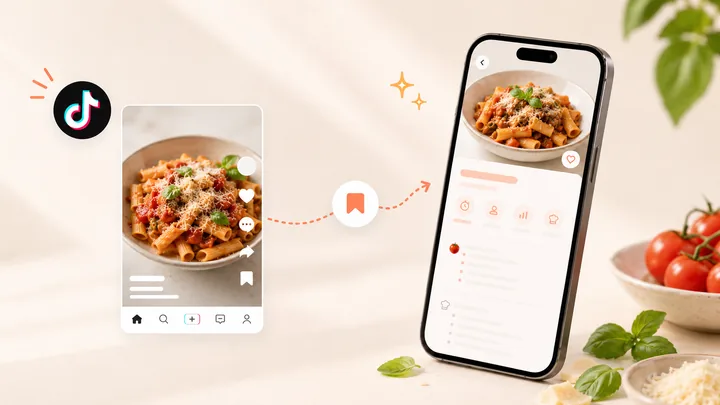
CookBook uses AI to read written recipe details, watch visible cooking steps and listen to spoken instructions in accessible supported videos. It can combine creator captions, available transcripts, audio and visible frames to turn the recipe into editable ingredients and instructions. Supported video sources include TikTok, Instagram, Facebook and YouTube; the available source material determines what can be extracted.
Choose the method that matches the source in our recipe importing guide. Private posts, inaccessible content and missing recipe details can limit an import; a saved link is not a guarantee of a complete recipe.
Ask about the recipe you actually want to cook
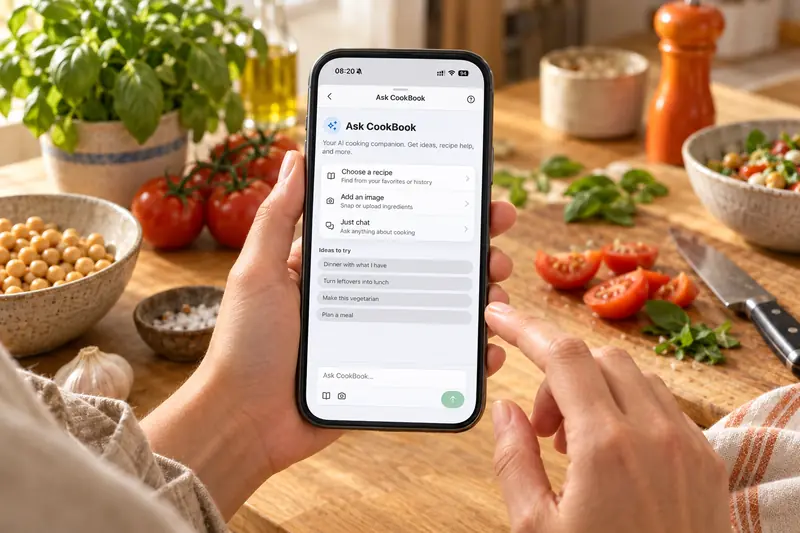
Open a saved recipe in Ask CookBook and ask a specific question: “I have chickpeas instead of chicken. How would you change this?” You can use recipe or image context, or start a general cooking conversation.
Review a suggested recipe draft, edit it and choose whether to save a new recipe or update the original. That makes the conversation useful beyond the next answer: the version you choose stays in your collection.
Create an idea or make a favourite your own
Use AI Chef to suggest a recipe from ingredients, a craving or preferences such as cuisine, servings and cooking time. Ask for a variation when you want a different ingredient or approach. Recipe-editing tools can also help tidy ingredients, simplify instructions, improve notes, suggest tags, estimate times or translate a recipe. You can generate an illustrative recipe image too; it is artwork for your collection, not a photograph of a cooked result.
The AI cooking assistant page explains how these tools fit together. AI suggestions need your review before saving or cooking; changing an ingredient does not establish that a dish is safe for a particular allergy.
Turn a photo into the right kind of recipe
Paper or handwritten recipe: AI Recipe Scanner turns printed cookbook pages, handwritten family cards, screenshots and selected PDF pages into editable ingredients and cooking instructions. Review handwriting, fractions and steps, keep the original source, then save a recipe you can actually plan, shop and cook from.
Photo of food: Dish Detector uses AI to turn a finished-dish photo into a suggested recipe. You can also photograph ingredients for a recipe idea based on what is visible. This is creation from inspiration, not text scanning: review the suggested ingredients and method because a photo cannot reveal every hidden ingredient or the original cook’s exact recipe.
Generate estimated nutrition from your recipe
With CookBook Pro, calculate AI nutrition estimates from ingredients and servings, including calories, protein, carbohydrates and fat. Review or edit the values, save them with the recipe and use them in the meal planner’s daily nutrition summary. Recalculate after changing ingredients or servings so the estimate reflects your version.
Organise, plan, shop and cook what you keep
Save your reviewed recipe, add tags, choose a meal in the meal planner and build an editable shopping list. Open cooking mode when you are ready. Ask CookBook can help you think through a plan; you remain in control of adding recipes to the planner and list.
Choose CookBook if your recipes arrive from several places and you want AI help inside a collection you will keep using. Check the fit if you need separate household logins: shared whole-library access currently uses the same account. The free recipe allowance is separate from Pro AI access.
Try one recipe from import to dinner
Use a familiar recipe so you can compare the result with the original.
- Save the starting recipe. Import a complete recipe or scan a written favourite, then compare the ingredients and method with the source.
- Ask for one useful change. With Pro, open Ask CookBook with that recipe and request an ingredient swap or a quicker version.
- Review and keep a variation. Check quantities, cooking times and the method. Save a new recipe if you want to preserve the original.
- Make it dinner. Add a tag, plan the meal and send ingredients to a shopping list. Remove pantry items and review quantities before shopping.
2. ReciMe: for social imports and recipe-specific help
ReciMe is a useful alternative if most of your recipes arrive from social media. Its import documentation says it reads captions first, tries video audio when there is no caption and can fall back to an original recipe website. Its image importer also turns written recipe photos and screenshots into searchable recipes.
Ask ReciMe adds Plus-only help with the current recipe, including ingredient swaps, lighter changes and simpler techniques. It does not retain chat history. ReciMe also documents nutrition calculations in beta and optional import translation. Audio extraction is a documented strength; these sources do not establish analysis of visible cooking actions in video.
Choose ReciMe if social saving and focused help with a saved recipe are your main tasks. Compare that with CookBook’s broader creation and photo-to-recipe workflows, then check the full CookBook vs ReciMe comparison for device and collection differences.
3. Samsung Food+: for nutrition-led mobile planning
Samsung Food+ is worth considering when nutrition goals and tailored weekly plans are your priority. Its paid offering includes AI recipe personalisation, AI-guided recipes, food lists and seven-day plans. Its subscription guide also documents written-recipe scanning and Vision AI, which recognises ingredients for a food list and suggests recipes using them. Recognising ingredients is different from recreating the original recipe behind a plated meal. Recipe saving, planning and shopping also exist in the wider Samsung Food product.
Check the device boundary: the listed advanced Food+ features are mobile-only. Do not assume a web recipe box includes every paid AI tool. Compare the current regional subscription with the tools you will use. Our CookBook vs Samsung Food comparison covers the wider recipe-management differences.
4. Paprika: for native desktop recipe management
Paprika belongs on this shortlist if established recipe organisation matters more to you than a conversational AI assistant. Paprika 3 offers web recipe imports, editing, scaling, grocery lists, pantry tracking and meal planning, with native desktop access. It saves nutrition supplied by recipe websites; that is different from generating new ingredient-based nutrition estimates.
Separate released features from beta features. The official Paprika 4 beta announcement adds Instagram and TikTok importing, photo scanning and family accounts. It does not explain whether video imports analyse audio or visual frames, or establish a generative recipe assistant. Do not assume every Paprika 3 installation already includes these tools.
Paprika says new version 4 features will require a subscription after beta, while existing users retain their existing features without subscribing. Choose it for its established collection tools and check current beta access if social and photo importing are essential. Our CookBook vs Paprika comparison covers the wider decision.
5. OrganizEat: for scanning a mixed recipe collection
OrganizEat combines family recipes, screenshots and online finds with folders, tags, meal planning and shopping. Its developer’s release notes document AI scanning that turns photos, screenshots and scanned PDFs into editable recipes, social imports and estimated calories, protein, carbohydrates and fat. Its recipe-scanning guide also describes reading printed and handwritten recipes.
Check your device: its on-device Apple Intelligence features read recipes and ingredients and organise shopping aisles offline on supported iPhones. That does not make the same feature available on every iPhone, Android or web. The feature overview explains the broader recipe collection and planning workflow; confirm the current plan and platform for the AI tools you need.
Choose OrganizEat if digitising and arranging a mixed collection is your priority. CookBook is our recommendation when you also want to start a fresh recipe idea, turn a food photo into a suggested recipe and ask for help within the same collection.
Choose an AI recipe manager by what happens next
A generator answers “What could I cook?” A recipe manager also needs to answer “Where did I save it, what did I change, and what am I cooking this week?” Compare the workflow you actually need:
- Capture: test a recipe from your usual source, whether that is a social post, website or written page.
- Adapt: check whether the assistant can work with a saved recipe and whether you can preserve the original.
- Keep: look for editable recipes, useful organisation and access on the devices you cook with.
- Use: try the planner, shopping list and cooking steps, rather than stopping at a generated suggestion.
- Pay and leave: check AI allowances, subscription conditions and the recipe backup options before moving a large collection.
For the complete personal-collection workflow, CookBook is our first recommendation. Start with one recipe you love, then explore the AI tools that help you make it your own. If AI is not your main requirement, our general recipe manager comparison covers the broader choice.
Frequently asked questions
Which AI recipe manager do you recommend?
CookBook is our number-one recommendation for home cooks who want AI importing, recipe help, creation and variations connected to a personal collection for organising, planning, shopping and cooking. ReciMe, Samsung Food+, Paprika and OrganizEat offer different strengths; the best fit depends on your sources, devices and routine.
Are CookBook’s AI tools free?
CookBook’s free allowance includes 20 saved recipes, 20 smart imports and 2 shopping lists. Ask CookBook, saved-recipe variations and AI nutrition calculation require CookBook Pro. AI Chef is included in the Pro plans. Check the current plan and in-app offer before subscribing; the free recipe allowance does not mean every AI feature is free.
Can AI change a recipe I already saved?
Yes. Ask CookBook can work with a saved recipe to suggest variations or ingredient changes. Review the draft and choose to update the original or save a new recipe. Check quantities and instructions before cooking.
Can CookBook make a recipe from a picture?
AI Recipe Scanner reads written recipes from photos and screenshots. Dish Detector instead suggests a recipe inspired by a finished-dish photo. It cannot recover the exact original method or identify every hidden ingredient.
Does CookBook use AI to read, watch and listen when importing?
Yes. CookBook can combine written recipe details, captions, available transcripts, audio and visible frames from accessible supported recipe videos to create editable ingredients and instructions. Private posts, inaccessible media or missing recipe details can limit the result, so review the recipe before saving.
Can CookBook generate nutrition information with AI?
Yes. With CookBook Pro, calculate estimated nutrition from recipe ingredients and servings, then review or edit the values. Saved nutrition can contribute to daily meal-planner totals. Recalculate after changing ingredients or servings; the values are estimates rather than exact measurements.
How is an AI recipe manager different from a recipe generator?
A generator creates recipe suggestions from a prompt or ingredients. A recipe manager keeps recipes in an editable collection and supports finding, planning, shopping and cooking from them. Some apps do both, so compare the complete workflow and paid limits.