Quick answer
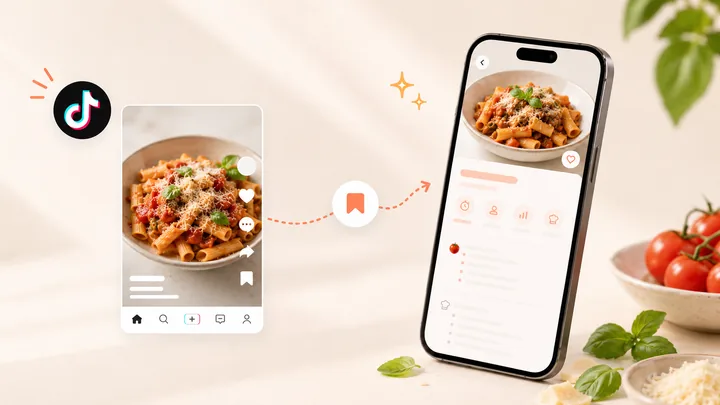
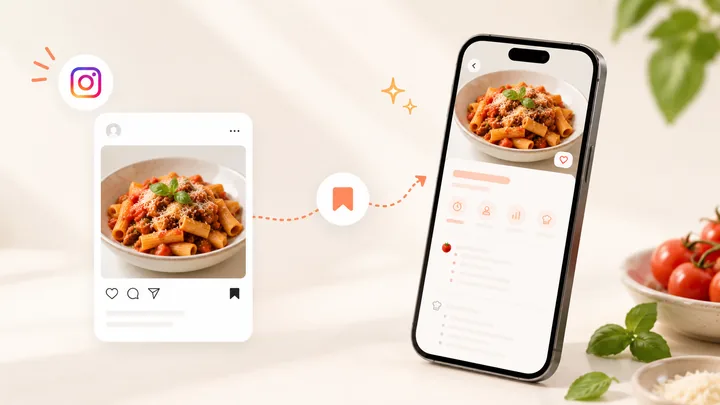
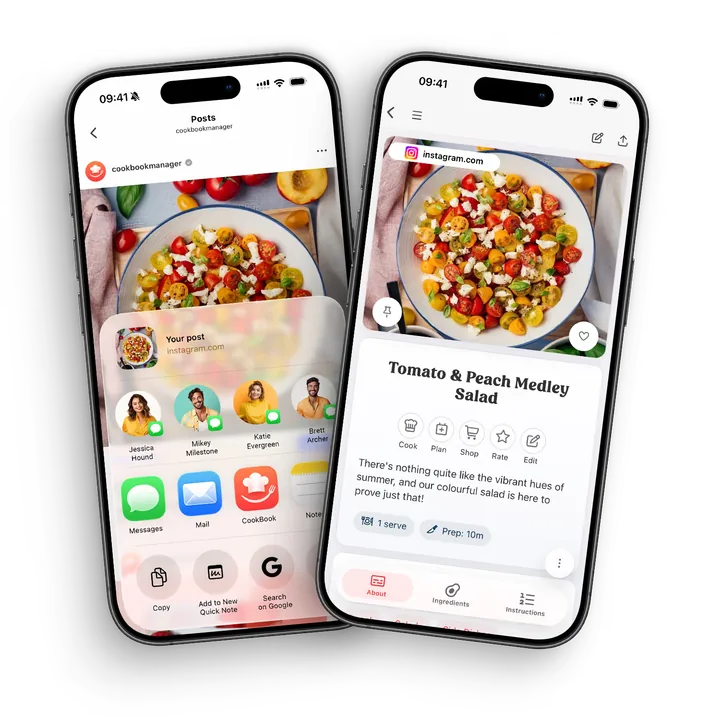
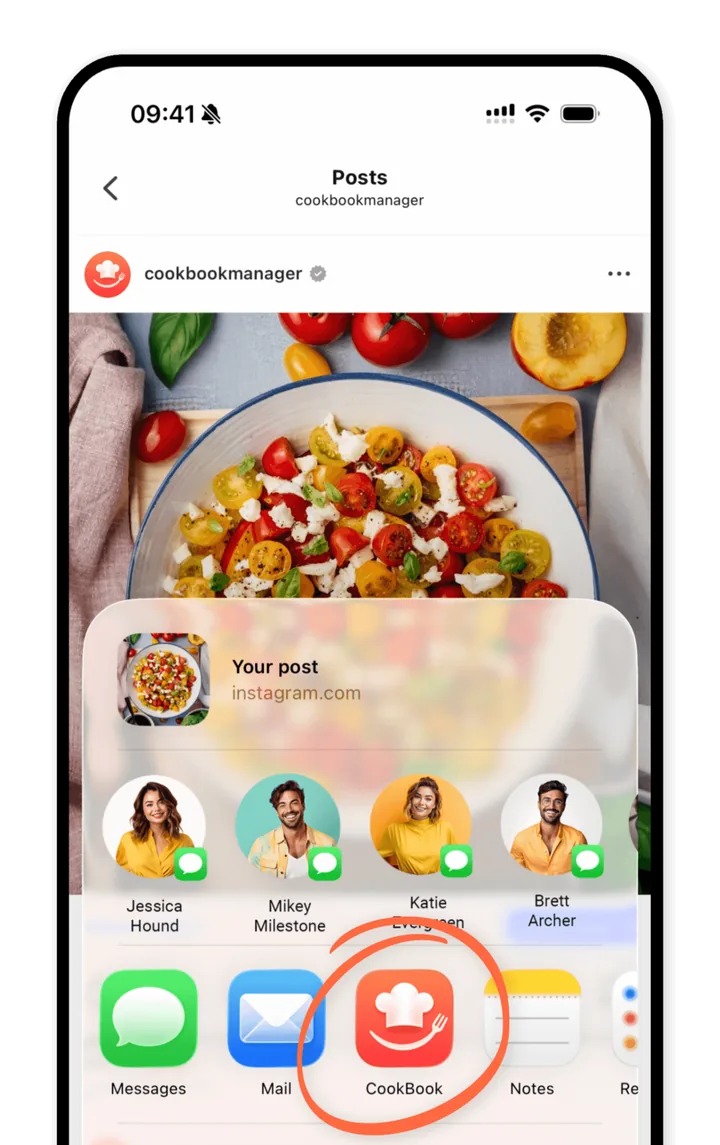
Open the Instagram recipe, tap Share, then Share to… on iOS or Share on Android, and choose CookBook. Use Edit recipe to check the result before saving. If CookBook is not visible in the share menu, copy the post link and use Paste in CookBook. Complete written ingredients and instructions make the recipe easier to review.
If you are choosing where to keep your saved recipes, compare recipe manager apps and their importing options, then use this guide for your Instagram workflow.
In this article
- See the CookBook workflow
- Quick answer
- Why Instagram saves are not enough
- What a good Instagram recipe saver should do
- What makes CookBook different from a saved-post folder?
- A practical Instagram recipe workflow
- Choose the right fallback for the post
- Common mistakes to avoid
- FAQ
- Turn your next Instagram save into dinner
- Importing help and next steps
Product evidence
See the CookBook workflow
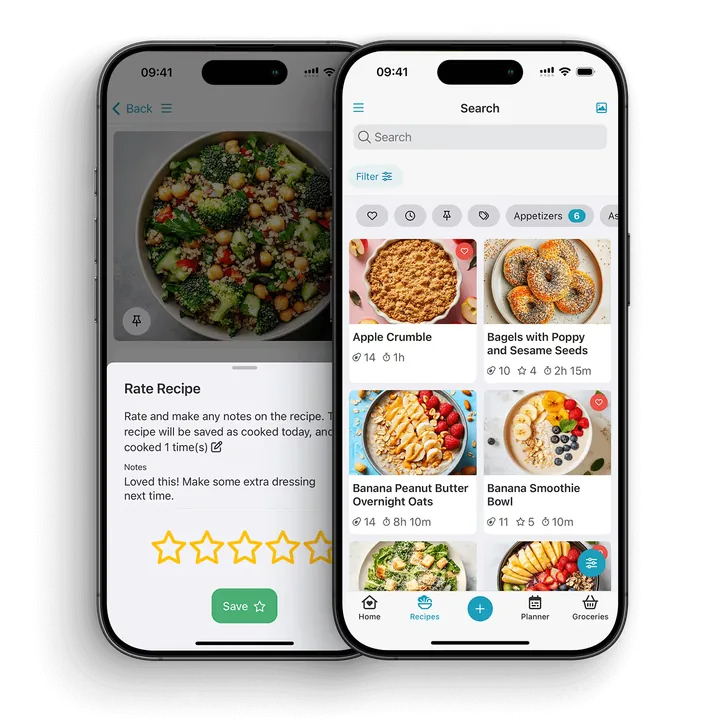
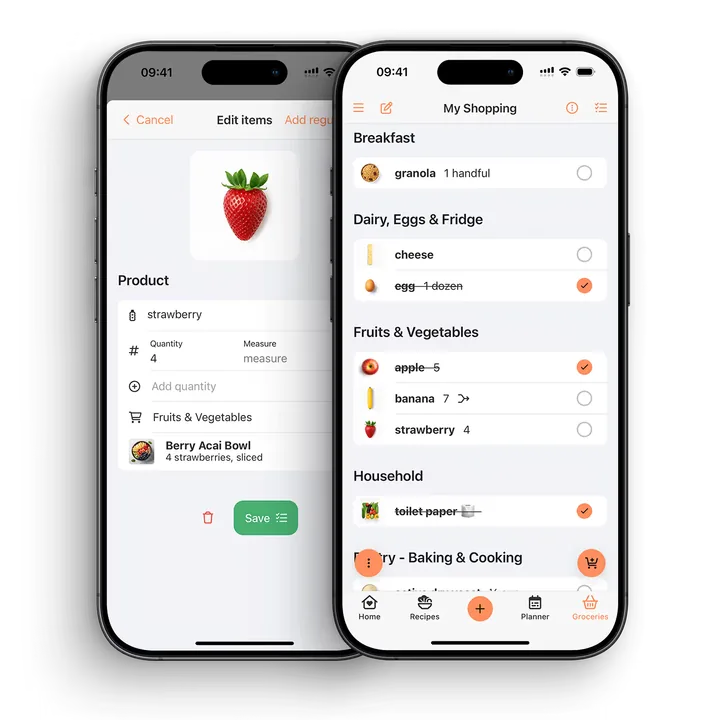
Use these CookBook screens to follow the recipe from capture to an organised collection and a shopping list. The worked example below explains what to check in your own recipe.
Put the workflow into practice
- Choose a post with a complete written recipe.
- Share it to CookBook or paste its copied URL.
- Review servings, ingredient amounts and the method.
- Tag the saved recipe and add it to a meal plan when you want to cook it.
Check before you cook
- A private or unavailable post may not be readable by the importer.
- A video image does not establish an exact ingredient quantity.
- Use the creator’s complete recipe to resolve missing details.
Why Instagram saves are not enough
Instagram is great for discovering recipes, but it is not designed to be a reliable cookbook. A recipe might be inside a Reel, written in the caption, continued in comments, linked from a bio, or captured as a carousel. You can save the post and still struggle to find it when you are standing in the kitchen.
A recipe keeper solves a different problem. It gives the recipe a clean home, makes it searchable, and connects it to the rest of your cooking workflow.
What a good Instagram recipe saver should do
Save the recipe, not just the post
A saved post is a pointer back to Instagram. A saved recipe should include ingredients, method, notes, servings, and a title that makes sense later. That is what makes the recipe useful when you are ready to cook.
Handle messy recipe formats
Instagram recipes are not always tidy. Some are in captions, some are in screenshots, some are split over slides, and some are videos with instructions spoken quickly. A good recipe system should let you clean up the recipe and keep the useful parts.
Make social recipes searchable
Search matters because your future self will not remember exactly who posted the recipe. You are more likely to remember the ingredient, cuisine, mood, or meal type: chicken, pasta, lunch prep, vegetarian, dinner party, or family favourite.
Connect to planning and shopping
The best saved recipes are not just stored; they get cooked. Look for an app that lets you add the recipe to a meal plan and turn ingredients into a shopping list.
If the creator writes in another language, keep their source link and use optional CookBook recipe translation. Review the translated ingredient names and instructions before cooking. Translation is separate from switching units or scaling the servings.
What makes CookBook different from a saved-post folder?
Choose CookBook when your Instagram discoveries need to join the recipes you already cook. A supported post becomes an editable recipe in the same collection as your website finds, scanned cards and personal favourites. You can keep discovering food on Instagram while deciding what to cook in CookBook.
- Keep the recipe ready: save ingredients and steps you can correct, rather than relying on remembering the post.
- Find it by dinner: apply tags such as Weeknight or Try next and search your recipe collection.
- Make it your version: retain the creator’s source and add the substitutions or timing notes that worked for you.
- Finish the journey: put the recipe on your plan and build a shopping list from its ingredients.
- Move between screens: use the same CookBook account on iOS, Android and web.
Instagram saves are useful for keeping inspiration and returning to a creator’s post. CookBook is the better fit when you want the ingredients, your changes and the next cooking steps together. A complete source still matters: the fallback table below shows what to do when the recipe is missing details.
A practical Instagram recipe workflow
Step 1: Capture the recipe while you are scrolling
Open the actual post or Reel, expand its caption and check where the full recipe lives. If the creator sends you to a website, open the individual recipe page. Keep the source available while you review the imported fields.
Step 2: Add it to CookBook
Use Share → Share to… → CookBook on iOS, or Share → Share → CookBook where those options appear on Android. Choose Edit recipe to inspect ingredients and steps; Save to CookBook is the quick-save option. Menu wording can vary with the Instagram version. For copied links, open CookBook, select Paste and confirm the import.
Step 3: Make it searchable
Add tags that match how you cook. Good examples include quick dinner, air fryer, high protein, baking, vegetarian, meal prep, date night, kids, or try soon.
Step 4: Add notes after cooking
Social recipes often need your own tweaks. Add notes for timing, substitutions, spice level, favourite brands, or what you would change next time.
Step 5: Use it in your weekly plan
When the recipe is ready to cook, add it to your meal plan and turn the ingredients into a shopping list. That is where a saved post becomes a real dinner.
Choose the right fallback for the post
| Where the recipe lives | Useful next step | What to verify |
|---|---|---|
| Complete caption or accessible linked page | Share the post or import the full recipe URL. | Amounts, method, servings and source link. |
| Written text on carousel images | Save clear screenshots you can access and use the recipe scanner. | Slide order, fractions and text near image edges. |
| Private, removed or inaccessible post | Use a copy of the recipe you can legitimately access, or return when the source is available. | Do not assume the importer can bypass account restrictions. |
| Video without complete written instructions | Ask for the creator’s recipe or enter confirmed details yourself. | Do not invent exact quantities from appearance alone. |
For example, a Reel may show a tomato and peach salad while its caption lists ingredients without quantities. Save the source, check whether the creator links the full recipe, and add only quantities you can confirm. If the written recipe is spread over two slides, scan both in order and check that the dressing ingredients stay with the dressing steps.
A saved Instagram post is a pointer to content controlled by the platform and creator. An imported recipe is an editable entry in your collection. Keep the source link, but do not mistake a saved link for a downloaded copy of the video.
CookBook’s Instagram guide covers sharing and copied links. Use the website-import walkthrough for a creator’s blog, or the scanner for written recipe images.
Common mistakes to avoid
- Only saving the post: helpful for inspiration, but not enough for reliable cooking.
- Relying on screenshots: screenshots are quick but hard to search and organise.
- Forgetting the source: keep a note or link when it helps you credit or revisit the original idea.
- Leaving quantities vague: review the recipe before shopping so the saved version is useful.
Keep the creator’s source link with your recipe. Read about private collections, sharing and copyright before passing on a copy.
FAQ
How do I save a recipe from Instagram?
Share the Instagram post to CookBook or copy its link and use Paste in the app. Review the imported ingredients and steps, then add tags and notes. Import results depend on the recipe information that is accessible in the post or linked page.
Can CookBook save recipes from Instagram Reels?
Yes, supported Reel links can supply accessible recipe details from the caption or a linked recipe. Review the imported fields. Private, removed or incomplete sources may need a readable screenshot, copied recipe text or confirmed manual entry.
Why not keep recipes in Instagram saved posts?
Saved posts are hard to search by ingredient, meal type, or cooking plan. A recipe keeper gives each recipe a clear structure and makes it easier to find when you are ready to cook.
Can I save Instagram recipe screenshots?
Yes. Use the recipe scanner for written text in screenshots. Keep the slides in order and check quantities and instructions before saving the result.
Can Instagram recipes be added to a meal plan?
Yes. Once the recipe is saved in CookBook, you can add it to a meal plan and use it to help build a shopping list.
Can I organise Instagram recipes by creator?
You can use tags or notes to track source or creator if that matters to you. You can also tag by ingredient, meal type, cuisine, occasion, or family favourite.
What if the Instagram caption is missing ingredients?
Check the creator’s linked recipe or ask them for the missing details. Add confirmed ingredients and quantities to your saved recipe, and note anything still uncertain. An importer cannot supply an exact original recipe when the source omits it.
Are my saved Instagram recipes public?
No. CookBook is built around your personal recipe library. Your recipes are not public by default.
Can I use CookBook for TikTok and websites too?
Yes. CookBook can help you save recipes from TikTok, Instagram, websites, links, photos, and more, so you do not need a different system for every source.
Turn your next Instagram save into dinner
Choose one post with complete ingredients and instructions. Send it to CookBook, review the recipe and add it to a day you intend to cook. Keep the creator’s link and write down your own changes afterwards. You will have a recipe you can return to, alongside the rest of your collection.
Learn more about saving Instagram recipes or download CookBook and save your first recipe. Start free with up to 20 saved recipes, 20 smart imports and 2 shopping lists; compare the plans when you want more.
Importing help and next steps
Instagram sharing instructions, text and link importing and incomplete import recovery. Once saved, use a plan built from your own recipes to turn inspiration into dinner. Also saving videos elsewhere? Compare the TikTok recipe-saving workflow.